
A 90-day digital marketing plan is the easiest way to stop doing random marketing and start doing the right things in the right order. Most small businesses try a bit of everything: a boosted post here, a new Instagram page there, a website that was never finished. Nothing gets enough time to work, and it all feels like wasted money.
Ninety days is long enough to see real progress and short enough to stay focused. This plan is built for shops, clinics, coaching institutes, restaurants, contractors and service businesses. Follow it week by week, and by the end you will have a solid online presence, a steady flow of enquiries and clear numbers to guide your next step.
Why 90 Days Works
Three months is a practical window for a small business:
- Long enough to set up properly instead of rushing
- Long enough for reviews, social posts and local SEO to start adding up
- Short enough to stay motivated and review honestly at the end
- Matches a business quarter, so it fits with your other planning
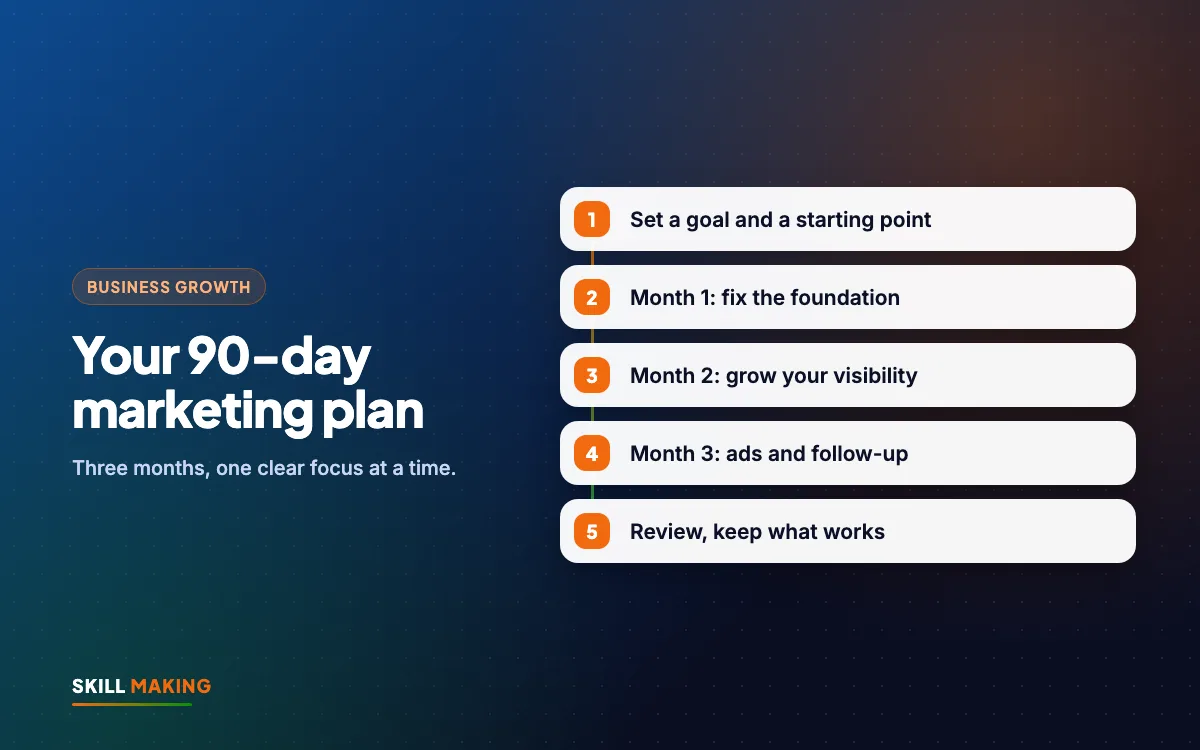
The plan is split into three phases. Month one builds the foundation. Month two grows visibility. Month three adds paid ads and systems that scale.
Here is the overall journey you are building, from being found to being chosen:
- Searches on Google“best clinic in your town”
- Opens your websiteFast and clear on mobile
- Sees photos & reviewsTrusts you in seconds
- Taps WhatsApp or CallThe enquiry reaches you instantly
- Visits and buysAnd comes back again
Before You Start: Set Your Goal and Starting Point
Spend one hour on this before Week 1. It makes everything else easier.
- Write one clear goal. For example: "Get more enquiries for home painting in Haldwani" or "Fill the new evening batch".
- Note your current numbers. How many calls, WhatsApp enquiries and walk-ins do you get in a normal week? Rough numbers are fine.
- List where customers come from today. Referrals, Google, Instagram, passing by.
- Decide your budget. How much time per week, and how much money for ads in month three.
- Start asking every new customer "How did you hear about us?" and write it down.
Month 1 of Your 90-Day Digital Marketing Plan: Build the Foundation
The first month is about fixing the basics. Without them, every later step leaks customers.
Week 1: Google Business Profile
- Claim or create your Google Business Profile
- Choose the right main category and add secondary ones
- Add accurate address, phone, hours and service area
- Upload at least 10 real photos
- Write a clear description and list your services
Our Google Business Profile guide covers each setting.
Week 2: WhatsApp and Reviews
- Set up WhatsApp Business with a full profile, catalogue and quick replies
- Create your Google review link
- Send review requests to recent happy customers
- Reply to all existing reviews
See WhatsApp Business for small businesses and how to get more Google reviews.
Week 3 and 4: Website
Your website is the base everything else points to. Make sure it has clear services, photos, reviews, WhatsApp and call buttons, an enquiry form, a map and fast mobile loading. Check our list of the pages every small business website needs.
If you do not have a website or yours is outdated, this is the time to get one. Our website design service usually delivers in about 14 days. In India, Starter is ₹14,999 and Business is ₹29,999 (prices exclude GST). For Florida, sites start from $300. Compare all packages.
End of month 1 checklist: complete Google profile, WhatsApp Business ready, review requests going out, website live or fixed, and a simple enquiry list started.
Month 2: Grow Your Visibility
Now that the foundation is solid, month two focuses on getting seen by more of the right people, mostly for free.
Week 5: Local SEO Basics
- Make sure your name, address and phone are the same everywhere online
- Create or improve a page for each main service
- Mention your town and nearby areas naturally
- Connect your website to Google Search Console
Use our local SEO checklist and the on-page SEO checklist.
Week 6: Content That Answers Questions
Write down the ten questions customers ask you most. Turn the best ones into short website pages, blog posts, or social posts. For example, a coaching institute might answer "What is the right age to start JEE preparation?" A contractor might explain "How long does waterproofing last?"
Week 7: Social Media Routine
- Choose one or two platforms where your customers actually are
- Plan two or three posts a week: real work, tips, customer stories (with permission)
- Add short videos where you can
- Make sure every profile has your WhatsApp number and location
Our social media service can handle planning and reels if you are short on time.
Week 8: Referrals and Local Partnerships
- Ask happy customers to share your number with friends
- Create a simple WhatsApp message they can forward
- Talk to two or three nearby businesses that serve the same customers
End of month 2 checklist: service pages improved, a few helpful posts or articles live, regular social posts going out, more reviews coming in, and referrals encouraged.
Halfway through the plan is a good time to get expert eyes on your progress:
Month 3: Add Paid Ads and Follow-Up Systems
With the basics working, paid ads now have a much better chance of bringing real customers rather than wasted clicks.
Week 9: Choose Your First Ad Channel
- Google Ads if people already search for your service, such as "dentist near me" or "plumber in Rudrapur"
- Facebook and Instagram ads if you need to create interest, such as a new batch, a restaurant launch or a seasonal offer
Read Google Ads vs Facebook Ads to decide.
Week 10: Launch a Small, Focused Campaign
- Choose one service and one area.
- Write a clear offer and message.
- Send people to a focused page with a WhatsApp button and short form. See landing page vs website.
- Start with a small daily budget.
- Make sure every enquiry is tracked.
Our Google Ads and Facebook ads teams can set this up correctly from day one.
Week 11: Set Up Follow-Up
Ads only pay off if leads are answered fast and followed up. Set a rule: reply within an hour, follow up on day 2, day 6 and day 14. Read why most leads go cold for the full system and templates.
Week 12: Simple Automation
Look at the tasks you repeat every day. Auto-replies, appointment reminders, review requests after each job and saving leads into one list can often be automated. Our AI automation service helps with this, and you can read about marketing tasks to automate.
Week 13: Review and Plan the Next 90 Days
Compare your numbers now with your starting point.
- How many enquiries per week now?
- Which sources brought the most, and the best, customers?
- What did each paid lead cost?
- What worked well, and what was a waste of time?
Our guide to measuring marketing ROI helps you turn this into clear decisions.
What Progress Can Look Like
Every business is different, and we will not promise exact numbers. But when the foundation, visibility and follow-up all work together, enquiries tend to grow steadily rather than in random spikes. This illustrative chart shows the general shape:
Illustration only, not a promise. Real results depend on your town, competition, offer and how quickly you reply to enquiries.
Common Mistakes With a 90-Day Digital Marketing Plan
- Starting with ads in week one before the profile and website are ready
- Trying every platform at once instead of doing a few well
- Skipping the tracking, so you cannot tell what worked
- Giving up on SEO after a few weeks because results are not instant
- Not blocking time in the calendar, so marketing never happens
- Changing direction every week instead of finishing the plan
How Much Time Does It Take?
For most owners, about three to five hours a week is enough if you do it yourself. Month one is usually the busiest because of setup. Months two and three become more routine.
If you do not have that time, you can hand parts of the plan to an agency and keep the rest. Many owners keep reviews and WhatsApp replies themselves and outsource the website, SEO and ads.
What to Do Next
Print this plan or copy it into your phone calendar, and block one hour each week to work on it. Start with the goal and your current numbers today, then move into Week 1.
If you want help, we can turn this into a custom 90-day digital marketing plan for your business. Ask for a free audit and we will review your current setup and suggest priorities. If your website is the missing piece, get a free website plan.