
Email marketing for small businesses sounds like something only big brands do. It is not. If you run a clinic, a coaching centre, a hardware shop, a bakery or a painting business, a small list of people who already know you can bring repeat work every single month. This guide walks you through starting your first list from zero, without fancy software and without annoying anyone.
Most small-business owners we meet already have the raw material for an email list. They have old bills, enquiry forms, admission forms, a register at the counter or a WhatsApp chat full of past customers. The job is to turn that into a small, permission-based list and then send something useful to it regularly.
Why email marketing for small businesses still works
Social media reach goes up and down. One month your posts reach many people, the next month almost nobody sees them. Email is different because you own the list. Nobody can switch it off or charge you more to reach your own customers.
Here is what email does well for a local business:
- Brings back past customers. A dental clinic can remind patients about six-monthly check-ups. A salon can share a festive offer.
- Builds trust slowly. A contractor who sends one helpful tip a month stays in the customer's mind for the next job.
- Costs very little. Most email tools have a free plan for small lists, so your main cost is your time.
- Works alongside WhatsApp. WhatsApp is great for quick replies. Email is better for longer updates, price lists, newsletters and anything people may want to read later or forward.
In short, email marketing for small businesses is about staying in touch with people who already like you. Email is not a replacement for a good website or Google profile. It is the tool that keeps people coming back after they have found you.
What you need before you start
You do not need much. Before sending your first email, make sure you have:
- A business email address, such as info@yourbusiness.com, not a personal Gmail. It looks more trustworthy and lands in inboxes more often. If you have a domain for your website, you can usually create this easily. If you do not have a website yet, see our website packages.
- A free email marketing tool. Popular options like Mailchimp, Brevo and Zoho Campaigns all offer a free starting plan with sign-up forms and simple templates. Pick one and stick with it.
- A reason for people to join. "Subscribe to our newsletter" is weak. "Get our monthly offers and seasonal tips" is better. "Get the free admission checklist" is better still.
- A simple promise about frequency. Decide now: once a month, or twice a month. Then keep the promise.
How to build your first email list (honestly)
The golden rule: only add people who agreed to hear from you. Buying lists or copying random emails from the internet hurts your reputation and gets your emails marked as spam. A small honest list beats a big cold one every time.
Here are practical ways to collect email addresses for a local business:
- At the counter or reception. Keep a simple form or tablet: "Want festive offers and reminders by email? Leave your email here."
- On your bills and receipts. Ask for email when you make the bill, and tell customers why.
- On your website enquiry form. Add a small tick box: "Send me occasional offers and tips." Our website design service includes enquiry forms that can feed straight into your email tool.
- With a useful free download. A school can offer an admission checklist. A builder can offer "10 things to check before buying a plot". A clinic can offer a simple diet chart.
- At events and camps. Health camps, open days, workshops and exhibitions are perfect places to collect emails with permission.
- From WhatsApp customers. When someone enquires on WhatsApp, you can ask if they would like the monthly price list by email too.
Start with your existing customers
You probably already have some emails from past invoices or forms. Before adding them, send one simple message asking if they would like to receive updates. People who say yes are the start of your list. Many owners are surprised that their first list of fifty or a hundred people comes entirely from customers they already served.
Email marketing for small businesses: your first setup, step by step
This is the simple setup we recommend to most small businesses. It usually takes an afternoon.
- Sign up for your chosen email tool using your business email address.
- Add your business details such as address and phone. Email rules in most countries expect a real postal address and an unsubscribe link in every marketing email, and good tools add these for you.
- Create one list, for example "Customers and Enquiries". Do not create ten lists on day one.
- Add two or three simple tags such as "customer", "enquiry", "parent" or "Florida client". Tags let you send the right message to the right people later.
- Create a sign-up form inside the tool and put it on your website, Google Business Profile posts and social media bio.
- Write a welcome email that goes out automatically when someone joins. Say thank you, tell them what to expect and share one helpful thing.
- Import your existing customers who said yes, and tag them correctly.
- Send yourself a test email and check it on your phone. Most of your readers will open it on a phone.
What to send: email ideas for different businesses
In email marketing for small businesses, the hardest part is not the tool. It is knowing what to write. Good emails are short, useful and personal. Here are ideas that work well:
- Clinics and hospitals: check-up reminders, seasonal health tips, new doctor timings, health camp dates.
- Schools and coaching institutes: admission dates, results, event photos, exam tips for parents, fee deadline reminders. Our school website guide covers how websites and emails work together for admissions.
- Restaurants and cafes: new menu items, weekend specials, festive party bookings, a simple "we miss you" coupon.
- Contractors and builders: before-after project photos, monsoon maintenance tips, a reminder that you also do repairs, seasonal offers on painting or waterproofing.
- Shops: new stock arrivals, festive sales, a reminder before the season starts.
- Home-service businesses in the USA: seasonal AC or roof check reminders, storm season tips and a simple booking link.
A simple email format that works
Use this pattern for most emails:
- Subject line: clear and specific. "Diwali painting slots for November are open" works better than "Newsletter Issue 4".
- First line: say who you are and why you are writing.
- One main message: one offer, one tip or one update. Not five.
- One clear button or link: book now, call, WhatsApp us, or read more.
- Short sign-off from a real person, such as "Dr. Mehta and team".
Writing emails people actually open
Most people decide in a second whether to open an email. Here is what helps:
- Use a real name in the "From" field, like "Rakesh from Kohli Builders" rather than "noreply".
- Keep subject lines short and honest. No ALL CAPS, no "FREE!!!".
- Write like you talk. Simple English, or Hindi if your customers prefer it. Many small businesses send bilingual emails.
- Put the main point at the top. Phone readers may not scroll far.
- Use one image at most. Heavy designs often look broken on phones and can push you into the Promotions tab or spam.
- Always make it easy to reply or WhatsApp. A small business wins by being reachable.
A simple monthly email plan
Consistency matters more than perfection in email marketing for small businesses. Here is a plan most busy owners can follow:
- Week 1: write down one useful tip, one update and one offer for the month.
- Week 2: write the email in 20 to 30 minutes using the format above.
- Week 2: send it on a weekday morning or whatever time your customers are usually free.
- Week 3: look at who opened and clicked. Reply personally to anyone who replied.
- Week 4: note what worked and plan next month.
As your list grows and you keep sending, your monthly enquiries from email should become steadier. Here is an illustration of how that tends to build over time:
Illustration only, not a promise. Real results depend on your town, competition, offer and how quickly you reply to enquiries.
The chart is only an illustration, not a promise, but it shows the idea: email builds slowly and then keeps working.
Automations worth setting up early
Once your monthly email is running, add one or two simple automations. These are emails that send themselves when something happens:
- Welcome email: sent right after someone joins.
- Thank-you after purchase or visit: with a polite request for a Google review. Our guide on getting more Google reviews explains how to ask the right way.
- Follow-up for enquiries that did not convert: a gentle reminder a few days later.
- Birthday or anniversary emails: a small offer for restaurants, salons and shops.
If you want to go further, our post on marketing tasks you can automate this week lists other easy wins, and our AI automation service can connect your forms, WhatsApp and email together.
Measuring results without getting lost in numbers
Email tools show many numbers. For a small business, watch only a few:
- Opens: roughly how many people opened. Useful for testing subject lines, but not perfectly accurate because of phone privacy features.
- Clicks: how many people clicked your link. This is a better sign of interest.
- Replies, calls and WhatsApp messages after an email. Ask new enquiries, "Did you get our email?"
- Unsubscribes: a few are normal. A lot means you are sending too often or the content is not useful.
To see whether the time you spend on email pays back, you can compare the value of one extra customer against your effort and costs. Try it here:
pays for the whole website
After that, every customer the website brings is extra income — month after month.
One-time website price; domain and hosting are about ₹2,500–₹6,000 a year extra.
For a deeper look at tracking, read how to measure marketing ROI.
Common mistakes to avoid
Most problems with email marketing for small businesses come from a few repeated mistakes:
- Buying or scraping email lists. It damages trust and your sending reputation.
- Sending only offers. People stop opening if every email is "buy now". Mix tips, stories and updates.
- Sending too often, then disappearing. Pick a rhythm and keep it.
- No unsubscribe link. It is expected and often legally required. Good tools add it automatically.
- Sending from a personal email. It looks less professional and may land in spam.
- Designing a heavy email that does not load on a phone.
- Not linking to a page that works. If your email sends people to a slow or broken website, you lose them. Check that your website is not losing customers.
If you would rather have someone set this up properly, our email marketing service handles the list, templates, welcome emails and monthly sends for you.
What to do next
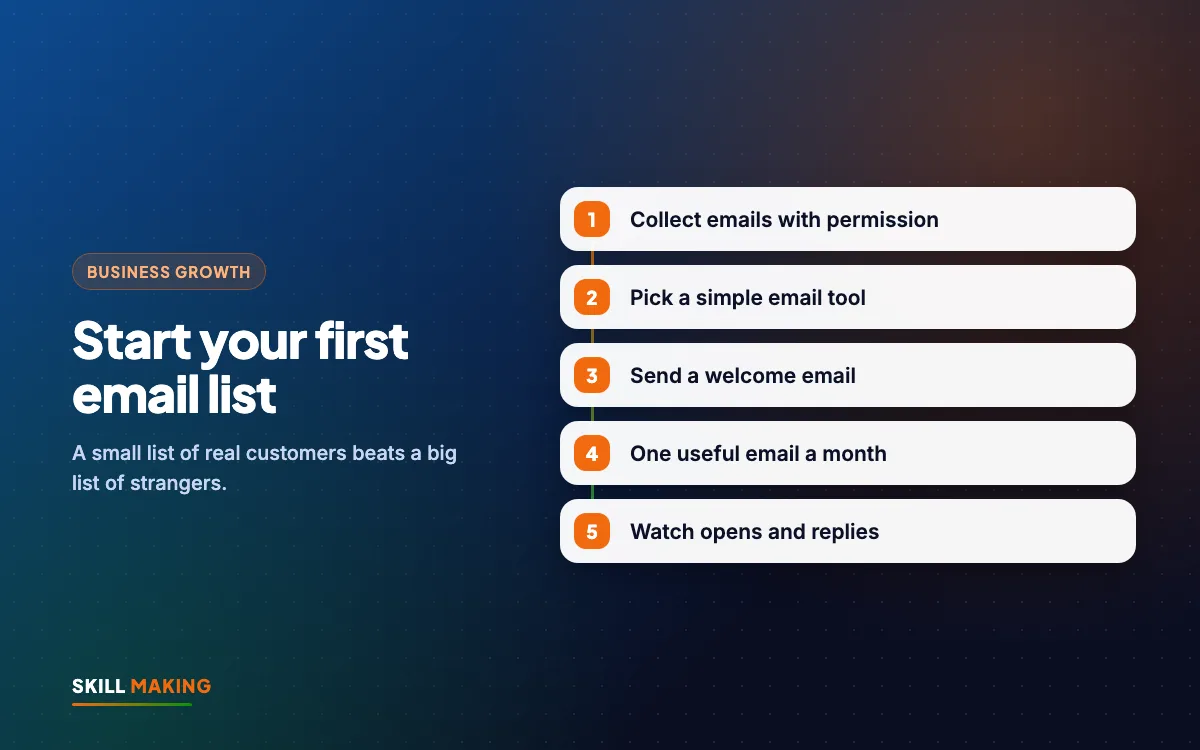
Start small this week. Create your business email, pick one free tool, and ask ten happy customers if they would like your monthly update. Write one short, useful email and send it. That is enough to begin email marketing for small businesses the right way.
If you want help, we can look at your website, forms and current customer list and show you where an email list fits. Ask for a free audit, or if you do not have a proper website yet, get a free website plan.