If you have ever chosen a restaurant, a doctor or a plumber by looking at stars on Google, you already know why reviews matter. Your customers do the same. Learning how to get more Google reviews is one of the cheapest, most effective things a local business can do for its marketing.
The good news: you do not need tricks. Most happy customers are willing to leave a review. They simply forget, or they do not know how. This guide gives you a simple system to fix both problems.
Why Google reviews matter so much for local businesses
Reviews do three jobs at once.
- They build trust. A stranger who has never met you reads what other customers say. Real, detailed reviews often matter more than anything you say about yourself.
- They help you show up on Google Maps. Reviews are one of the signals Google uses for local results. A complete Google Business Profile with steady reviews tends to perform better than an empty one.
- They tell you what to improve. Patterns in reviews show what customers love and what annoys them.
For a contractor, a school or a clinic, where the customer is spending a lot or trusting you with something important, reviews can be the deciding factor.
How to get more Google reviews without breaking the rules
Before we talk about how to get more Google reviews, understand what is not allowed. Breaking these rules can lead to reviews being removed or your profile being restricted.
- Do not pay for reviews or offer discounts, gifts or freebies in exchange for them.
- Do not write fake reviews yourself, or ask staff, friends or family to pretend to be customers.
- Do not ask only happy customers through a filter that sends unhappy ones elsewhere. Google calls this review gating and does not allow it.
- Do not post many reviews from one device or location, such as asking customers to review on your shop tablet.
- Do not buy review packages from anyone online. These are fake and risky.
Asking every customer honestly, without rewards, is completely fine. That is what this guide is about.
Step 1: get your direct review link
Customers will not search for your business, scroll, find the right button and then write. You need a link that opens the review box directly.
- Open your Google Business Profile while signed in to the owner account.
- Look for the option to ask for reviews or share review form.
- Copy the short link Google gives you.
- Save it in your phone notes, your WhatsApp Business quick replies and your email signature.
You can also turn the link into a QR code with any free QR generator and print it on cards, bills and counter stands.
Step 2: ask at the right moment
Timing is the secret most businesses miss. Ask when the customer is happiest.
- Contractors and home services: right after the job is finished and the customer has seen the result, or after they pay and say thank you.
- Clinics: after a successful follow-up visit, when the patient feels better.
- Restaurants and cafes: when the bill is delivered, or when a guest compliments the food.
- Schools and coaching: after results, an annual function or a parents' meeting that went well.
- Shops: at billing, or a day after delivery for online orders.
A simple rule: if the customer just said "thank you" or "great work", that is your moment.
Step 3: use a short, friendly message
Long messages get ignored. Keep it personal and short. Here are messages you can copy and adjust.
WhatsApp after a job: "Hi Ramesh ji, thank you for choosing us for your bathroom work. If you are happy with it, could you share a quick Google review? It really helps a small business like ours. Here is the link: [your link]"
In person at the counter: "We are a local business and Google reviews help new customers find us. If you liked the service today, would you mind leaving us a short review? This card has a QR code that opens it directly."
SMS or email after delivery: "Thanks for your order. We hope you love it. If you have a minute, a short Google review would mean a lot to us: [your link]"
Hindi version: "Namaste ji, hamari service chunne ke liye dhanyavaad. Agar aap khush hain to kripya ek chhota sa Google review de dijiye, isse hamein bahut madad milti hai: [your link]"
Always use the customer's name, mention what you did for them, and include the direct link.
Step 4: make it a team habit
One-time effort brings a few reviews. A habit brings them every month. Here is a simple routine.
- Decide who asks. The person who finished the job or served the customer usually gets the best response.
- Add it to your checklist. Make "send review link" a step in closing every job, just like collecting payment.
- Send one reminder only. If someone does not respond in three or four days, one polite reminder is fine. Do not chase further.
- Track it. Keep a simple count each week. Celebrate when the team reaches a goal.
- Automate if you can. A CRM or WhatsApp tool can send the review message automatically after a job is marked complete. Our AI and automation service sets this up for small businesses.
Here is what changes when reviews become a habit instead of an accident:
Without a website
is not here
- ✕Customers can’t find you on Google
- ✕Only a social page — or nothing
- ✕Missed calls, no follow-up
- ✕Competitors look more trusted
With a Skill Making website
- ✓Shows up when people search on Google
- ✓Photos, prices and reviews build trust
- ✓WhatsApp and call buttons on every screen
- ✓Every enquiry tracked and followed up
Step 5: put review reminders everywhere
Make it easy for customers to remember.
- QR code card with every bill or invoice.
- Small stand at the reception or cash counter.
- A line on your website contact page with a "Review us on Google" button.
- Review link in your email signature.
- A line at the end of WhatsApp Business away and greeting messages.
- A sticker on your work van or delivery bags.
How to reply to reviews (good and bad)
Replying shows new customers that a real person cares. Try to reply to every review within a few days.
Replying to positive reviews
- Thank them by name.
- Mention the service in a natural way, such as "glad the kitchen renovation turned out the way you wanted".
- Keep it short and warm. Avoid copying the same reply on every review.
Replying to negative reviews
A bad review is not the end of the world. Many customers trust a business more when they see a calm, fair reply.
- Do not reply in anger. Wait until you are calm.
- Thank them and apologise for their experience, even if you disagree with parts of it.
- Explain briefly without blaming the customer or sharing private details.
- Offer to fix it offline. Give a phone number or ask them to message you.
- Follow up. If you solve the problem, some customers update their review on their own.
If a review is clearly fake, abusive or from someone who was never a customer, you can report it through your Google Business Profile. Google decides whether to remove it.
What makes a review more useful
Not all reviews help equally. A detailed review helps new customers and gives Google more to understand. You can gently guide customers without telling them what to write.
- Ask them to mention the service they used: "If you can, mention what we did for you."
- Invite photos: "Feel free to add a photo of the finished work."
- Encourage honesty: never ask for five stars specifically. Ask for honest feedback.
Reviews that mention a service and a place, like "fixed our roof leak in Kissimmee quickly", often read as more believable to new customers.
How to get more Google reviews faster: mistakes to avoid
- Asking weeks after the job, when the customer has moved on.
- Sending a long Google search link instead of the direct review link.
- Asking for reviews in a big batch once a year, then nothing.
- Ignoring reviews completely, good or bad.
- Getting into arguments in public replies.
- Using the same Google account on a shop device for many reviews.
Reviews and the rest of your marketing
Reviews work best when the rest of your online presence supports them.
- Show a few of your best Google reviews on your website, with the customer's first name.
- Link your website to your Google profile and back, so customers can check both. A new or improved website can make this look professional.
- Use review themes in your ads. If many customers praise your punctuality, say so in your Google Ads.
- Combine reviews with good local SEO, so more people find you in the first place.
Want help building a review system that runs on its own? Talk to us:
What to do next
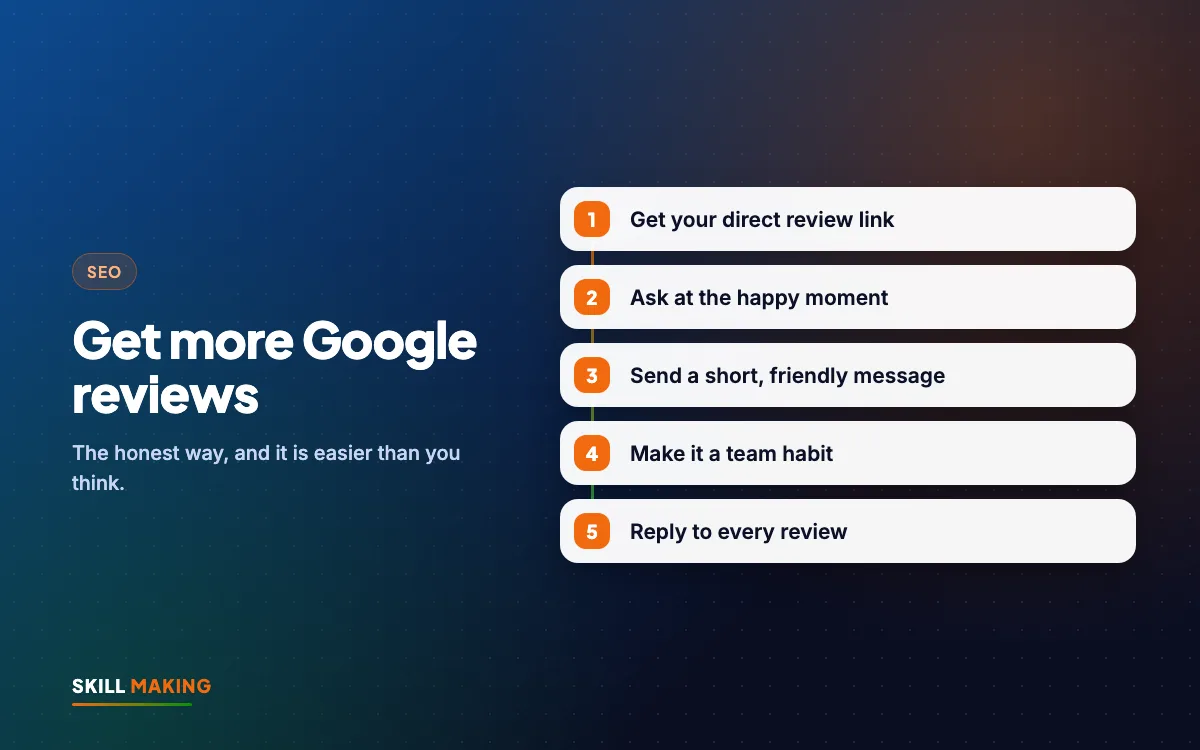
Now you know how to get more Google reviews the right way: get your direct link, ask at the happy moment, use a short personal message, make it a team habit and reply to every review. None of this costs money, and it keeps working for years.
Start today. Send your review link to your last five happy customers. If you want a complete system with automated WhatsApp review requests and a stronger Google profile, ask us for a free audit and we will show you where to begin.