Why every CBSE school needs a proper website now
A few years ago, a school website was a nice extra. Today it is part of how a CBSE school is expected to work. CBSE's Affiliation Bye-Laws (2018) ask affiliated schools to maintain a website and publish a Mandatory Public Disclosure, listed in Appendix IX of the bye-laws. CBSE has also issued circulars with an updated format, and has warned that schools which do not upload the information can face action under the bye-laws.
At the same time, parents have changed. A mother in Rudrapur or Haldwani who is shifting her son to a new school will search "CBSE school near me" on her phone, open two or three websites, and judge each school in a few minutes. She looks for fees, results, photos, transport and an easy way to ask a question. If your site is slow, outdated or missing, she moves on.
So good CBSE school website design has to do both things at once: keep the school on the right side of CBSE's disclosure rules, and turn curious parents into admission enquiries.
A quick note before we start: rules change. Always check the latest CBSE circular on cbse.gov.in and the SARAS portal before you finalise your disclosure. We build the website sections and upload your documents in the CBSE format. We do not give legal or affiliation advice, and the school remains responsible for its own documents.
Here is a sample of the kind of school website we build, on phone and laptop:
What is the CBSE Mandatory Public Disclosure?
The Mandatory Public Disclosure is a single page (or a clearly organised section) on your school website that shows the public the basic facts about your school: who runs it, whether it is recognised and safe, what it charges, how its students perform, who teaches there, and what facilities it has.
Think of it as the school's open notice board for parents and for CBSE. Anyone should be able to reach it from your home page in one click. That is why we always put a clear "Mandatory Public Disclosure" link in the main menu and in the footer of every page.
The disclosure is grouped into five parts, A to E. Below, we explain each one in simple words, with what you need to prepare.
Part A: General information
This is the identity card of your school. It is the easiest part, but schools still get it wrong because details change and nobody updates the website.
What Part A asks for:
- Name of the school, written exactly as it appears in your CBSE affiliation records
- Affiliation number, the number CBSE gave your school when it was affiliated
- School code, the separate code CBSE uses for the school (this is not the same as the affiliation number)
- Complete address with PIN code, the full postal address of the campus
- Principal's name and qualification, for example the name followed by the degrees held
- School email ID, ideally the official school email, not a staff member's personal Gmail
- Contact details, a landline and/or mobile number that is actually answered during school hours
What to upload: nothing as a document. These are text fields shown in a neat table. What you need to do is check each line against your official records. If a new principal joins, or your phone number changes, Part A must be updated the same week.
Part B: Documents and information
Part B is where most of the work is. Here the school uploads self-attested copies of its key certificates, usually as PDF files, with a "View" or "Download" link next to each item.
What Part B asks for, and what each item means:
- Affiliation or upgradation letter and recent extension of affiliation. The letter from CBSE that affiliated your school (or upgraded it, for example to senior secondary), plus the latest extension letter so parents can see the affiliation is current.
- Society, trust or company registration or renewal certificate. Every CBSE school is run by a registered body. Upload the registration certificate of that society, trust or company, and its renewal if one applies.
- No Objection Certificate (NOC) from the State Government. The NOC issued by the state for your school to seek CBSE affiliation.
- Recognition certificate under the RTE Act 2009, and its renewal. The certificate that recognises your school under the Right to Education Act, with the latest renewal if applicable.
- Valid building safety certificate as per the National Building Code. A certificate from a competent engineer or authority confirming the building is structurally safe.
- Valid fire safety certificate from the competent authority. Usually issued by the fire department. It has a validity period, so watch the expiry date.
- DEO certificate or self-certification. The certificate from the District Education Officer submitted for affiliation, upgradation or extension, or the self-certification submitted by the school, as the case may be.
- Valid water, health and sanitation certificates. Certificates showing that drinking water, health and sanitation arrangements have been checked and are valid.
What to upload: clear, readable scans of each document, self-attested (signed and stamped) as CBSE asks. We help you convert them into light PDF files so they open quickly on a phone, and we name every file sensibly so you can replace it next year without confusion.
Part C: Results and academics
Part C tells parents what the school charges and how it is run academically. It is also the part parents read most carefully.
What Part C asks for:
- Fee structure. The current session's fee for each class, ideally in one simple table or PDF. If fees change, upload the new one and remove the old one.
- Annual academic calendar. Term dates, exam periods, holidays and major events for the current session.
- List of School Management Committee (SMC). The names and roles of SMC members.
- List of Parents Teachers Association (PTA) members. The current PTA members.
- Last three years' board examination results, as applicable. For a school with Class 10 and/or Class 12, this usually means the number of students registered, the number who passed and the pass percentage for each of the last three years.
What to upload: PDFs or simple tables. We often show the results as a clean table on the page itself, with the PDF as backup, because tables are easier to read on a phone and Google can read them too.
Part D: Staff (teaching)
Part D shows that the school has enough qualified teachers and support for students' wellbeing.
What Part D asks for:
- Principal. Name and details of the principal.
- Total number of teachers, split into PGT (Post Graduate Teachers), TGT (Trained Graduate Teachers) and PRT (Primary Teachers).
- Teacher–section ratio. How many teachers you have for each class section.
- Details of special educator. The teacher trained to support children with special needs.
- Details of counsellor and wellness teacher. The person who looks after students' emotional wellbeing and guidance.
What to upload: usually a simple table on the page. Staff numbers change every session, so this table should be updated whenever teachers join or leave, and checked at least once at the start of each session.
Part E: School infrastructure
Part E shows the physical facilities of your campus.
What Part E asks for:
- Total campus area of the school, in square metres
- Number and size of classrooms, in square metres
- Number and size of laboratories, including computer labs
- Internet facility, simply whether it is available
- Number of girls' toilets and number of boys' toilets
- Link to a YouTube video of the school's inspection, covering the infrastructure
What to upload: a table of the numbers, plus the YouTube link. The video should walk through the campus, classrooms, labs, toilets and safety arrangements. We embed it neatly on the page so it plays inside the website and does not slow down the rest of the page.
Check your own disclosure in two minutes
Want to see how complete your current website is? Tick off what your site already shows in the checker below. Anything left unticked is a gap to fix before the next CBSE check or admission season.
Based on CBSE’s Mandatory Public Disclosure format (Affiliation Bye-Laws 2018, Appendix IX). CBSE updates its circulars — always check the latest format on cbse.gov.in. We build the pages and upload your documents; the school provides and is responsible for them.
How a CBSE school website brings admissions
Compliance keeps you safe. Admissions keep the school running. A well-planned website does both, and the admissions side works like a simple chain:
- A parent searches "CBSE school in" followed by their town or your school's name on Google.
- They find your Google Business Profile and website with real photos and clear information.
- They see fees, results, transport routes and the disclosure page, and start to trust you.
- They tap the WhatsApp button or fill the admission enquiry form.
- Your office calls back, invites them for a campus visit, and the child joins.
Here is that journey as a picture:
- Parent searches on Google“best CBSE school in my city”
- Opens your school websiteCourses, fees and facilities
- Sees results & campus photosFeels confident about you
- Sends an admission enquiryInstant reply on WhatsApp
- Visits the campusAnd takes admission
Admission-focused features we build for CBSE schools
Beyond the disclosure, these are the features that turn website visitors into admission enquiries:
- Admission enquiry form with child's name, class applying for, parent's phone and a "best time to call" option, sent straight to the school's email and WhatsApp
- WhatsApp and call buttons on every page, so a parent on a phone can reach the office in one tap
- Admissions page with the process, age criteria, documents needed and important dates for the session
- Fee page that matches the fee structure in your disclosure, so there is no confusion
- Results and toppers page with photos (with the school's consent) and board results
- Notice board and news section for circulars, holiday notices and events, which your staff can update without calling us
- Photo gallery of the campus, labs, library, sports and annual function
- Transport page with bus routes and areas covered, which many parents ask about first
- Faculty page with the principal's message and teaching staff
- Google Maps location and directions to the campus
- Hindi, English or both, because many parents prefer to read in Hindi
- Fast, mobile-first pages, since most parents will see your site only on their phone
For schools that want to go further, we can add online fee payment links, a downloadable prospectus, a careers page for teacher recruitment, and an automatic WhatsApp reply for new enquiries through our AI automation service.
Without a proper website vs with one
Here is the difference parents feel when they compare two schools:
Without a website
is not here
- ✕Customers can’t find you on Google
- ✕Only a social page — or nothing
- ✕Missed calls, no follow-up
- ✕Competitors look more trusted
With a Skill Making website
- ✓Mandatory Public Disclosure in the CBSE format
- ✓Parents find you when they search
- ✓Results, fees and facilities answered online
- ✓Admission enquiries straight to WhatsApp
Without a proper site, parents rely on rumours and old Facebook posts, and the office answers the same fee question again and again. With a clear CBSE school website design, those answers are already on the page, and the calls you get are from parents who are serious about admission.
Learn from the big school chains and education brands
Large school chains and education brands put real effort into their websites, because they know admissions begin online. You do not need their budget to copy their best ideas.
- School chains like Ryan International Schools list their schools by city and let parents send an admission enquiry online.
- Many schools under the Delhi Public School name show admission notices, fee details and contact information clearly on their websites.
- Coaching brands like Allen Career Institute let students register online and show results and toppers prominently.
What is common: an easy online enquiry, visible results, clear location details and fast mobile pages. A single CBSE school in a small town can offer the same experience, at a much smaller scale. Here is how it compares:
Key information, results and documents easy to find
Leading school chainsA complete Mandatory Public Disclosure page linked from your home page
Students register for courses and tests online
Brands like Allen and AakashAn admission / enquiry form that reaches your office and WhatsApp
Results and toppers shown prominently
Brands like Allen and AakashA results and achievements page you can update every year
Schools listed by city with admission enquiry
School chains like Ryan InternationalLocation, transport routes and a campus-visit request
Course, fee and eligibility pages
Coaching and school brandsSimple pages for classes, fees and facilities — in Hindi and English
Brand names belong to their owners and are used only as examples of common website features. Skill Making is not connected with them.
Not sure where your school stands? Get a free plan for your website:
Common mistakes CBSE schools make with their websites
We see these again and again when schools ask us to look at their existing site:
- Disclosure hidden or missing. The page exists but is buried three clicks deep, or the menu link is broken. Keep it one click from the home page.
- Old documents. The fire safety certificate expired last year, but the old one is still online. Expired certificates should be replaced as soon as renewals arrive.
- Unreadable scans. Blurry phone photos of certificates, taken at an angle. Scan them properly and make them PDFs.
- Huge files. A single very large PDF that never opens on a parent's phone. Compress files without losing readability.
- Last session's fees and calendar. Parents notice immediately and lose trust.
- Results not updated. The last three years should mean the three most recent years, not three years from long ago.
- Mismatch between pages. The fee page says one amount and the disclosure says another. Keep one source of truth.
- Personal email IDs. Using a teacher's personal Gmail as the school email. Use an official school address.
- No YouTube inspection video, or a link to a private video that nobody can open.
- Website in someone else's name. The domain and hosting were bought by a former staff member or a vendor who has disappeared. Always buy them in the school's own name.
- No way to enquire. A beautiful site with no form, no WhatsApp button and a phone number that nobody answers.
Keep it updated every session
CBSE disclosure is not a one-time task. A good habit is to treat it like your school's annual inspection of the website. At the start of each academic session, check:
- Is Part A correct? New principal, new phone number, new email?
- Are all Part B certificates still valid? Note the expiry dates of fire, building, water and sanitation certificates in a calendar.
- Have you uploaded the new fee structure, academic calendar, SMC and PTA lists for Part C?
- Have you added the latest board results and removed the oldest year?
- Are the staff numbers and teacher–section ratio in Part D current?
- Has anything changed in the infrastructure for Part E, such as a new lab or new classrooms? Is the YouTube video still public?
- Have you checked the latest CBSE circular on cbse.gov.in or SARAS for any change in format?
Many of our school clients choose our optional monthly maintenance so that our team does these updates when the school sends new documents. Others prefer to do it themselves, and we train the office staff to upload files and notices.
Our work with schools and institutes
We have built websites for education clients in our own region. Nosegay Public School, Nanakmatta is a CBSE-affiliated school whose website states it is affiliated to CBSE, New Delhi, and Skill Making built its website. IIHCA, a hospitality and culinary institute in Khatima, works with us on its website, SEO, ads and admissions support. KD Immigration Consultants in Sitarganj, an IELTS and PTE institute, works with us on its website, SEO and social content.
You can see some of our websites here:
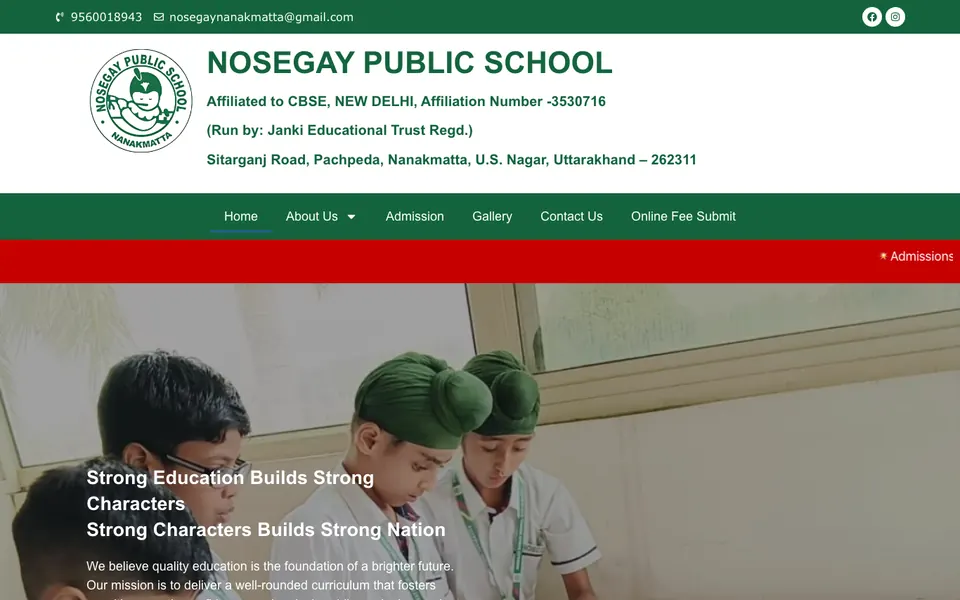
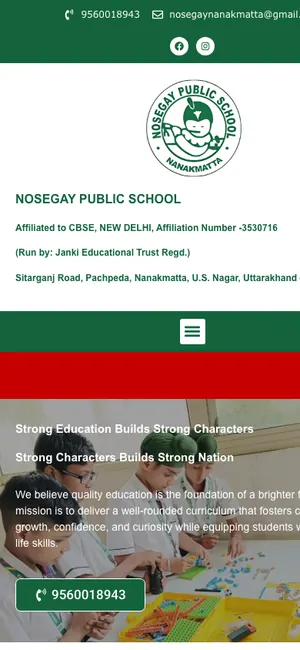 Nosegay Public SchoolSchool · Nanakmatta, Uttarakhand

 KD Immigration ConsultantsIELTS, PTE & visa consultancy · Sitarganj, Uttarakhand
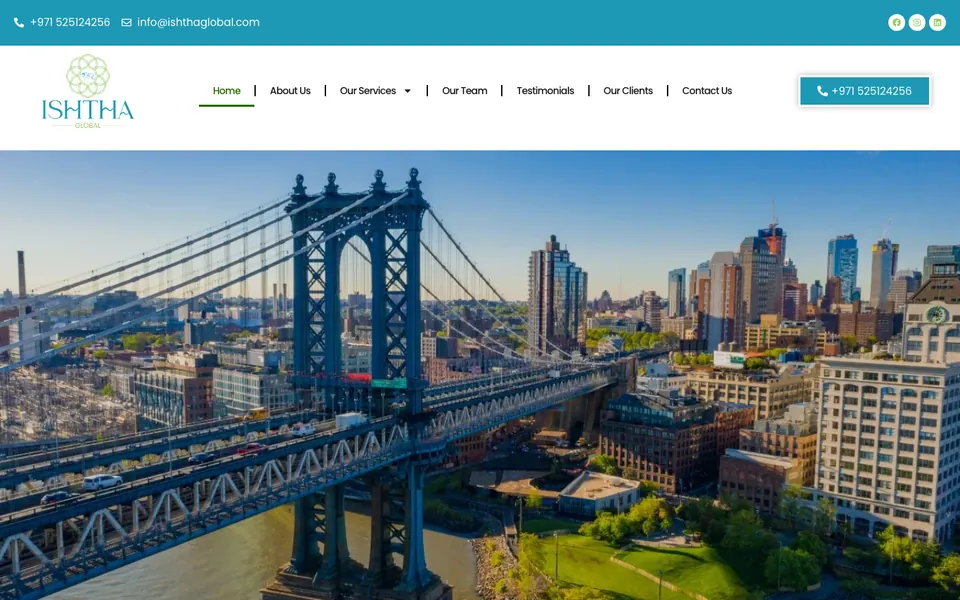
 Ishtha Global ConsultancyInternational careers
More examples are on our work page, and our wider guide to website design for schools and institutes covers coaching centres and colleges too.
Our process: live in about 14 days
- Free call or visit. We talk to the principal or manager, understand the school, and list what you already have.
- Document checklist. We send a simple checklist of everything needed for the five disclosure parts and the main pages.
- Content writing. We write the home page, about, admissions, facilities and other pages in simple English, Hindi or both.
- Design. We design the site in your school's colours and logo, using your real campus photos.
- Disclosure section. We build Parts A to E in the CBSE format and upload your self-attested documents as clean PDFs.
- Admission tools. Enquiry form, WhatsApp, call buttons, Google Maps and lead tracking are connected and tested.
- Review and launch. You check everything, we make changes, and the site goes live with SSL and Google Search Console.
- Training and support. We show your staff how to post notices and replace documents, and support you after launch.
Around Udham Singh Nagar, Champawat and Nainital we can meet you at the school. Everywhere else, we work over WhatsApp and Google Meet.
Price of a CBSE school website
Our website packages are one-time prices and exclude GST:
- Starter, ₹14,999. Up to 5 pages, mobile-first, WhatsApp and enquiry form, basic SEO with sitemap and Search Console, free SSL, speed-optimised, 1 month support. Good for a small school that needs a clean site and a disclosure page.
- Business, ₹29,999, most popular. Up to 12 pages, custom design, lead tracking for calls, WhatsApp and forms, on-page SEO and Google Business Profile setup, news and notices section, PageSpeed 90+ target, 3 months support. This is what most CBSE schools choose, because it has room for admissions, fees, results, gallery, transport, faculty and the full disclosure.
Payment is 50% to start and 50% after you approve the finished site. Domain and hosting are bought in the school's own name and usually cost about ₹2,500 to ₹6,000 a year. You own every login. See all details on our pricing page or compare packages, and read our guide to website design cost in India.
Is it worth it? Use the calculator to see how few extra admissions it takes to cover the cost:
pays for the whole website
After that, every customer the website brings is extra income — month after month.
One-time website price; domain and hosting are about ₹2,500–₹6,000 a year extra.
After launch: getting found by parents
A website works best when parents can find it. After launch we can help with:
- Google Business Profile, so your school appears on Google Maps with photos, timings and reviews
- SEO, so your school shows up for searches like "CBSE school in your town"
- Google Ads and Facebook and Instagram ads during admission season
- Social media posts and reels of school events
- WhatsApp follow-up, so no admission enquiry is forgotten
Here is an illustration of how enquiries can grow when the website, Google profile and SEO work together:
Illustration only, not a promise. Real results depend on your town, competition, offer and how quickly you reply to enquiries.
CBSE school websites in your town
We work with schools across Uttarakhand and western Uttar Pradesh. Read the page for your area:
- CBSE school website design in Khatima
- CBSE school website design in Nanakmatta
- CBSE school website design in Rudrapur
- CBSE school website design in Haldwani
- CBSE school website design in Kashipur
- CBSE school website design in Sitarganj
- CBSE school website design in Bareilly
- CBSE school website design in Pilibhit
Schools on other boards benefit too
Even if your school is with the UK Board (Uttarakhand Board), UP Board or ICSE, the same transparent structure helps. Parents trust a school that shows its recognition, fees, results, staff and facilities openly. And if your school plans to apply for CBSE affiliation in future, having a well-organised website ready makes the switch easier.
Get a free website plan for your school
If your school website is missing, outdated, or does not have a proper Mandatory Public Disclosure, now is the time to fix it, before the next admission season. Share your school name and town, and we will send you a free plan showing the pages, the disclosure layout and the price. Get your free website plan or contact us on WhatsApp at +91 79063 34941.