The right school website features can decide whether a parent books a campus visit or crosses your school off the list. Admission decisions now often start on a phone, late in the evening, with a parent comparing three or four schools side by side. If your website answers their questions clearly, you are already ahead. If it shows last year's notice and a broken phone number, you have lost them before they ever met your staff.
This guide is written for principals, managers and school owners, especially in smaller towns like Khatima, Nanakmatta, Sitarganj and Rudrapur. It covers what parents look for, what CBSE expects affiliated schools to publish, and how to put it all together without a big budget.
How Parents Actually Use a School Website
Picture a father in Khatima whose daughter is moving to Class 6. He has heard of two schools from relatives and found a third on Google. He opens each website on his phone and looks for answers to a few simple questions:
- Is this school affiliated, and to which board?
- How far is it, and is there a school bus on our route?
- What are the fees, roughly?
- Who are the teachers, and is the principal experienced?
- Is the campus safe and clean?
- How do I apply, and by when?
He will not read long speeches. He will scan, tap and move on. The school that answers these questions fastest, on a small screen, usually gets the phone call. That is the real job of a school website: turning a curious parent into a campus visit.
Here is the path most parents follow from search to admission:
- Parent searches on Google“best school near me”
- Opens your school websiteCourses, fees and facilities
- Sees results & campus photosFeels confident about you
- Sends an admission enquiryInstant reply on WhatsApp
- Visits the campusAnd takes admission
The Must-Have School Website Features for Admissions
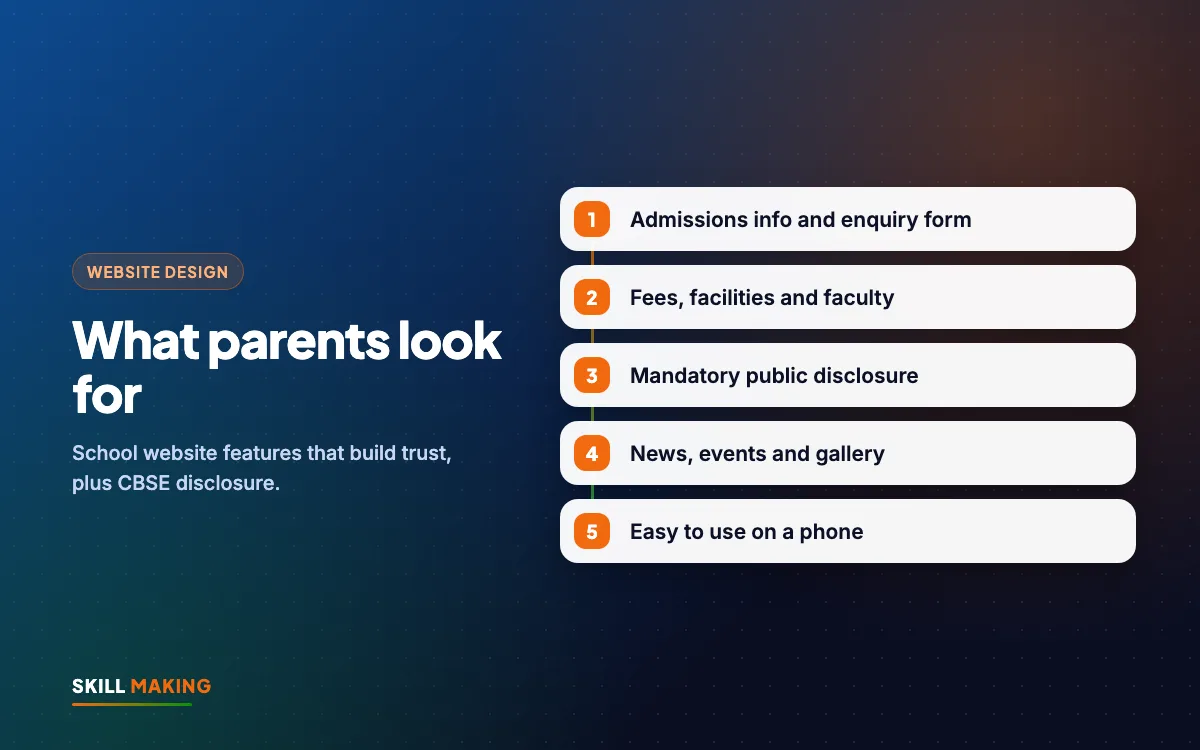
These are the school website features that matter most during admission season. If you only fix one section of your site this year, fix this one.
A clear admissions page
- Classes open for admission and the current session.
- Step-by-step process: enquiry, form, interaction or test, documents, fee payment.
- Important dates, kept up to date.
- A list of documents needed (birth certificate, transfer certificate, photos and so on).
- An online enquiry form that asks only for basics: parent name, phone, child's class.
- A big WhatsApp button and a phone number that someone actually answers.
Fee information
Many schools hesitate to show fees. That is your decision, but parents do look for it. If you prefer not to publish the full structure, at least give a range or say "fee details shared on enquiry" with a quick way to ask. Silence makes parents assume the worst.
Transport routes
For schools that serve villages and nearby towns, transport is often a deciding factor. A simple list of bus routes and stops, or areas covered, answers a question parents always ask.
Location and directions
An embedded Google Map, the full address, and landmarks people in your town use ("near the main market", "on the Tanakpur road"). Link it to your Google Business Profile so parents can tap for directions.
School Website Features That Build Trust
Admissions pages get the enquiry. Trust pages convince the parent that the enquiry is worth making.
- About the school: when it started, the vision, the management, and what makes it different. Keep it honest and short.
- Principal's message: a short, warm note with a real photo of the principal (with their permission).
- Faculty: names, subjects and qualifications. Even a simple list helps parents feel they know who will teach their child.
- Facilities: classrooms, labs, library, computer room, playground, smart classes. Use real photos, not stock images.
- Safety: CCTV, gate security, transport attendants, medical room. Parents care about this more than many schools realise.
- Achievements: board results, sports, competitions and events, presented honestly.
- Photo gallery: recent events, annual day, sports day, festivals. Keep it fresh and organised by year.
Please take care with student photos. Use photos where parents have given consent, avoid full names next to children's faces, and never publish student contact details.
CBSE Mandatory Public Disclosure: What Your Site Needs
If your school is CBSE affiliated, your website is not only a marketing tool. CBSE asks affiliated schools to publish mandatory public disclosure details on their website, such as information about the school, its affiliation, staff, infrastructure and results. The exact list and format can change, so always check the latest CBSE circular and the affiliation bye-laws before you finalise this page.
A good way to handle it:
- Create a clearly labelled Mandatory Public Disclosure page, linked from the main menu or footer.
- Collect the latest required details and documents from the office and the management.
- Upload documents as readable PDFs with clear file names, not blurry phone scans.
- Note the date each section was last updated.
- Assign one person to review the page whenever CBSE issues a new circular or the session changes.
We cover this in more detail on our CBSE school website design page, which explains how we structure disclosure pages for affiliated schools. Schools in our area can also see the local pages for Khatima, Nanakmatta, Rudrapur and Haldwani.
Everyday Features for Current Parents and Students
Once a child is admitted, the website becomes a daily tool for the family. These school website features reduce phone calls to the office and make the school look organised:
- Notice board / news section for holidays, exam schedules, PTMs and events.
- Academic calendar for the whole session, downloadable as a PDF.
- Syllabus and book lists by class.
- Downloads section: forms, circulars, TC request format.
- Exam date sheets and result announcements (not individual marks, unless you use a secure portal).
- Contact page with office timings, email, phone and WhatsApp.
- Hindi and English options if many parents are more comfortable in Hindi.
Keep the notice board alive. A news section with the last post from two years ago tells parents the school has stopped caring about its website, and maybe about communication in general.
Technical Basics Parents Never See (But Always Feel)
Parents do not know what SSL or page speed is, but they notice when a site is slow, shows a security warning or looks broken on their phone. Every school website should have:
- Mobile-first design, because most parents will visit on a phone. See our guide to mobile-first website design.
- Fast loading, even with a photo gallery. Compress images before uploading.
- Free SSL so the browser shows the site as secure.
- Basic SEO so the school appears when parents search "CBSE school in Khatima" or "English medium school near me".
- A Google Business Profile with correct timings, photos and reviews from real parents.
- Your own domain and hosting in the school's name, with logins kept by the management, not only by an old vendor.
If you are unsure what to include beyond these, our checklist of pages every small business website needs applies to schools too.
A Quick Checklist of School Website Features
Print this list and tick off what your site already has:
- Board and affiliation details on the home page
- Admissions page with process, dates and documents
- Online enquiry form and WhatsApp button
- Fee information or a clear way to ask
- Transport routes or areas covered
- Map, address and landmarks
- About, principal's message and faculty
- Facilities and safety with real photos
- Mandatory Public Disclosure page (CBSE schools)
- Notice board, calendar and downloads
- Gallery organised by year
- Mobile-friendly, fast, secure
- Google Business Profile linked
If more than three of these are missing, your website is probably costing you admissions. Our post on signs your website is losing customers lists more warning signs.
Our Work With Schools and Institutes
We have built websites for education clients in the Terai region, including Nosegay Public School in Nanakmatta and IIHCA, a hospitality and culinary institute in Khatima, where we also handle SEO, ads and admissions support. You can see some of our websites here:
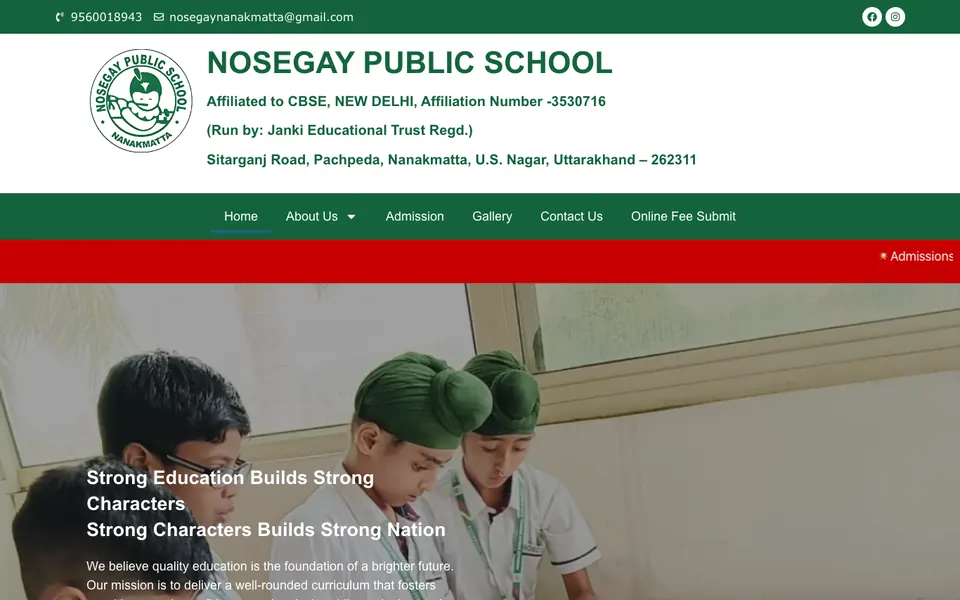
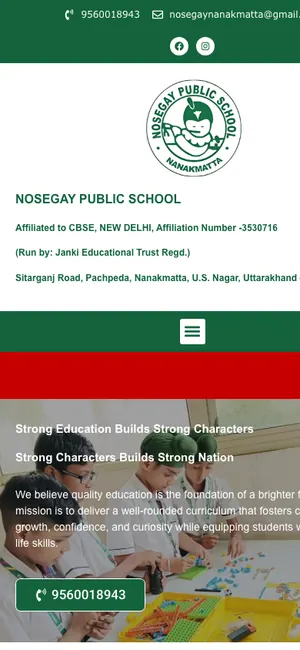 Nosegay Public SchoolSchool · Nanakmatta, Uttarakhand

 KD Immigration ConsultantsIELTS, PTE & visa consultancy · Sitarganj, Uttarakhand
 Ishtha Global ConsultancyInternational careers
The school and institute website design page explains what we build for coaching centres, institutes and schools, and our work page shows more projects.
How to Plan Your New School Website in 30 Days
You do not need months. Here is a simple plan most schools can follow before the next admission season:
- Week 1: Gather information. Ask the office for affiliation details, fee range, transport routes, faculty list and the latest disclosure documents.
- Week 1: Collect photos. Take fresh, bright photos of classrooms, labs, the playground and recent events. Phone photos in daylight are fine.
- Week 2: Write the content. Principal's message, about the school, admissions process. Keep sentences short. We write content for our clients if you prefer.
- Week 2: Choose the structure. Decide the menu: Home, About, Admissions, Academics, Facilities, Disclosure, Gallery, Notices, Contact.
- Week 3: Build and review. The designer builds the site and the principal and management review it on their phones.
- Week 4: Launch and promote. Go live, update the Google Business Profile, share the link on WhatsApp groups and print it on admission brochures.
Most of our websites go live in about 14 days once content and photos are ready.
Want help planning your school website before admissions open?
What a School Website Costs
For most schools, the Business package at ₹29,999 (one-time, plus GST) fits best. It includes up to 12 pages, custom design, a news section for notices, on-page SEO, Google Business Profile setup and three months of support. Smaller institutes and coaching centres can start with the Starter package at ₹14,999 for up to 5 pages. Domain and hosting are bought in the school's own name and usually cost about ₹2,500 to ₹6,000 a year.
See the full packages or read our guide to website design cost in India to compare options.
After Launch: Keep It Alive
A school website is never really finished. Plan a few simple habits:
- Post notices and event photos at least a few times a month.
- Update admissions dates and the disclosure page every session.
- Ask happy parents to leave a Google review. Our guide on how to get more Google reviews explains how to do it the right way.
- Check the site on your phone every month. Our website maintenance checklist helps.
- During admission season, consider Google Ads or Facebook ads aimed at parents in nearby towns.
What to Do Next
Open your school's website on your phone right now and pretend you are a parent new to your town. Can you find the admission process, fees, transport and a phone number in under a minute? Is the CBSE disclosure page there and up to date?
If the answer is no, or you do not have a website yet, we can help. Ask for a free website audit of your current site, or get a free website plan and we will show you what a good school website would look like for you.