Good restaurant website design is not about fancy animations or a full-screen video of sizzling food. It is about answering three questions in a few seconds: what do you serve, is it open right now, and how do I order or book? When your site answers those questions quickly on a phone, more visitors become orders and table bookings.
Most people look up a restaurant at the exact moment they are hungry or planning an outing. A family in Khatima deciding where to go for Sunday lunch. A group of friends in Haldwani looking for a cafe for a birthday. Office staff in Rudrapur wanting a quick thali delivered. They search on Google, open a few results, and choose the one that makes it easiest.
Below are 12 tips we use when building websites for restaurants, cafes, dhabas, bakeries and cloud kitchens. You can use them as a checklist for your current site, or as a brief for a new one.
Why Restaurant Website Design Matters Even If You Are on Zomato and Swiggy
Many owners ask, "I am already on delivery apps and Instagram. Why do I need a website?" Fair question. Delivery apps are useful for being discovered, and Instagram is great for showing your food. But both have limits.
- Delivery apps charge commission on every order. The exact rate depends on your agreement, but for many restaurants it is a large share of the bill. Orders that come to you directly through your own website, phone or WhatsApp do not carry that commission.
- The customer belongs to the app, not to you. You often cannot see their number or invite them back with an offer.
- Instagram does not show full menus, timings and directions clearly. People want facts, not just reels.
- Google sends people to websites. When someone searches "best cafe near me" or "family restaurant in Haldwani", your Google Business Profile and your website work together to win that visit.
A smart plan is to use the apps for discovery and your own website for direct orders, bookings, events and repeat customers. You do not have to leave the apps. You just stop depending on them completely.
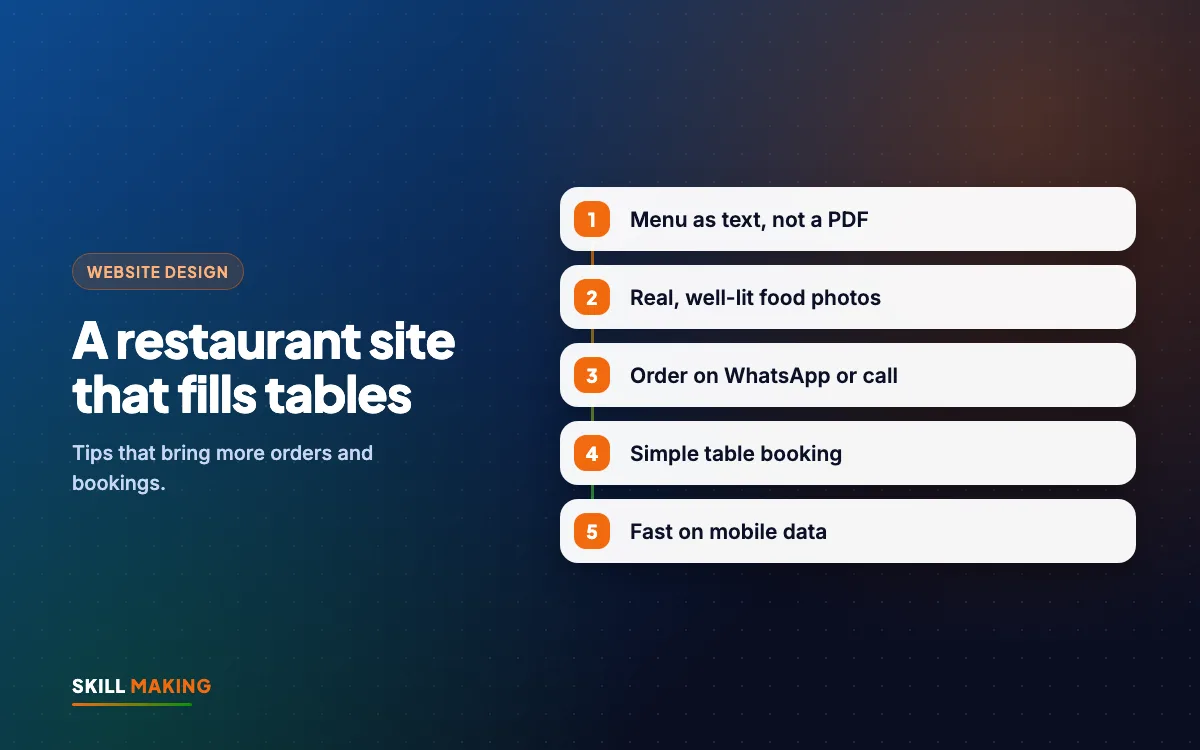
Tip 1: Put Your Menu as Text, Not a PDF or Photo
This is the most common mistake we see. The menu is uploaded as a PDF or a photo of the printed card. On a phone, the visitor has to download it, zoom, scroll sideways and squint. Many give up.
A text menu on a normal web page is better in every way:
- It opens instantly and is easy to read on any phone.
- Google can read it, so your dishes can help you appear in searches like "momos in Khatima" or "South Indian breakfast near me".
- You can update one price without redesigning the whole card.
- You can add small labels such as Veg, Jain option, Spicy, Chef's special or New.
Organise the menu into clear sections (starters, mains, breads, desserts, drinks) and add a short line under popular dishes. "Slow-cooked dal makhani with butter, served with two lachha parathas" sells better than just "Dal Makhani".
Tip 2: Use Real, Well-Lit Food Photos
People eat with their eyes first. Stock photos of perfect burgers fool nobody, and customers feel cheated when the real plate looks different. Use photos of your own dishes, your own space and your own team.
You do not need a costly shoot to start. A modern phone, daylight near a window and a clean plate go a long way.
- Shoot your top 10 to 15 dishes first, the ones you most want to sell.
- Add a few photos of the seating area, outdoor space or private dining room.
- Show your kitchen if it is clean and you are proud of it. It builds trust.
- Compress every photo before uploading so the site stays fast (more on speed in Tip 12).
If you need to avoid showing faces, focus on food, interiors and hands at work. That still feels real and personal.
Tip 3: Make Ordering by WhatsApp and Phone One Tap Away
For many small restaurants, a full online ordering system is not needed on day one. What customers want is a quick, easy way to place an order. A WhatsApp order button and a tap-to-call button often do the job.
Good restaurant website design puts these buttons where thumbs can reach them:
- A sticky bar at the bottom of the phone screen with "Order on WhatsApp" and "Call Now".
- A pre-filled WhatsApp message such as "Hi, I would like to place an order for delivery" so the customer does not have to type much.
- A clear note about delivery areas, minimum order and expected time.
- Payment details such as UPI accepted, cash on delivery or card at the counter.
Once orders start coming on WhatsApp, use quick replies, labels and catalogues to handle them faster. Our guide to WhatsApp Business for small businesses explains the features step by step.
Tip 4: Add a Simple Table Booking Form
Weekends, festivals and birthdays are when tables fill up. A table booking option on your website captures those plans early, before the family picks another place.
Keep the booking form short:
- Name
- Phone number
- Date and time
- Number of guests
- Occasion or special request (optional)
The form should send the booking straight to your WhatsApp or email so the manager can confirm it quickly. A quick confirmation message, such as "Your table for 6 at 8 pm on Saturday is confirmed", makes the customer feel looked after.
If you host parties, kitty groups or corporate lunches, add a separate "Group and Event Booking" section with your capacity, set menus and a contact button.
Tip 5: Show Your Location With Google Maps and Clear Directions
"Where exactly is it?" is one of the most common questions restaurants get on the phone. Answer it on the website.
- Embed a Google Map of your exact location.
- Add a "Get Directions" button that opens Google Maps on the visitor's phone.
- Write your address in text, with a well-known landmark ("opposite the bus stand", "next to the main market gate").
- Mention parking, wheelchair access or a lift if you have them.
Make sure the address on your website matches your Google Business Profile exactly. This consistency helps local search. Our local SEO checklist covers this and more.
Tip 6: Display Opening Hours Clearly, Including Holidays
Nothing annoys a hungry customer more than driving to a restaurant and finding it closed. Put your timings in the header or right below the main heading, and again on the contact page.
- Show breakfast, lunch and dinner timings if they differ.
- Mention the weekly off day.
- Add a small notice for festival timings, Navratri specials or holiday closures.
- Keep hours the same on the website, Google Business Profile and delivery apps.
A simple "Open now" or "Closed now" note can be added on many websites so visitors know at a glance.
Tip 7: Write a Homepage That Answers Questions in Seconds
In restaurant website design, your homepage has one job: to help a hungry visitor decide quickly. Here is a simple layout that works for most restaurants and cafes:
- Top section: name, one line about your food ("Homestyle Kumaoni and North Indian food in Khatima"), timings and two buttons: Order on WhatsApp and Book a Table.
- Popular dishes: six to eight photos with names and prices.
- Menu link: a clear button to the full text menu.
- Why choose us: three or four short points such as fresh ingredients, family seating, pure veg kitchen or live music on weekends.
- Reviews: real reviews from Google, with the customer's first name.
- Location and hours: map, address and timings.
- Final call to action: order, call or book.
Here is how a visitor usually moves from Google search to your table or their doorstep:
- Hungry customer searches“café near me”
- Opens your menuPhotos and prices on mobile
- Sees reviews & offersDecides to try you
- Orders on WhatsAppOr books a table
- Enjoys the mealAnd orders again directly
Tip 8: Highlight Offers, Combos and Events
A website lets you show offers in full detail, which posters and stories cannot always do. Give your offers their own section or page.
- Weekday lunch combos and student thalis.
- Family meal deals for four or six people.
- Festival menus for Diwali, Eid, Christmas and New Year.
- Live music nights, match screenings or open-mic evenings.
- Birthday packages with cake and decoration.
Remove offers once they end. An old Holi banner in October tells visitors that nobody looks after the site.
Tip 9: Build Trust With Reviews, Hygiene and Your Story
People want to know the food is tasty, the kitchen is clean and the people behind it care. Your website is the place to say so.
- Show real Google reviews and ratings. Never write fake ones.
- Mention hygiene practices, such as fresh daily cooking, filtered water or a separate veg kitchen.
- Show your FSSAI registration details where applicable.
- Tell your story in a few lines: how you started, what makes your recipes special, who runs the kitchen.
A short "Our Story" section often creates more connection than a long list of features. If you want more reviews coming in, our post on how to get more Google reviews gives a simple system.
Tip 10: Encourage Direct Orders Over App Orders, Gently
You do not need to leave delivery apps. But you can gently guide regular customers to order directly, which keeps more money in your business.
- Mention on the website that ordering directly on WhatsApp or by phone is welcome.
- Offer a small benefit for direct orders, such as a free dessert or a loyalty stamp, if it makes sense for your margins.
- Add a card in delivery packets with your website and WhatsApp number.
- Collect customer numbers (with permission) to send festival menus and offers.
Keep the tone friendly. The aim is not to fight the apps but to build your own list of loyal customers who come back again and again.
Before and after a proper restaurant website, the difference usually looks like this:
Without a website
is not here
- ✕Customers can’t find you on Google
- ✕Only a social page — or nothing
- ✕Missed calls, no follow-up
- ✕Competitors look more trusted
With a Skill Making website
- ✓Found on Google Maps “near me”
- ✓Menu with photos opens instantly
- ✓Orders and bookings on WhatsApp
- ✓Repeat customers order directly
Tip 11: Get Found on Google for Food Searches
A beautiful site that nobody finds will not bring orders. Basic SEO helps your restaurant appear when people search for your type of food in your area.
- Use your town and food type in page titles and headings, such as "Family Restaurant in Rudrapur" or "Bakery and Cafe in Haldwani".
- Keep your text menu on the site, because dish names are things people search for.
- Set up and update your Google Business Profile with photos, hours and posts. Our Google Business Profile guide shows how.
- Ask happy customers for reviews regularly.
- Add a small blog or news section for festival menus and events if you will keep it updated.
If you want help with this, our SEO service focuses on local searches that bring real customers, not vanity traffic.
Tip 12: Make It Fast on Mobile Data
Almost every restaurant visitor is on a phone, often on mobile data, often standing outside or sitting in a car. A slow site loses them before they see the menu.
- Compress every food photo. Large camera files are the most common cause of slow restaurant sites.
- Avoid autoplay videos and heavy sliders at the top.
- Keep the menu as text, not a heavy PDF.
- Test your site on your own phone with Wi-Fi turned off.
Our guide on whether a slow website is costing you enquiries walks you through a free speed test and the common fixes.
Common Restaurant Website Design Mistakes to Avoid
Here is a quick list of restaurant website design problems that often push visitors away:
- Menu only as a PDF or blurry photo.
- No prices, or prices that are years out of date.
- Phone number written as an image, so it cannot be tapped.
- No opening hours, or hours that differ from Google.
- Background music that plays automatically.
- Stock photos instead of your real food.
- Links to delivery apps only, with no way to contact you directly.
- A site that looks fine on a laptop but breaks on a phone.
If your current site has three or more of these, it is probably costing you orders. Our post on signs your website is losing customers has a wider checklist.
What a Restaurant Website Costs
You do not need a huge budget. For most restaurants and cafes, our Starter package at ₹14,999 (up to 5 pages, mobile-first, WhatsApp and enquiry form, basic SEO) covers the essentials: home, menu, about, gallery and contact with booking. If you want more pages, a blog for events and offers, Google Business Profile setup and lead tracking, the Business package at ₹29,999 is a better fit. Prices are one-time and exclude GST. Domain and hosting are bought in your own name.
If you want customers to order and pay online with a cart, the Online Store package at ₹49,999 works well for bakeries, cloud kitchens and packaged food brands. See all website packages or read our full guide to website design cost in India. For restaurants in the USA, websites start from $300, and our Miami website design page has a cost calculator.
We have built websites for food businesses such as Studio Baristas, a coffee and cafe business in the UK, and Allachi, an "all about chicken" food brand. You can see more on our work page and our dedicated page on website design for restaurants and cafes.
Want a menu-first website that brings direct orders and bookings?
What to Do Next
Take five minutes today. Open your restaurant's website on your phone with Wi-Fi off and check it against the 12 tips above. Can you see the menu as text? Can you tap to call or WhatsApp? Are your hours and location clear?
If you find gaps, you do not have to fix them alone. Ask for a free website audit and we will tell you in simple words what to change. If you are starting fresh, get a free website plan and we will show you what your restaurant website design could look like, live in about 14 days.