Real estate website design has one clear goal: help a serious buyer find the right property and book a site visit with you, not with the next dealer. Buying a plot, flat or shop is a big decision. People compare options for weeks, share links with family and come back to the same listing many times. A website built for that behaviour brings better leads than one that simply looks nice.
This guide is for builders, developers, property dealers and brokers in towns like Rudrapur, Khatima, Haldwani and Dehradun, and for real estate businesses anywhere that want more direct enquiries. We will go through the features that matter, in the order a buyer experiences them, and finish with a simple plan to launch.
Real Estate Website Design Starts With How Buyers Search
Before choosing features, think about the buyer. A young couple in Rudrapur looking for a 2BHK. A family in Delhi looking for a plot near the hills. A shop owner wanting commercial space on the main road. Their journey usually looks like this:
- They search on Google for something specific, such as "2BHK flats in Rudrapur" or "residential plots near Haldwani".
- They open several websites and property portals.
- They shortlist a few options and share links on the family WhatsApp group.
- They come back days later to check photos, price and location again.
- They call or WhatsApp to ask questions and book a site visit.
Good real estate website design has to do well at every one of these steps. That is what separates a lead-generating site from an online brochure.
Here is that journey in a simple picture:
- Searches on Google“best clinic in your town”
- Opens your websiteFast and clear on mobile
- Sees photos & reviewsTrusts you in seconds
- Taps WhatsApp or CallThe enquiry reaches you instantly
- Visits and buysAnd comes back again
Portal Listings vs Your Own Real Estate Website
Many dealers rely only on big property portals. Portals are useful for reach, but you share the page with many competitors, and the buyer can jump to another listing with one tap. Leads may also go to several sellers at once.
Your own website works differently:
- Your listings, your brand. Visitors see only your properties and your contact details.
- Better quality leads. Someone who finds your site and fills your form is usually more interested in you specifically.
- You control the story. Show your projects, your track record, your team and your process.
- Long-term value. Every location page and project page you add can bring visitors from Google for years.
The smart approach is to use both. Portals for reach, your own site for trust, follow-up and direct enquiries. You can link your site from your Google Business Profile, ads, brochures and WhatsApp status.
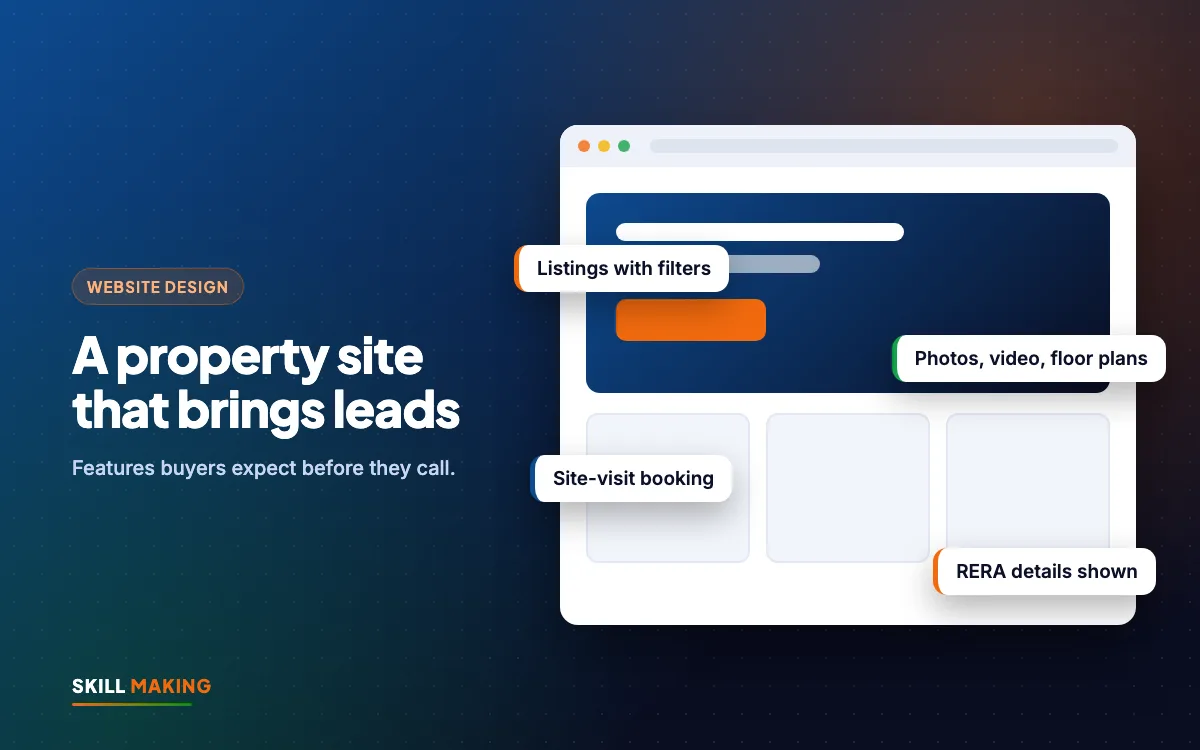
Feature 1: Property Listings With Useful Filters
The heart of real estate website design is the listing section. Buyers want to narrow down choices quickly. Give them filters that match how they think:
- Type: flat, independent house, villa, plot, shop, office, warehouse.
- Buy or rent.
- Location or area: sector, colony, town or road.
- Budget range.
- Size: BHK or area in square feet or square yards.
- Status: ready to move, under construction, new launch.
Each listing card should show one good photo, the price or price range, the location, size and a clear "View Details" button. Avoid making people open every listing just to find the basic facts.
What every property detail page needs
- A clear title, such as "3BHK Independent House in Rudrapur, Near Main Road".
- Price, or "Price on request" if you must, with a reason to call.
- Size, floor, facing, parking, age of property and possession status.
- Amenities such as power backup, water supply, lift, security, park or clubhouse.
- A short description in simple words, not just a list of features.
- Location map and nearby landmarks such as schools, hospitals, markets and highways.
- Enquiry form, WhatsApp button and call button on the same page.
Feature 2: Photos, Videos and Floor Plans
Buyers cannot visit every property. Good visuals help them decide which ones are worth the trip.
- Real photos: shoot in daylight, from corners, with lights on. Show every room, the view, the entrance and the approach road.
- Short walkthrough videos: a simple phone video of a walk through the property is often more useful than a polished ad. Host it on YouTube and embed it, so the page stays fast.
- Floor plans: clear plans with room sizes help families imagine living there.
- Project progress photos: for under-construction projects, update photos regularly. It builds a lot of trust.
- Drone or aerial views: helpful for plots and large projects, if you can arrange them legally and safely.
Always compress images before uploading. Property sites often have hundreds of photos, and a slow website loses buyers on mobile data. Our guide on website speed and enquiries explains the free tests and fixes.
Feature 3: Location Pages That Rank on Google
Most property searches include a place name. That is why location pages are one of the most powerful parts of real estate website design.
Create a page for each area you work in, such as "Property in Rudrapur", "Plots near Kichha" or "Flats in Haldwani". On each page, include:
- A short introduction to the area: connectivity, schools, hospitals, markets and what kind of buyers it suits.
- All your current listings in that area.
- A map of the area.
- Common questions buyers ask about that location.
- An enquiry form and WhatsApp button.
Write useful, original content for each page. Copying the same paragraph and just changing the town name does not help buyers or Google. Our local SEO checklist and on-page SEO checklist show how to set up these pages properly.
Feature 4: Enquiry Forms and Site-Visit Booking
A buyer who books a site visit is a far warmer lead than one who just asks "price?". Make booking a visit easy.
A simple site-visit booking form
- Name
- Phone number
- Property or project of interest (pre-filled from the page)
- Preferred date and time
- Number of people visiting
- Any question (optional)
Send every booking straight to your WhatsApp and email, with the property name included, so your team knows exactly what the buyer wants. Confirm the visit quickly and send the location pin.
Also keep a short general enquiry form on every page, for buyers who are not ready to visit yet. Ask only what you need. Long forms with ten fields scare people away.
Feature 5: WhatsApp and Click-to-Call on Every Page
In India, most property conversations happen on WhatsApp. Buyers want to send a quick message, get photos and share them with family. Make that easy.
- A sticky WhatsApp button on every page, visible on phones.
- A pre-filled message that includes the property name, such as "Hi, I am interested in the 3BHK in Rudrapur. Please share details."
- A tap-to-call button with your real number, not a number written as an image.
- Your office address and hours near the contact buttons.
The faster you reply, the better your chances. Many property leads go cold simply because nobody followed up. Read our post on why leads go cold and how to automate lead follow-up with WhatsApp and a simple CRM.
Feature 6: Trust Signals and RERA Details
Property is a high-value purchase, and buyers are careful. Your website should answer the question "can I trust this business?" before they even call.
- Show your RERA registration details where applicable, clearly on the project page and in the footer, so buyers can check them.
- Show completed projects with photos and the year of completion.
- Explain your process: visit, documents, booking, loan help, registration and handover.
- List the banks or loan support you can help with, only if true.
- Add real Google reviews from buyers.
- Share an "About Us" page with your story, years in business and office location.
- Keep legal and document information accurate. Never promise approvals or returns you cannot guarantee.
Trust is what turns a browser into a caller, and it is a part of real estate website design that many sites skip. A clean, honest site often beats a flashy one with vague claims.
Feature 7: Lead Tracking So You Know What Works
When enquiries come from Google, ads, portals and referrals, it is easy to lose track. A good real estate website records where each lead came from.
- Track form submissions, WhatsApp clicks and calls separately.
- Tag leads by property and location so you know which listings get interest.
- Connect forms to a simple CRM or a Google Sheet so no lead is forgotten.
- Review the numbers every month and put more effort into what brings serious buyers.
Our guide on cost per lead helps you understand whether your ads are paying off.
Example: 6X Properties in Rudrapur
We built the website for 6X Properties, a real estate portal based in Rudrapur. The goal was a site where buyers can browse property listings and get in touch easily, with a clean, mobile-friendly design. You can see this and other projects on our work page.
Here are some of the websites we have built for businesses like yours:
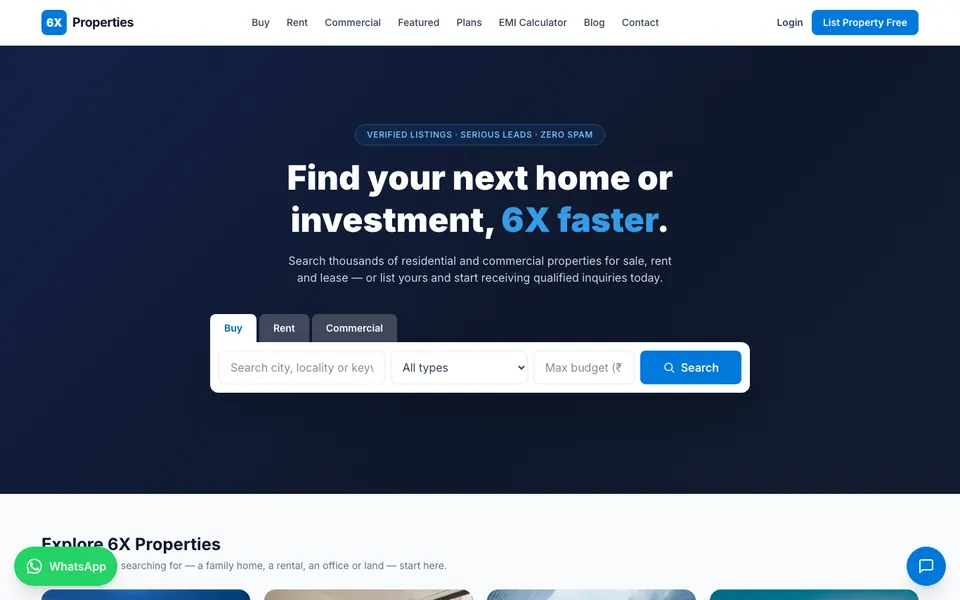
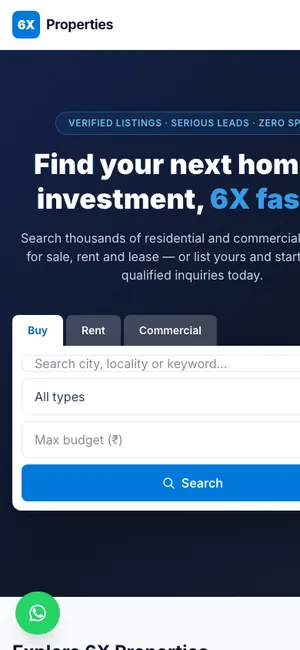 6X PropertiesReal estate portal · Rudrapur, Uttarakhand
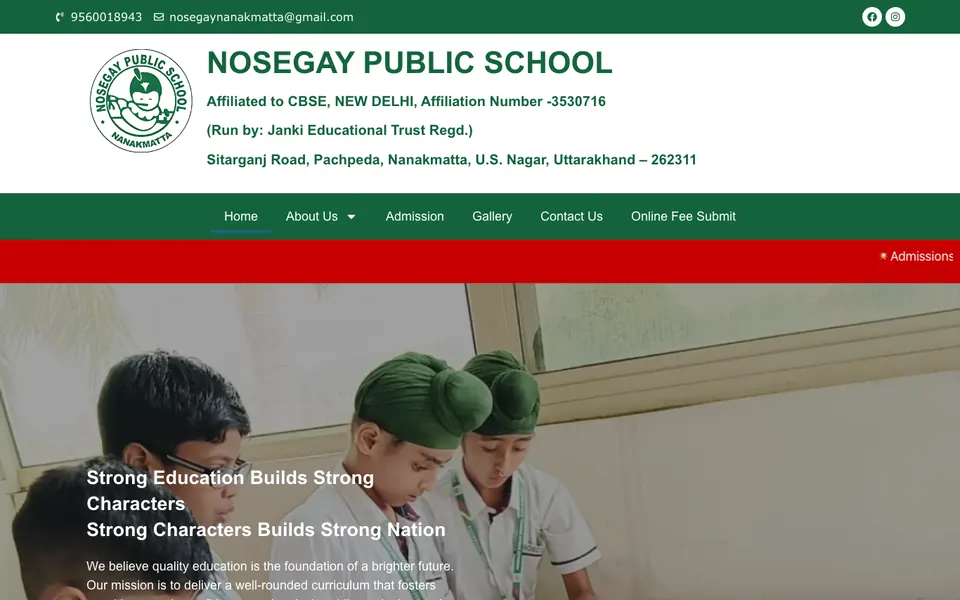
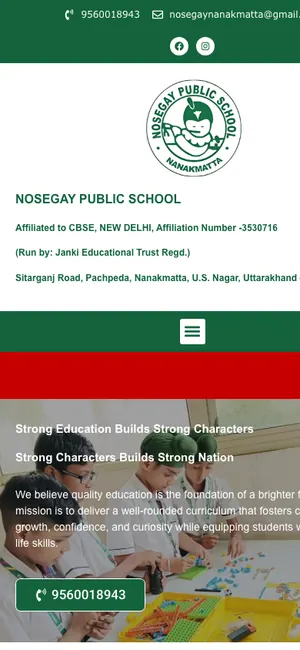 Nosegay Public SchoolSchool · Nanakmatta, Uttarakhand

 KD Immigration ConsultantsIELTS, PTE & visa consultancy · Sitarganj, Uttarakhand
A Step-by-Step Plan to Launch Your Real Estate Website
Here is the order we follow with property businesses. You can use it even if you work with another designer.
- List your properties and projects. Gather details, prices, sizes and status for each one.
- Collect photos, videos and floor plans. Reshoot anything dark or blurry.
- Choose your main locations. Pick the three to six areas where you have most listings or want most buyers.
- Gather trust documents. RERA details where applicable, completed project photos, reviews and your company story.
- Plan the pages. Home, listings with filters, property detail pages, location pages, about, contact and site-visit booking.
- Build mobile-first. Most buyers browse on phones. Read why in our mobile-first website design guide.
- Connect WhatsApp, forms and tracking. Test every button and form before launch.
- Set up Google Business Profile and Search Console. This helps Google find and show your site.
- Launch and promote. Share the site on WhatsApp, social media, brochures and hoardings.
- Update weekly. Add new listings, mark sold ones, and refresh project progress photos.
Common Real Estate Website Design Mistakes
- Listings that are months out of date, with sold properties still shown as available.
- No prices or sizes anywhere, so every visitor must call just to get basics.
- Heavy sliders and huge images that make the site slow on mobile data.
- Contact details only on the contact page.
- The same copied text on every location page.
- No RERA or company details where buyers expect them.
- No follow-up system, so leads sit unanswered for days.
What a Real Estate Website Costs
For a small dealer with a few listings, our Starter package at ₹14,999 (up to 5 pages, mobile-first, WhatsApp and enquiry form, basic SEO) can be enough to begin. Most builders and brokers are better served by the Business package at ₹29,999, which includes up to 12 pages, custom design, lead tracking for calls, WhatsApp and forms, on-page SEO, Google Business Profile setup and a blog or news section. Prices are one-time and exclude GST. Larger portals with many listings and advanced filters are quoted separately after we understand your needs.
Domain and hosting are bought in your own name and you own every login. See all website packages, our pricing page, or the guide on website design cost in India. If you are a builder, our page on website design for builders explains what we build for projects and developers.
After launch, a steady flow of property enquiries usually builds as your listings, location pages and Google profile grow together. Here is an illustration of how that tends to look:
Illustration only, not a promise. Real results depend on your town, competition, offer and how quickly you reply to enquiries.
Want a property website that brings site visits, not just page views?
Marketing Your Property Website After Launch
A website works best when people keep finding it. Once it is live, consider:
- Local SEO for location and property type searches. Our SEO service focuses on searches that bring real buyers.
- Google Ads for high-intent searches like "flats for sale in Rudrapur". See our Google Ads service.
- Facebook and Instagram ads with walkthrough videos for new launches, through our Facebook ads service.
- WhatsApp broadcasts to past enquiries when a new project or price offer comes up.
What to Do Next
Open your current website or portal page on your phone and ask: can a buyer filter properties, see real photos, check the location, find RERA details where applicable, and book a site visit in under a minute? If not, you are probably losing leads to someone else.
Ask for a free website audit and we will show you what to fix. Or get a free website plan and we will map out the real estate website design that suits your listings, your town and your budget.