
If you are wondering how to choose a domain name for your business, you are asking the right question at the right time. The domain is the one part of your website you cannot easily change later. Your design can be refreshed, your pages can be rewritten, your hosting can be moved. But once your domain is on your shop board, your visiting cards, your Google Business Profile and a hundred WhatsApp chats, changing it is painful.
We help small businesses in Khatima, Rudrapur, Haldwani and across India, and home-service companies in Florida, set up their websites. Again and again we see the same few domain mistakes: a name that is hard to spell, a hyphen nobody remembers, or a domain registered in a past web designer's name. This guide on how to choose a domain name helps you avoid all of them in about an hour.
What a Domain Name Is (and What It Is Not)
A domain name is the address people type to reach your website, like yourbusiness.com. It is not the website itself and it is not the hosting.
Think of it like this:
- Domain name is your shop's address.
- Hosting is the building where the shop sits.
- Website is the shop itself: the shelves, the signboard, the counter.
You rent a domain name one year at a time (or several years together) from a company called a registrar. As long as you keep renewing it, it stays yours. If you forget to renew, it can eventually be released and anyone can buy it. That is why ownership and renewal matter as much as the name itself, and we cover both below.
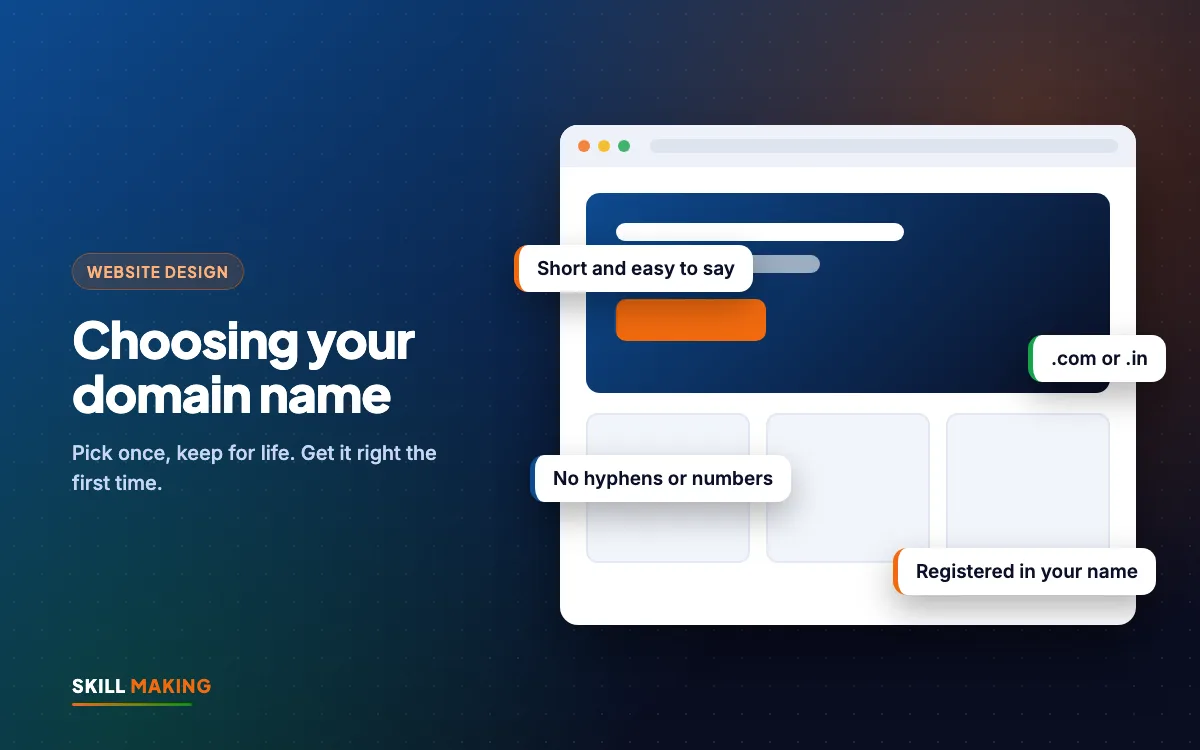
The Quick Rules: How to Choose a Domain Name in One Look
If you only read one section, read this one. A good business domain is:
- Short. Fewer words, fewer spelling mistakes. Two or three words is usually the maximum.
- Easy to say on the phone. If you have to spell it out every time, it is too hard.
- Easy to spell. No unusual spellings, no clever wordplay that people will type wrongly.
- Free of hyphens and numbers. They cause confusion when spoken aloud.
- Close to your business name. Customers should be able to guess it.
- On the right ending. Usually .com, or .in if you only serve India (more on this below).
- Registered in your own name, with your own email and phone number.
- Set to auto-renew, so it never expires by accident.
Everything else in this guide explains these rules in more detail, with examples.
.com vs .in: Which Ending Should You Pick?
The ending of a domain (.com, .in, .co.in, .org and so on) is called the extension. For most small businesses the choice comes down to .com or .in.
When .com is the better choice
- You serve customers in more than one country, for example India and the USA, or you plan to.
- You run a Florida or other US business. In the USA, .com is what most people expect and type by habit.
- Your exact name is available on .com.
- You sell online and want a name that feels international.
When .in is the better choice
- You serve only India, especially one town or district.
- Your .com is taken but the .in is free and clean.
- You want to signal that you are an Indian business. For a coaching centre in Haldwani or a clinic in Khatima, .in feels natural and local.
What about .co.in, .net, .org and the rest?
- .co.in is also Indian and perfectly valid, but people often forget the ".co" part and type .in or .com instead.
- .org is best for trusts, NGOs, societies and some schools.
- .net and the many newer endings (.shop, .online, .store and others) can work, but customers type .com by habit, so expect some of them to land elsewhere.
Our usual advice: if both the .com and .in versions of your name are free and affordable, buy both. Use one as the main website and point the other to it. This stops anyone else from using the second one to confuse your customers.
The Phone Test: Say It Out Loud
Here is a test we ask every client to do before buying. Imagine a customer has called you and asks, "Do you have a website?" Now say your domain out loud, once, without spelling it.
Could they type it correctly on the first try? If not, keep looking.
Common problems the phone test catches:
- Words with two spellings. "Kreative" or "creative"? "Express" or "xpress"? "Shree", "Shri" or "Sri"? Every unusual spelling is a customer who types the wrong thing.
- Double letters at the join. A name like "rajsweetsshop" has a double "s" where two words meet. People miss one.
- Words that sound like other words. "For" and "four", "to" and "two", "right" and "write".
- Long names. If you run out of breath saying it, it is too long.
Also do the WhatsApp test: send the domain to three friends in a message, ask them to open it from memory a day later, and see what they type.
Why to Avoid Hyphens and Numbers
Hyphens and numbers look harmless on paper, but they create problems in real life.
Hyphens: when you say "sharma-dental-clinic dot in" on the phone, many people will type "sharmadentalclinic.in" instead. If someone else owns that version, your customer lands on their site. You also have to say "hyphen" or "dash" every time, and many people do not know which key that is on a phone keyboard.
Numbers: "4u", "2day" or "24x7" invite the question, "Is that the number or the word?" Unless the number is truly part of your brand name and everyone already knows it that way, leave it out.
If your preferred name is only available with a hyphen, treat that as a sign to try a different name rather than accept the hyphen.
How to Choose a Domain Name: 7 Steps That Work
When people ask us how to choose a domain name, this is the exact process we walk them through. Follow these steps in order. They take about an hour and save years of trouble.
- Write your business name exactly as customers say it. Not the full legal name with "Private Limited", but what people actually call you. "Kohli Builders" rather than the full registered name, for example.
- Make a list of 10 to 15 options. Start with the plain business name. Then try adding your main service ("sharmadental"), your town ("khatimabakery"), or a simple word like "the", "get" or "my" if needed.
- Remove anything that fails the quick rules. Strike out names with hyphens, numbers, tricky spellings or more than three words.
- Do the phone test and the WhatsApp test on your top five. Keep the ones people type correctly.
- Check availability at any well-known domain registrar. Check both .com and .in.
- Check that nobody else uses the name. Search the name on Google, on Instagram and on Facebook. Also do a quick trademark search (India has a public trademark search on the government IP website, and the USA has one on the USPTO website). You do not want a name that belongs to an established brand.
- Buy it in your own name, the same day. Good names go quickly. Turn on auto-renew and privacy protection where available, and save the login safely.
Adding your town or service: good idea or not?
Adding a town, like "rudrapurinteriors", can help customers understand what you do and where, and it makes a short, clear name easier to find. But think ahead. If you plan to open in Haldwani or Dehradun next year, a town in the domain can feel limiting. A service word ("interiors", "dental", "roofing") is usually safer than a town if you plan to grow.
For Florida service businesses, the same logic applies. A name like "tampaplumbingpros.com" says exactly what you do, but a brand name you can grow with is often the better long-term choice.
Register the Domain in Your Own Name
This is the most important section in this guide, and the one most business owners skip.
When someone else buys your domain for you, a web designer, a relative, a staff member or an agency, the domain is often registered under their account, their email and sometimes their name. Everything works fine until:
- The designer stops answering calls.
- The staff member leaves.
- There is a disagreement about payment.
- The renewal reminder goes to an email nobody checks.
Then you discover that the address printed on all your boards belongs to someone else, legally and technically. Getting it back can take weeks, or may not be possible at all.
Protect yourself:
- The registrant (owner) name on the domain should be you or your company.
- The account login should use your own email address and your own mobile number.
- You should have the username and password, saved in a safe place.
- Your designer can be given access to manage settings, but the account should still be yours.
At Skill Making this is how we always work. The domain and hosting are bought in the client's own name, and the client owns every login. If you are hiring anyone, ask about this before you pay. It is one of the key points in our guide on how to choose a website designer.
Renewal: The Quiet Way Businesses Lose Domains
Domains are renewed every year, or every few years if you pay ahead. Most problems come from simple forgetting.
- Turn on auto-renew in your registrar account.
- Keep a working card or payment method on the account, and update it when your card changes.
- Use an email you actually read for renewal reminders. Not an old address, and not your designer's.
- Check the renewal price, not only the first-year price. Many registrars offer a low price for the first year and charge more on renewal. That is normal, but know the real yearly cost before you choose.
- Consider paying for two or three years if the price is fair. It reduces the chance of a missed renewal.
- Put the expiry date in your phone calendar with a reminder one month before.
If a domain does expire, there is usually a short period when you can still renew it, sometimes with an extra fee. After that it may be released, and people who watch for expired names can buy it. For a business that has spent years building that address, losing it is a real blow.
Domain and hosting together usually cost about ₹2,500 to ₹6,000 a year for a small-business site in India. It is a small amount for something your whole online presence depends on. Our website design cost in India guide explains the full yearly picture.
Here is how a well-chosen domain fits into the way a customer finds and contacts you:
- Searches on Google“best clinic in your town”
- Opens your websiteFast and clear on mobile
- Sees photos & reviewsTrusts you in seconds
- Taps WhatsApp or CallThe enquiry reaches you instantly
- Visits and buysAnd comes back again
Use Your Domain for Business Email Too
Once you own a domain, you can create email addresses on it, like info@yourbusiness.in or orders@yourbusiness.com. This is one of the most underused benefits of having a domain.
Why it matters:
- Trust. An enquiry reply from bookings@sharmaclinic.in looks more professional than a random free email address.
- Continuity. When a staff member leaves, the address stays with the business. You keep the history and the customers keep writing to the same place.
- Consistency. The same name appears on your website, your email, your visiting card and your invoices.
Popular options include services like Google Workspace and Zoho Mail, and many hosting plans also include basic email. Choose based on how many people need an inbox and how much you want to spend.
A few simple tips:
- Start with role-based addresses like info@, sales@ or admissions@, so they can move between staff.
- Add the address to your website footer, your Google Business Profile and your invoices.
- If you plan to send newsletters or offers, a domain email also helps your emails look trustworthy. Our email marketing service can help you set that up properly.
Want help choosing a name and setting it up in your own name? We are happy to look at your options with you.
Domain Name Mistakes We See Often
Here are the most common mistakes, in roughly the order we see them:
- Letting the designer own the domain. Covered above, but worth repeating because it causes the most pain.
- Choosing a clever name nobody can spell. Clever on paper, confusing on the phone.
- Picking a very long name because the short one was taken. Try a different short name instead.
- Ignoring the .com or .in twin. Someone else buys it later and customers land on their site.
- Using a hyphen to get around a taken name. Customers will often type the version without the hyphen.
- Copying a competitor's name too closely. It confuses customers and can create legal trouble.
- Forgetting the renewal. The site goes down, emails stop, and sometimes the name is lost.
- Never connecting it to email. You pay for the domain but still reply from a free address.
- Buying many domains you never use. A couple of protective domains is sensible, but a long list of unused names is just a yearly bill.
After You Have the Domain: Make It Work
A domain on its own does nothing. It needs a fast, clear website and a few basics set up properly:
- A secure website with free SSL, so browsers show your site as secure.
- The right pages, so visitors find what they need. See the pages every small business website needs.
- Clear words that turn visitors into enquiries. Our guide on how to write website content shows you how.
- Basic security and backups, covered in website security for small business.
- Your domain on everything: shop board, visiting cards, WhatsApp Business profile, Google Business Profile, vehicle stickers and social media bios.
Our website design service covers all of this. In India, packages start at ₹14,999 one-time (plus GST) and you can see everything included on the packages page. For businesses in the USA, websites start from $300, and the Miami website design page has a simple cost calculator. If you are local to us, see website design in Khatima.
What to Do Next
Knowing how to choose a domain name is mostly about being simple and careful. Today, write your list of 10 to 15 options, run the phone test, and check which ones are free on .com and .in. Then buy the best one in your own name and switch on auto-renew.
If you already have a domain but are not sure who owns it or when it renews, ask us for a free website audit and we will check it for you. If you are starting fresh, get a free website plan and we will help you pick a name, register it in your name and build a site that brings enquiries.