
Website security for small business owners sounds like a topic for big companies with IT teams. It is not. Small sites are hacked all the time, usually by automated tools that scan the internet for any website with an old plugin or an easy password. Nobody chose your business. Your site was simply an open door.
We know this from experience. Skill Making's own old WordPress website was hacked in exactly this way, and we rebuilt it from scratch. We see the same story with many small businesses: an outdated plugin or a weak password, and suddenly the site is showing spam pages to Google. This guide explains how it happens and how to stop it.
A Real Story: How Small Sites Get Hacked
Here is the pattern we see again and again, including on our own old site.
- A business gets a WordPress website built, with a theme and a handful of plugins.
- The site works well, so nobody logs in for months. Updates pile up.
- One of those plugins has a known security hole. Automated bots scan thousands of sites looking for that exact plugin.
- The bot finds the site, uses the hole (or guesses a weak admin password) and quietly gets in.
- The hacker adds hidden spam pages: fake shops, gambling, pills, or pages in a foreign language. Sometimes visitors from Google are redirected to a scam site.
- The owner notices only when a customer complains, Google shows strange titles under the business name, or Google Search Console sends a security warning.
By then the site may be marked as unsafe in search results, and cleaning it can take days. Everything in this guide is about breaking that chain at step 2 or step 3.
Why Website Security for Small Business Matters
You may think "my site only has five pages, what is there to steal?" Hackers are rarely after your data. They want your website's good name with Google, your server to send spam, or your visitors to redirect to scams.
The damage to you is real:
- Lost trust. A customer who sees a "this site may be hacked" warning will not call you.
- Lost rankings. Spam pages can push your real pages down, and Google may warn people before they visit.
- Lost enquiries. Hacks often break contact forms, WhatsApp buttons or the whole site.
- Cost and stress. Cleaning up a hacked site usually costs more than preventing it.
- Risk to customers. If you collect any details, a hack can expose them.
Good website security for small business owners is mostly simple habits, not expensive tools.
How Hackers Usually Get Into Small Business Websites
Knowing the common doors helps you lock them.
Outdated plugins, themes and software
This is the most common door on WordPress sites. When a security problem is found in a plugin, the fix is released as an update. Sites that never update stay open to anyone who knows about the problem.
Weak or reused passwords
Passwords like the business name plus 123, or the same password used on email and the website, are easy for bots to guess or to find in old leaks from other sites.
Too many admin users
Every person with admin access is another possible way in, especially old staff, freelancers or agencies who no longer work with you.
Nulled or pirated themes and plugins
"Free" copies of paid themes and plugins from random websites often come with hidden malicious code already inside.
Cheap, unmanaged hosting
Hosting that is never updated, with no firewall and no backups, makes every other problem worse.
Signs Your Website Has Been Hacked
Spotting a hack early is a big part of website security for small business owners. Check for these warning signs. Many owners miss them because the hacker hides the spam from logged-in admins.
- Searching your business name on Google shows strange page titles, foreign language text or products you do not sell.
- Searching site:yourdomain.com on Google shows pages you never made.
- Visitors say they were sent to a different website.
- Your browser or Google shows a red warning page.
- Google Search Console has a message under Security issues or Manual actions.
- New admin users appear that you did not create.
- Your host emails you about malware or suspends the account.
- The site suddenly becomes very slow or shows errors.
If you see any of these, jump to the section on what to do if your site is hacked.
The Website Security Basics Every Small Business Needs
This is the core of website security for small business sites. These are the habits that block most attacks. None of them need technical knowledge to understand, though your web designer may handle the setup.
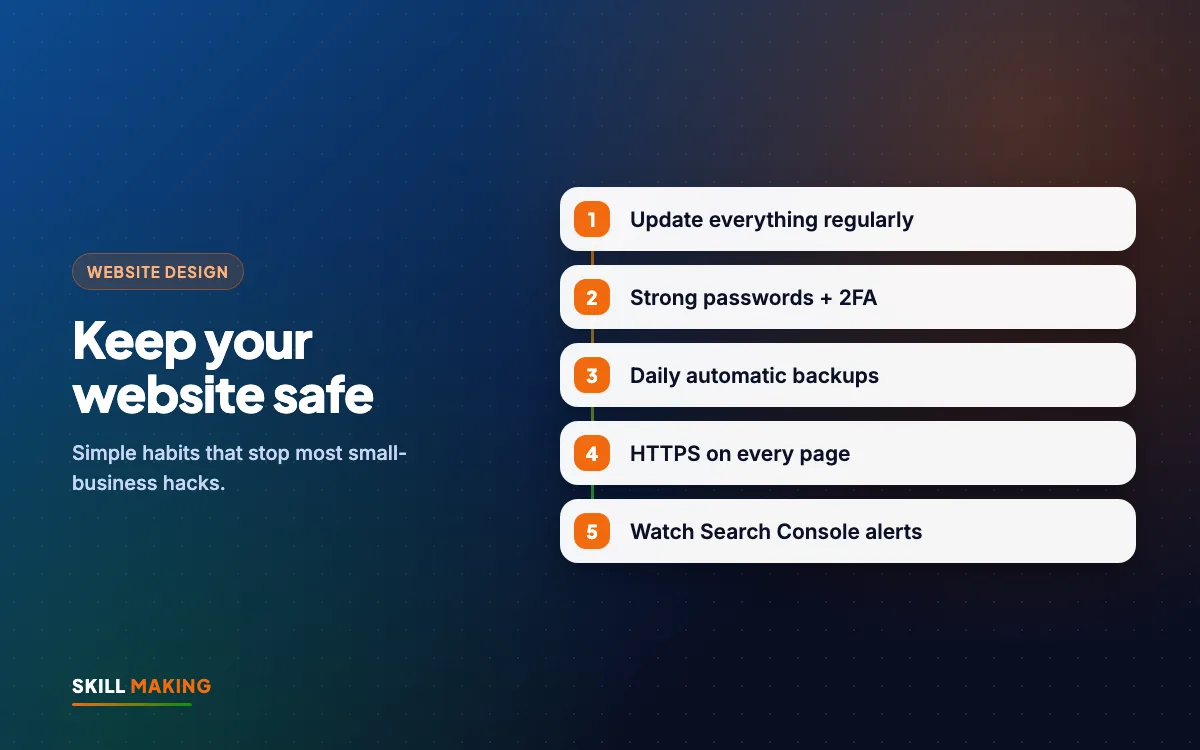
Keep everything updated
- Update WordPress core, your theme and every plugin regularly. Monthly is a sensible minimum.
- Take a backup before updating.
- Delete themes and plugins you do not use, instead of just switching them off.
- Buy themes and plugins only from the official source.
Take backups you can actually restore
- Back up the website files and the database automatically, at least weekly, and daily for busy sites or online stores.
- Keep copies somewhere other than your hosting account, such as cloud storage.
- Keep several older copies, not just the latest one. A hack may have started weeks ago.
- Test a restore once in a while. A backup that cannot be restored is useless.
Use strong passwords and two-factor authentication
- Use a long, unique password for the website, the hosting, the domain account and your email. A password manager makes this easy.
- Never use the business name, phone number or "admin" as a username or password.
- Turn on two-factor authentication (2FA) wherever it is offered, so a stolen password alone is not enough.
- Protect the email account linked to your website most carefully. Whoever controls that email can reset everything else.
Limit admin users
- Give each person their own login. No shared accounts.
- Give staff the lowest role they need. Someone who writes blog posts does not need full admin rights.
- Remove access the same day someone leaves or a freelancer finishes work.
Use HTTPS everywhere
- Your site should have an SSL certificate and open on https with a padlock in the browser.
- Make sure all pages redirect from http to https.
- Check that the certificate renews automatically. Every site we build includes free SSL.
Choose decent hosting
- Pick a host that offers automatic backups, malware scanning, a firewall and up-to-date server software.
- Make sure the hosting account is in your own name with your own login.
Here is how a protected small-business site compares with an unprotected one:
Store locators with address, map and timings for every outlet
Brands like Domino’s and TanishqA page for your town + Google Business Profile with map and timings
Click-to-call and chat on their pages
Brands like TanishqWhatsApp and call buttons on every screen
Doctor profiles and online appointment requests
Brands like Apollo HospitalsAn enquiry or booking form that lands on your WhatsApp
Ratings and reviews right where people decide
Brands like AmazonYour best Google reviews shown on your website
Brand names belong to their owners and are used only as examples of common website features. Skill Making is not connected with them.
Spam Pages and Injected Content: The Hidden Hack
The most common hack we see on small sites is not a defaced home page. It is hidden spam. The hacker adds hundreds or thousands of junk pages, or injects spam links into your existing pages, so their content can borrow your site's trust with Google.
Why it is hard to notice:
- Your home page looks normal to you.
- The spam is often shown only to Google, or only to visitors arriving from search.
- You find out when your Google results start showing odd titles, or when Search Console reports a sudden jump in indexed pages.
How to check:
- Search site:yourdomain.com on Google and scroll through several pages of results.
- Open Google Search Console and look at the Pages report. A big, sudden increase in pages you never created is a red flag.
- Look under Security issues in Search Console.
- Ask your web designer to scan the files and database for unknown code.
Removing the spam pages is only half the job. The door the hacker used must also be closed, or they will be back within days.
How to Use Google Search Console for Security Alerts
Google Search Console is a free tool from Google, and it is one of the best early warning systems you have. Every site we build is connected to it at launch.
- Security issues report: Google lists problems it has found, such as hacked content, malware or deceptive pages.
- Manual actions report: shows if Google has taken action against your site for spam.
- Pages report: shows how many of your pages are indexed. Strange jumps can mean injected pages.
- Email alerts: make sure Search Console emails go to an address you actually read.
After you clean a hacked site, Search Console is also where you ask Google to review it again so warnings can be removed. Our on-page SEO checklist explains other useful Search Console checks.
What to Do If Your Website Is Hacked
Stay calm and work through these steps in order.
- Do not panic-delete things. Deleting files at random can destroy evidence and make cleaning harder.
- Change passwords immediately for the website admin, hosting, domain account, email and database. Use new, strong passwords and turn on 2FA.
- Contact your hosting company. Many hosts can scan the account, show what changed and help restore a clean backup.
- Find a clean backup from before the hack started. Restoring it is often the fastest fix, but only if you then close the door the hacker used.
- Update or remove every outdated plugin and theme, and delete any you do not recognise.
- Remove unknown admin users and check the remaining ones.
- Clean the spam pages and injected code, or ask a professional to do it. Hackers often leave hidden back doors.
- Check Google Search Console, fix what it reports, and request a review once the site is clean.
- Test everything: the contact form, WhatsApp and call buttons, and every important page on mobile.
- Set up prevention from the basics above so it does not happen again.
Sometimes an old, heavily hacked site is not worth saving. That is what we decided with our own old site: rebuilding on a clean, simple setup was faster and safer than chasing every piece of bad code. If your site is old and has been hacked more than once, a rebuild is worth considering.
If you want help right now, we can look at your site and tell you honestly whether to clean it or rebuild it.
Website Security for Online Stores and Sites That Collect Data
If you sell online, take bookings or collect enquiries with personal details, security matters even more.
- Use a trusted platform such as Shopify or a well-maintained WooCommerce setup. Our guide on how to start an online store in India covers the options.
- Never store card details yourself. Let the payment gateway handle payments.
- Keep only the customer information you really need.
- Back up more often, ideally daily.
- Make sure order and enquiry emails go to a secure, 2FA-protected inbox.
Website Security for Small Business: How We Build Secure Sites
After rebuilding our own site, website security for small business clients is built into every website we make, not added later. Every site includes:
- Free SSL and https on every page.
- Domain and hosting in your own name, so you own every login.
- Minimal plugins, only from official sources, which means fewer doors to lock.
- Google Search Console connected at launch, so warnings reach you.
- Separate logins for you and for us, with the right roles.
- Free support after launch, with optional monthly maintenance covering updates, backups and security checks.
Packages start at ₹14,999 for Starter and ₹29,999 for Business (one-time, plus GST). See the packages or the website design service for details. For businesses in Florida and across the USA, websites start from $300, and the Miami website design page has a cost calculator. We work in person around Khatima and Udham Singh Nagar and remotely everywhere else.
For an ongoing routine, pair this guide with our website maintenance checklist, which tells you what to check every week, month and year.
What to Do Next
Take ten minutes today. Search site: followed by your domain on Google, open Google Search Console, and check that your plugins are up to date. Then change any weak passwords and turn on 2FA.
If anything looks wrong, or you are not sure where to start, ask us for a free website audit. We will check your site for common security problems and explain what to fix in simple words. If your site needs a fresh start, get a free website plan and we will show you what a clean, secure site would look like.