
In 2026, building a digital foundation is now as critical as the concrete one you pour at a job site. The digital landscape has shifted so rapidly that nearly 90% of all construction and home service leads now begin with an online search. If your business isn’t visible on a smartphone screen, you are effectively invisible to the modern market.
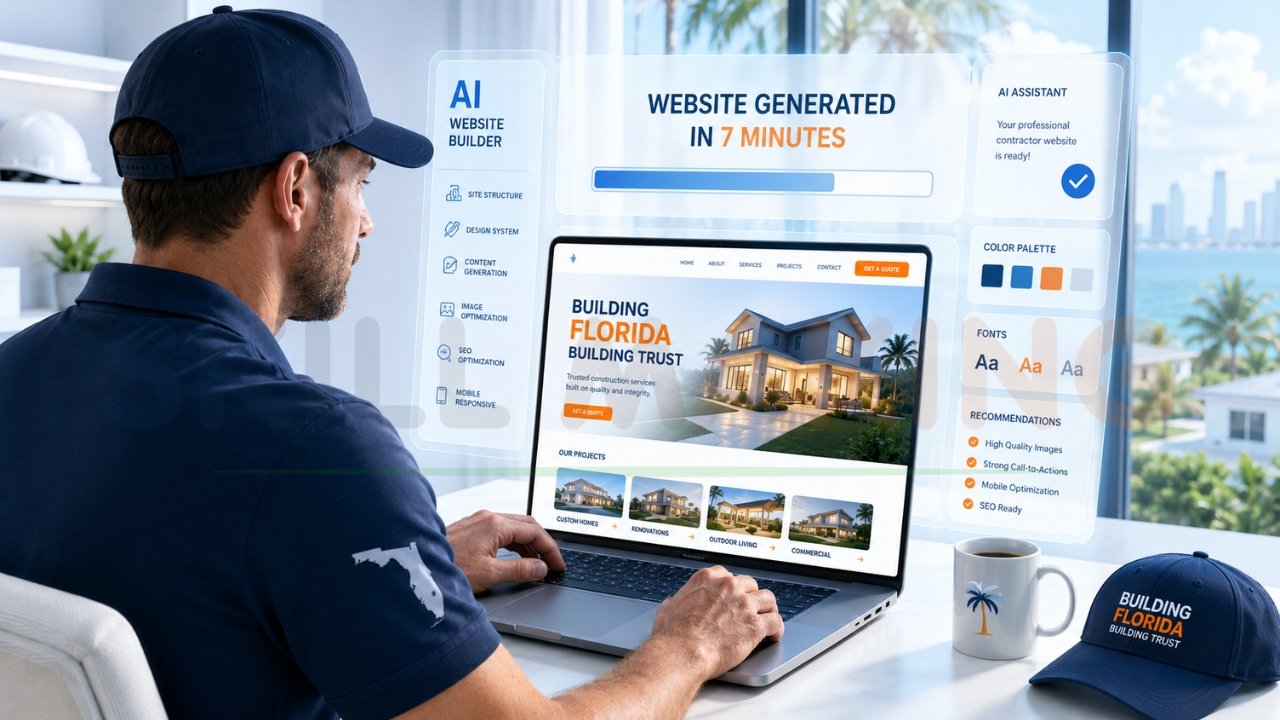
The introduction of advanced models like GPT-5.5 has transformed “website building” from a months-long technical ordeal into a process that can initiate in under seven minutes. However, while the speed is revolutionary, the gap between a “generated” site and a “high-converting lead machine” remains significant. This guide will show you exactly how to use AI to build a website while ensuring you don’t fall into the common traps of generic design and poor SEO.
How AI Is Revolutionizing Website Building in 2026?
Artificial Intelligence has moved beyond simple text generation. In 2026, AI web design tools handle everything from spatial layout logic to automated Answer Engine Optimization (AEO).
- Generative Engine Optimization (GEO): AI builders now automatically structure your content to be cited by AI search assistants like ChatGPT Search and Google Gemini.
- Hyper-Personalization: Modern models like GPT-5.5 allow for smarter, more personalized user experiences that adapt to the visitor’s intent.
- Predictive UX: AI can now predict where a user will click next, allowing for “frictionless” interfaces where users are never more than one click away from calling you.
- Multilingual Mastery: For businesses in diverse markets like Florida or California, AI now provides instant, high-quality translations that respect local dialects and technical trade jargon.
👉 Want an AI-Powered Website That Generates Real Leads & Customers? 📞 WhatsApp Today: +91 7906334941
Pros and Cons of Using AI to Build a Website
Using a build website with artificial intelligence approach offers undeniable speed, but it comes with specific trade-offs that small business owners must understand.
The Pros
- Unmatched Speed: You can move from “no site” to a “live draft” in less than 15 minutes.
- Cost Efficiency: AI reduces the initial development cost for basic sites, saving small firms between ₹50K to ₹2L in early-stage fees.
- Content Generation: AI tools write your service pages, blog posts, and meta descriptions, overcoming the “blank page” problem many contractors face.
- Accessibility: Automated tools ensure your site meets modern W3C standards and session timeout accessibility requirements.
The Cons
- The “Template Trap”: Without expert intervention, best AI website generators 2026 can produce generic designs that look exactly like your competitors.
- SEO Limitations: While AI can generate meta tags, it often lacks the “hyper-local” strategy needed to rank for specific neighborhood keywords like “Luxury Residential in Miami”.
- Security Risks: DIY platforms often use standard security. Professional firms like Skillmaking provide advanced SSL and Florida-compliant privacy protections.
- Lack of Brand Personality: AI struggles to capture the unique “About Us” story and safety record that builds deep trust with high-value clients.
Is your DIY site failing to generate calls? Get a professional AI-enhanced website from Skillmaking that combines machine speed with human sales expertise.
Best AI Tools to Build a Website (2026 Updated List)
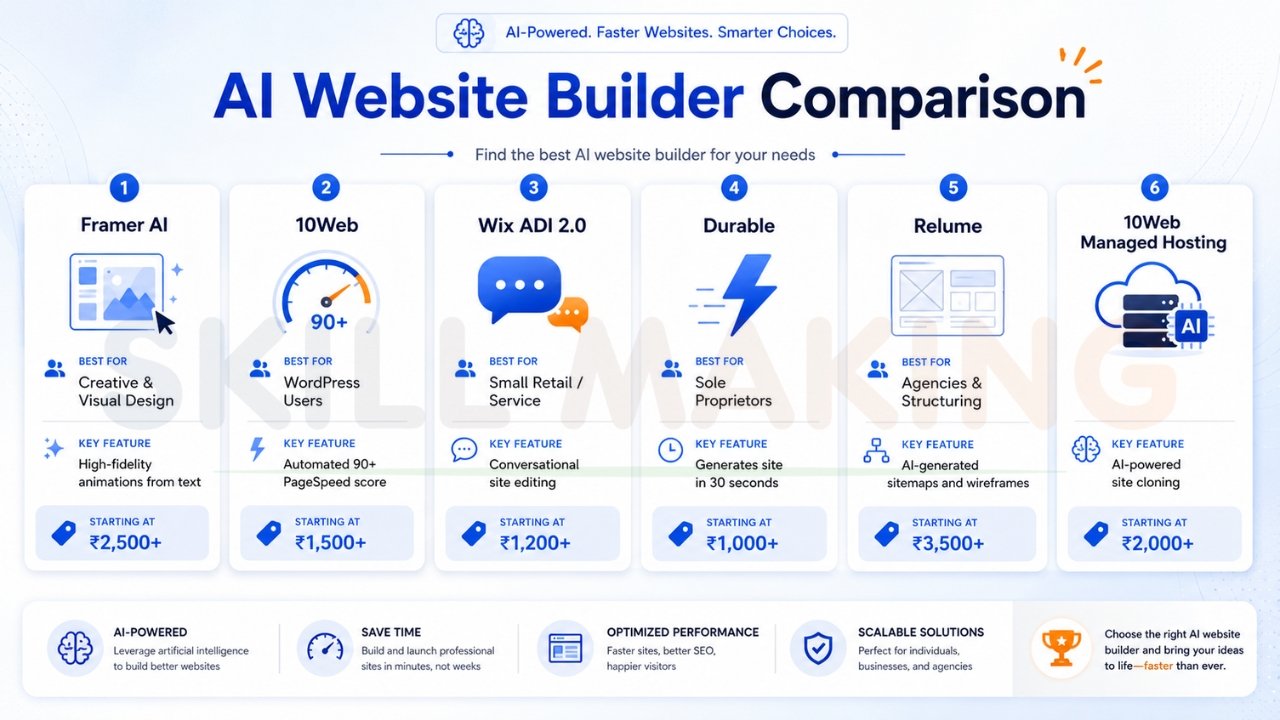
The market for no-code AI website creation is crowded. Here is a comparison of the top-tier tools available this year.
Comparison Table: Leading AI Website Builders 2026
| Software | Best For | Key AI Feature | Est. Monthly Cost |
|---|---|---|---|
| Framer AI | Creative & Visual Design | High-fidelity animations from text | ₹2,500+ |
| 10Web | WordPress Users | Automated 90+ PageSpeed score | ₹1,500+ |
| Wix ADI 2.0 | Small Retail/Service | Conversational site editing | ₹1,200+ |
| Durable | Sole Proprietors | Generates site in 30 seconds | ₹1,000+ |
| Relume | Agencies & Structuring | AI-generated sitemaps and wireframes | ₹3,500+ |
| 10Web | Managed Hosting | AI-powered site cloning | ₹2,000+ |
👉 Build a High-Converting Business Website with AI & Expert Web Design – 📲 Chat Now: +91 7906334941
Step-by-Step: How to Use AI to Build a Website
If you are ready to take the leap, follow this 5-step guide to launch your digital presence.
Step 1: Define Your Business Context and Prompts
Don’t just say “build a plumbing site.” Be specific. Use a “Smart Prompt” like:”Create a mobile-first website for a plumbing company in Orlando, Florida specializing in 24/7 emergency repairs. Use a professional blue and white color scheme, include a floating WhatsApp button, and focus on ‘Speed to Lead’ as the primary conversion goal.”
Step 2: Choose Your AI Platform
Select a tool based on your needs. For a quick landing page, Durable or Hostinger AI works. For a professional, scalable platform, 10Web allows you to leverage the power of WordPress with AI automation.
Step 3: Generate and Refine Layouts
The AI will provide several “First Draft” options. Look for:
- Mobile responsiveness: Does it look good on a smartphone?
- Clear CTAs: Is your phone number “sticky” at the top?
- Trust signals: Are there sections for OSHA certifications and local licenses?
Step 4: Add Hyper-Local SEO Content
AI-generated content is a starting point. To rank, you must manually insert local keywords. For example, change “Best Electrician” to “Best General Contractor in Tampa” or “Miami Luxury Home Builders”.
Step 5: Test Performance and Launch
Before going live, use tools to verify your site speed. In 2026, if your site takes more than 2 seconds to load on a weak cell signal at a job site, you will lose 70% of your visitors.
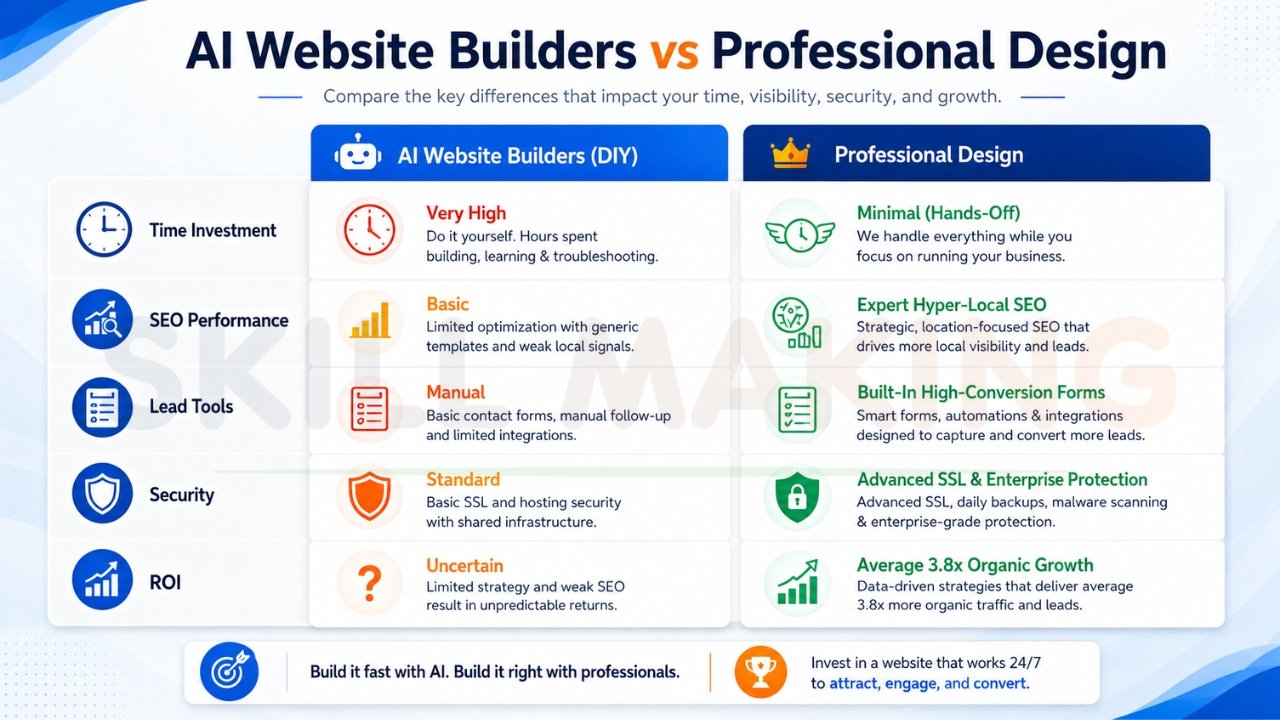
AI Website Builders vs Traditional Web Design – Which Should You Choose?
While AI is impressive, it is often a “maintenance trap” for professional businesses. You didn’t start a construction or plumbing business to become a part-time web developer.
| Factor | AI Website Builders (DIY) | Professional Design (Skillmaking) |
|---|---|---|
| Time Investment | Very High for the Owner | Minimal – Hands-off process |
| SEO Performance | Basic / Limited | Expert Hyper-Local SEO |
| Lead Tools | Manual / Standard | Built-in high-conversion bid forms |
| Security | Standard | Advanced SSL & Enterprise Protection |
| ROI | Uncertain | Average 3.8x Organic Growth |
Don’t settle for a generic template. Let Skillmaking combine AI with expert design for your business to ensure your site is a true asset, not just a digital brochure.
👉 Get an SEO-Friendly AI Website Designed for Business Growth – 📞 Call/WhatsApp: +91 7906334941
Special Tips for Construction & Home Improvement Businesses
For those in the $2.145 trillion construction market, your website is the bridge between physical craftsmanship and digital vetting.
- Use Interactive Galleries: AI can now help you create before-and-after sliders and 3D product visualizations for kitchen remodeling or flooring.
- Highlight Safety Compliance: In Florida, displaying HVHZ (High-Velocity Hurricane Zone) compliance is non-negotiable for building trust.
- Target Seasonal Niches: Use AI to quickly generate landing pages for hurricane restoration in the summer or industrial-grade garage epoxy in high-humidity areas.
- Recruitment Engine: A professional site attracts skilled labor by proving your firm is tech-forward and stable in a competitive market.
Common Mistakes When Building a Website with AI
Even with advanced tools, many firms fail due to avoidable errors.
- Ignoring Mobile Optimization: 80% of Florida leads search on smartphones. A site that isn’t mobile-friendly is effectively broken.
- Slow Loading Speeds: Large, unoptimized images cause high bounce rates. Ensure your site loads in under 2 seconds.
- Generic Stock Photos: Customers want to see your work. Using stock kitchens from another country dilutes your brand.
- Lack of Clear Contact Info: If a lead has to hunt for your phone number, they will go to a competitor.
- Falling for the “Referral Trap”: Believing that referred leads don’t search online is a mistake. In 2026, even referred clients check your site to verify professionalism before calling.
Learn more about how to avoid common marketing mistakes construction companies make to stay ahead of the competition.
How to Combine AI with Professional Design for Best Results?
The most successful businesses in 2026 use a “Humans with AI” approach. AI handles the repetitive tasks (coding base layers, initial drafting), while human experts handle the strategic elements:
- Conversion Logic: Positioning “Get a Free Quote” buttons based on user psychology.
- Brand Authority: Crafting a narrative that explains what is marketing in the construction industry—it’s about trust, not just logos.
- Local Dominance: Knowing how to get more home improvement leads through hyper-local Google Business Profile optimization.
How Skillmaking Uses AI + Human Expertise to Deliver Superior Websites?
At Skillmaking, we don’t just build websites; we build “lead-generation machines”. Our 5-step process ensures your digital storefront is built to win:
- Market Analysis: We identify “missing circuits” in your strategy based on your specific city (e.g., Tampa, Orlando, Miami).
- Frictionless UI/UX: We design for the “frantic homeowner”—one click to call, one click for WhatsApp.
- Technical Development: We use lightning-fast frameworks for instant loading, even on weak cell signals at remote job sites.
- Conversion Setup: We integrate call tracking and lead forms so you know exactly where your revenue is coming from.
- Performance Monitoring: We provide ongoing support to keep your site compliant with evolving search algorithms like Answer Engine Optimization.
👉 Build a Smart Website That Helps Your Business Rank Higher on Google – 📲 Call Now: +91 7906334941
Frequently Asked Questions
- How long does it take to build a website with AI?
While basic generation takes minutes, a professional, SEO-optimized site typically takes 7 to 15 working days from approval to launch. - Can AI handle my local SEO for Florida cities?
AI provides the tags, but human expertise is required to target specific neighborhoods and rank in the “Local Map Pack”. - Is a DIY AI website better than no website?
In the short term, yes. But in the long term, a poor-quality site can damage your credibility, as 75% of users judge your business solely on its web design. - How much does an AI-powered website cost?
DIY platforms range from ₹1,000 to ₹3,000/month. Professional lead-gen platforms for contractors typically range from ₹15,000 for starters to ₹1.5L+ for premium custom builds. - Can I update my site myself if I use AI?
Yes. Modern systems like WordPress (powered by AI tools) allow you to easily upload new project photos and update content without technical knowledge. - Does AI help with recruiting skilled labor?
Absolutely. A professional, tech-forward site proves to workers that your firm is stable and committed to a modern safety culture. - Should I put pricing on my AI-generated site?
While exact quotes are hard, offering “starting at” prices or an “Instant Quote” calculator can qualify leads and build transparency. - What is the most important feature for a contractor website?
“Speed to Lead.” If a site doesn’t load instantly or provide an immediate way to contact you (like WhatsApp), the client will move to the next result. - Do I need to blog on my construction website?
Blogging helps you rank for “high-intent” questions like “how to prepare for a roof replacement” or “benefits of impact windows in Florida”. - Can AI build a website from a hand-drawn sketch?
Yes, advanced tools like biCanvas or Dora AI can now process high-quality scans or sketches and turn them into digital wireframes.
Conclusion: Start Building Your Digital Future Today
In 2026, your website is your most valuable business asset. It is the bridge between your physical craftsmanship and a multi-trillion dollar market. While AI tools have lowered the barrier to entry, the competition for high-margin contracts has never been more intense.
Don’t let your expertise be hidden by an outdated or generic online presence. Take the first step toward a booked-out calendar and a powerful brand today.
Ready to 10x your bookings? Get a high-converting website for your construction company and secure your pipeline for years to come.
