
Choosing the right platform for your website is no longer just about picking a template and adding some text. In 2026, your website is your most valuable digital asset—a “digital site office” that must work 24/7 to convert visitors into customers. Whether you are a general contractor in Miami, a freelance photographer, or a growing e-commerce brand, the decision between WordPress vs Wix vs Squarespace will dictate your business’s growth for years to come.
As the digital landscape evolves with AI-integrated search and mobile-first dominance, the stakes have never been higher. If your site takes more than three seconds to load, you risk losing over half of your potential traffic. This guide provides a balanced, expert analysis to help you navigate these choices with confidence.
👉 Need a Professional Website for Your Business? 📲 Call/WhatsApp: +917906334941
Quick Overview of the Contenders
Before we dive into the deep technicalities, let’s establish what these platforms actually are.
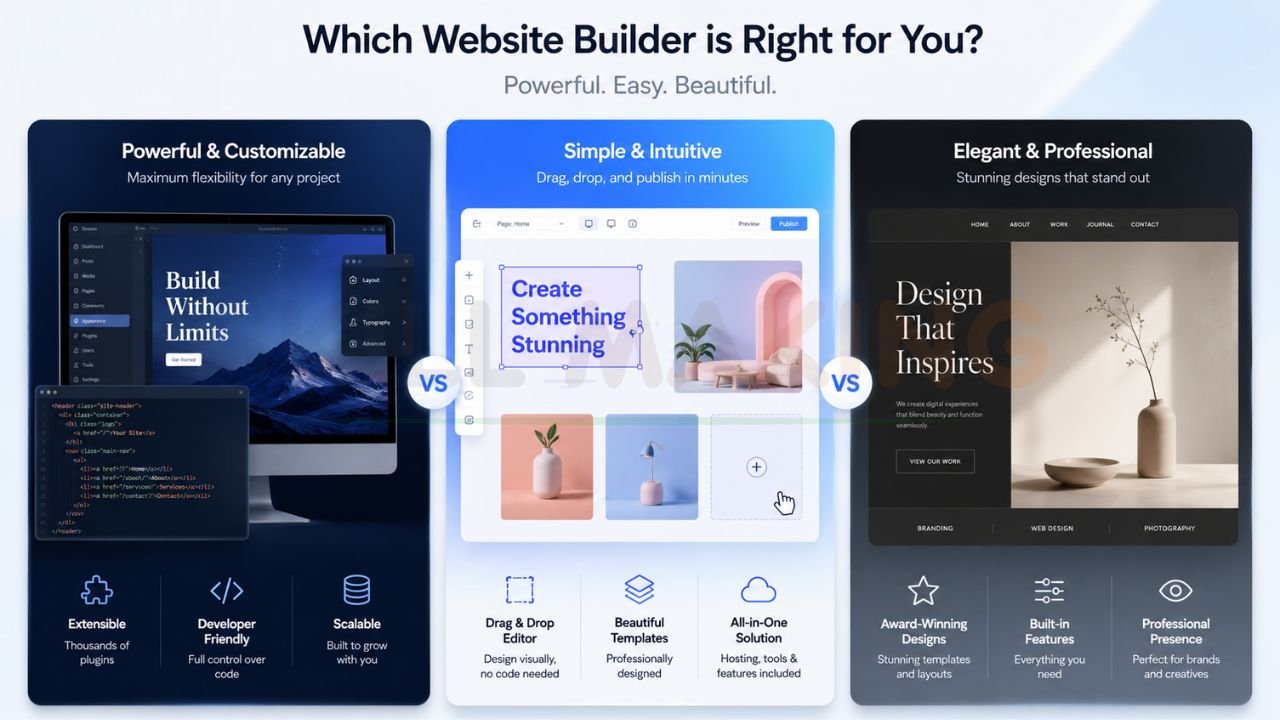
- WordPress.org: The world’s most popular open-source content management system (CMS). It offers total ownership of data and a vast ecosystem of plugins.
- Wix: A leading DIY website builder known for its intuitive “what-you-see-is-what-you-get” (WYSIWYG) interface. It is an all-in-one hosting and support solution.
- Squarespace: Often praised for its “DIY beauty,” Squarespace focuses on high-end design templates and a streamlined user experience, making it a favorite for creatives.
Detailed Side-by-Side Comparison
| Feature | WordPress (Self-Hosted) | Wix | Squarespace |
|---|---|---|---|
| Ease of Use | Moderate (Learning curve) | Very Easy (Drag-and-drop) | Easy (Structured editing) |
| Design Flexibility | Unlimited (Custom code/builders) | High (Pixel-perfect drag) | Moderate (Grid-based) |
| SEO Capability | Advanced (RankMath/Yoast) | Good (Built-in tools) | Good (Streamlined) |
| Loading Speed | Variable (Depends on hosting) | Moderate (Improving with AI) | Stable (Standardized) |
| Scalability | High (Grows with business) | Limited (Hard to migrate) | Moderate (Limited features) |
| Maintenance | Manual (Updates/Security) | Automated (Hands-off) | Automated (Hands-off) |
| Full Ownership | Yes (You own files/database) | No (You “rent” the platform) | No (You “rent” the platform) |
| E-commerce | Powerful (WooCommerce) | User-friendly (Wix Stores) | Integrated (Strong visual focus) |
👉 Want Help Choosing Between WordPress, Wix & Squarespace? 📞 Call/WhatsApp: +917906334941
In-Depth Analysis: Pros and Cons
1. WordPress: The Powerhouse for Scalable Growth
In 2026, WordPress remains the gold standard for small businesses that view their website as a long-term asset. It empowers users to build anything from a simple blog to a complex service portal.
Pros:
- Total Control: You have full ownership of your data and site files.
- Plugin Ecosystem: Access to over 60,000 plugins for SEO, analytics, and lead capture.
- SEO Dominance: With tools like RankMath and the ability to customize every technical detail, WordPress sites often have the edge in competitive markets.
- Cost-Effectiveness: While the software is free, you only pay for what you need (hosting, specific premium plugins).
Cons:
- Maintenance Required: Users must manage their own security updates and backups.
- Complexity: It can be overwhelming for absolute beginners without professional help.
- Hidden Technical Costs: Poorly managed WordPress sites can become slow and vulnerable if not optimized correctly.
2. Wix: The Ultimate DIY Tool for Speed
Wix has transformed from a simple builder into a sophisticated platform utilizing AI to help businesses go live in days.
Pros:
- Unmatched Ease: The drag-and-drop interface is highly intuitive.
- All-in-One Solution: Hosting, security, and support are included in a single monthly fee.
- AI Website Builder: In 2026, Wix’s AI can generate functional layouts based on simple prompts.
Cons:
- Platform Lock-in: You cannot easily move your Wix site to another host. If you outgrow the platform, you often have to start from scratch.
- Template Rigidity: Once you choose a template, changing it completely requires significant manual work.
- SEO Limitations: While improved, it still lacks the deep technical customization available in WordPress.
3. Squarespace: Where Design Meets Simplicity
Squarespace is the go-to for solopreneurs and creatives who prioritize aesthetics and don’t want to worry about the “back-end” of a website.
Pros:
- Stunning Templates: Every template is professionally designed and mobile-responsive by default.
- Zero Maintenance: You never have to click “update” on a plugin or theme.
- Predictable Pricing: Clear monthly tiers include everything you need to run a professional site.
Cons:
- Limited Customization: It follows a strict grid system, which can be frustrating if you want a truly unique layout.
- Higher Entry Cost: Generally more expensive than basic WordPress hosting or starter Wix plans.
- Lower Scalability: Not ideal for businesses that plan to add complex custom features in the future.
👉 Get Website Design, SEO & Lead Generation Services – 📲 Chat Now: +917906334941
Best Platform For Different Users
Choosing the best website builder for small business depends heavily on your specific goals.
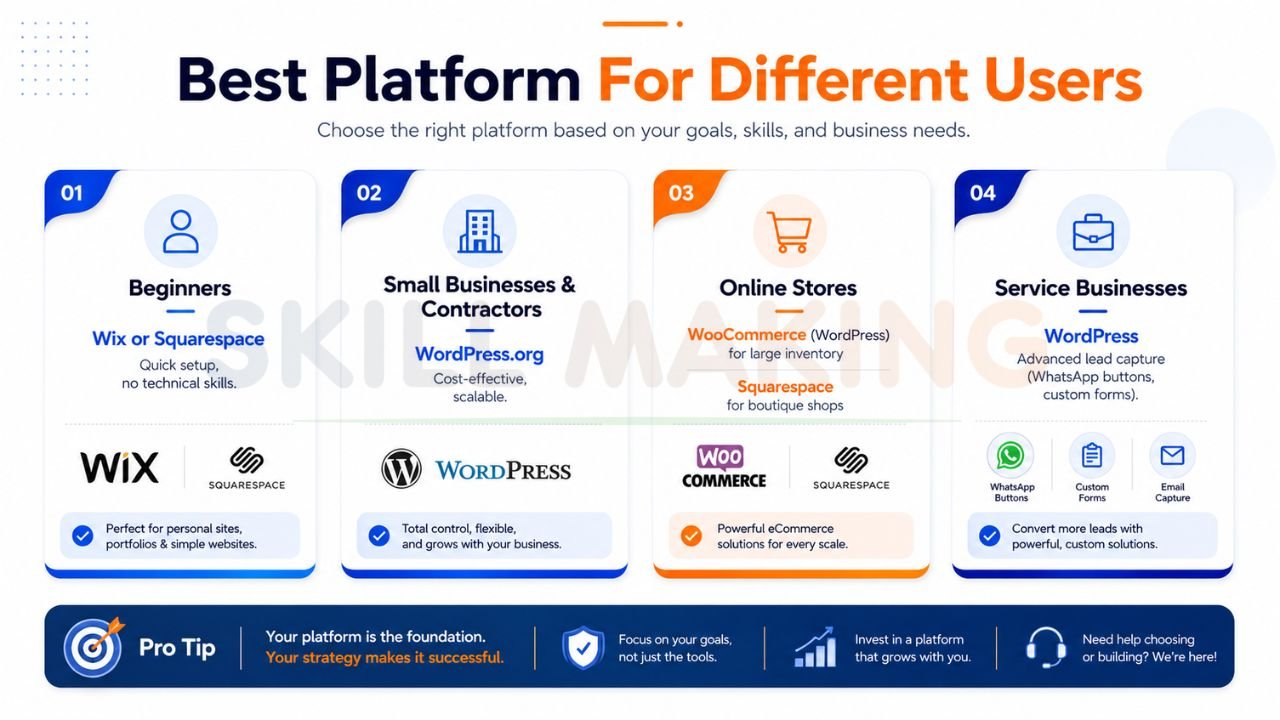
- Beginners: Wix or Squarespace are ideal for those who need a functional site quickly without learning technical jargon.
- Small Businesses & Contractors: WordPress.org provides the best balance of cost-effectiveness and long-term scalability.
- Online Stores: For large inventories, WooCommerce (WordPress) is superior. For boutique shops, Squarespace offers a beautiful, integrated experience.
- Service Businesses: WordPress allows for advanced lead-capture tools, such as integrated WhatsApp buttons and custom bid forms, which are mandatory for trades like plumbing or roofing.
Real Performance Comparison in 2026
In the modern web, speed is a ranking factor. Google’s PageSpeed Insights documentation emphasizes that faster sites provide better user experiences and higher conversion rates.
- Speed: WordPress can be the fastest platform if paired with high-quality hosting like Hostinger and optimization plugins. However, a poorly built WordPress site will be slower than a standard Wix site.
- SEO Results: SEO in 2026 isn’t just about keywords; it’s about “search everywhere optimization,” including how AI engines like ChatGPT and Gemini cite your content. WordPress’s open nature makes it easier to implement the structured data necessary for these AI citations.
- Mobile Experience: 80% of leads in the construction and home improvement industry search on mobile devices. All three platforms offer mobile responsiveness, but WordPress gives you the granular control to optimize specifically for “click-to-call” behavior.
Hidden Costs and Long-Term Considerations
While a platform might look cheap initially, the “hidden costs” of poor performance can be devastating.
- Domain & Hosting: Wix and Squarespace include hosting but often charge more for domain renewals after the first year.
- Premium Extensions: On WordPress, you might buy a $50 plugin once. On Wix, similar features often require a higher monthly subscription tier.
- Ownership: If you use a DIY builder, you are effectively “renting” your digital space. With WordPress, you own the “land” (your hosting) and the “building” (your site files).
👉 Launch Your Business Website Faster – 📞 WhatsApp: +917906334941
How Skill Making Helps You Get a Professional Website
Many business owners start with DIY platforms like Wix or Squarespace to save money, only to realize the time investment is very high and the SEO performance is limited.
At Skill Making, we specialize in building high-converting, custom digital assets that generate real revenue. We don’t just build a “pretty” site; we build a lead-generation machine.
Our results for contractors and service providers include:
- 3.8x average growth in organic traffic within six months.
- 312% increase in qualified leads.
- Mobile-First Design that captures leads on-site or during emergencies.
If you want a website that ranks at the top of local searches in major hubs like Miami, Orlando, or Tampa, professional design is the highest ROI decision you can make. We handle the technical “heavy lifting”—from local SEO dominance to instant lead capture integration—so you can focus on running your business.
Explore our Professional Website Design Services to see how we can transform your online presence.
Final Verdict & Recommendation
- Choose WordPress if: You want a scalable, long-term asset that you fully own. It is the best choice for serious businesses aiming for SEO dominance.
- Choose Wix if: You are a solopreneur who needs a site live tomorrow and values an easy, drag-and-drop interface.
- Choose Squarespace if: You are a visual artist or designer where the “look” of the site is more important than deep technical SEO or complex functionality.
Conclusion
In 2026, your website is the bridge between your craftsmanship and a multi-trillion dollar market. Whether you choose WordPress, Wix, or Squarespace, ensure your choice aligns with your long-term business goals. Don’t let high-value projects go to your competitors because of a slow or generic DIY site.
Take the first step toward a booked-out calendar and a powerful brand today.
Ready to 10x your bookings?
Let’s build your high-converting digital storefront.
- Visit Us: https://skillmaking.com/website-design/
- WhatsApp Us Now: +91-7906334941
- Expert Consultation: Contact Person at Skill Making to discuss your project.
