
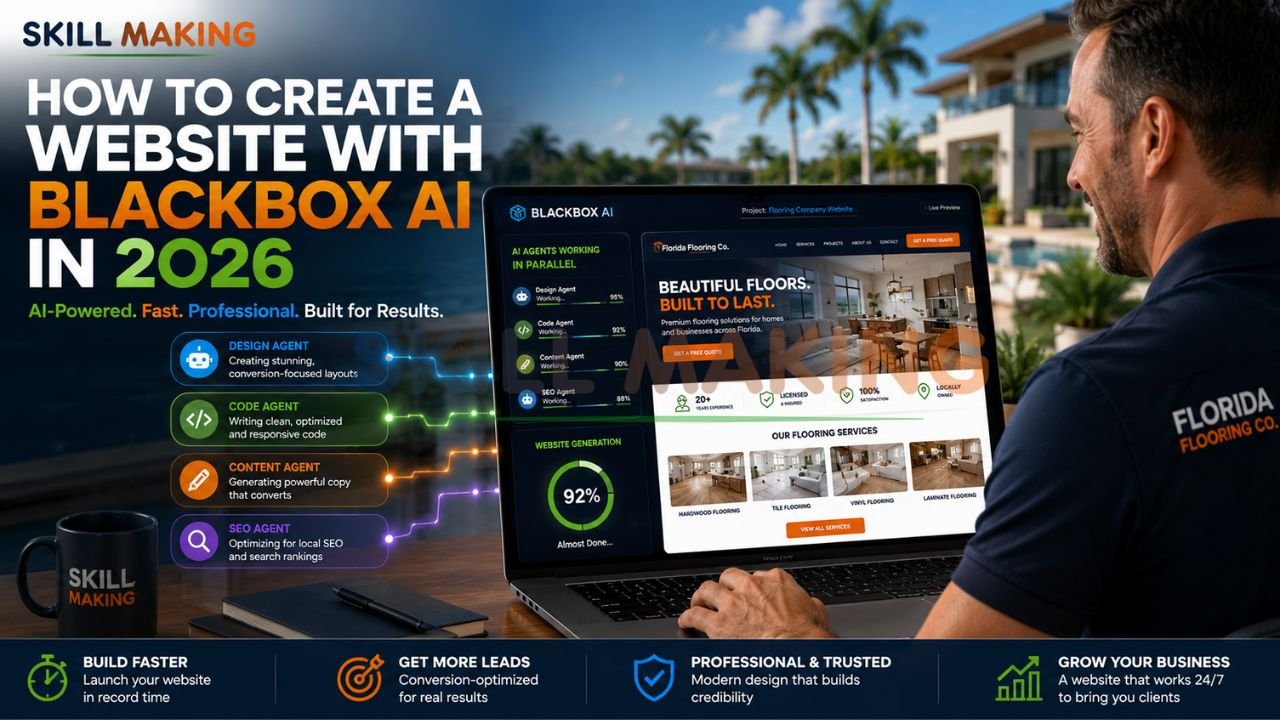
The digital landscape of 2026 has reached a definitive turning point where the speed of development is no longer a luxury but a fundamental requirement for survival. Statistics show that approximately 90% of all construction and home service leads now originate from an online search, and 75% of users judge a company’s credibility based solely on its website design. In this fast-paced “vibe coding” era, learning how to create a website with Blackbox AI has become a game-changer for small businesses aiming to launch high-performance digital storefronts in minutes rather than months.
Blackbox AI has emerged as a premier autonomous multi-agent platform, allowing even non-coders to dispatch specialized “agents” to handle complex development workflows. Whether you are an electrician in Miami or a custom home builder in Tampa, this guide will walk you through the entire process of leveraging Blackbox AI to build a lead-generation machine.
👉 Turn Your Blackbox AI Website into a High-Converting Lead Generation Machine – 📲 Start Chat Now
What Is Blackbox AI and How Can It Help Build Websites?
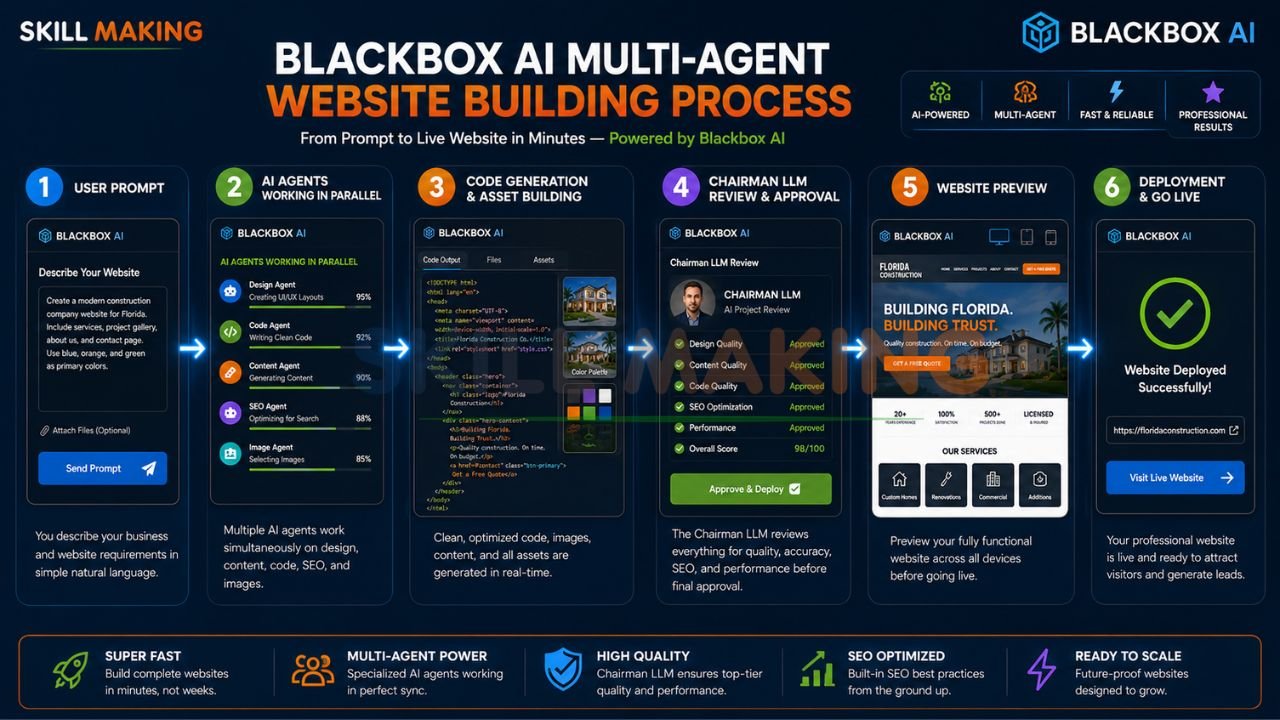
Blackbox AI is an enterprise-grade platform designed for autonomous multi-agent execution using frontier and open-source models. Unlike standard chatbots, it operates across six different surfaces—including an AI-native IDE, CLI, and a natural language application builder—allowing it to tackle entire development lifecycles.
Key capabilities for website creation include:
- Multi-Agent Dispatch: It can run multiple agents in parallel to write frontend code, manage databases, and perform security audits simultaneously, which significantly reduces execution time.
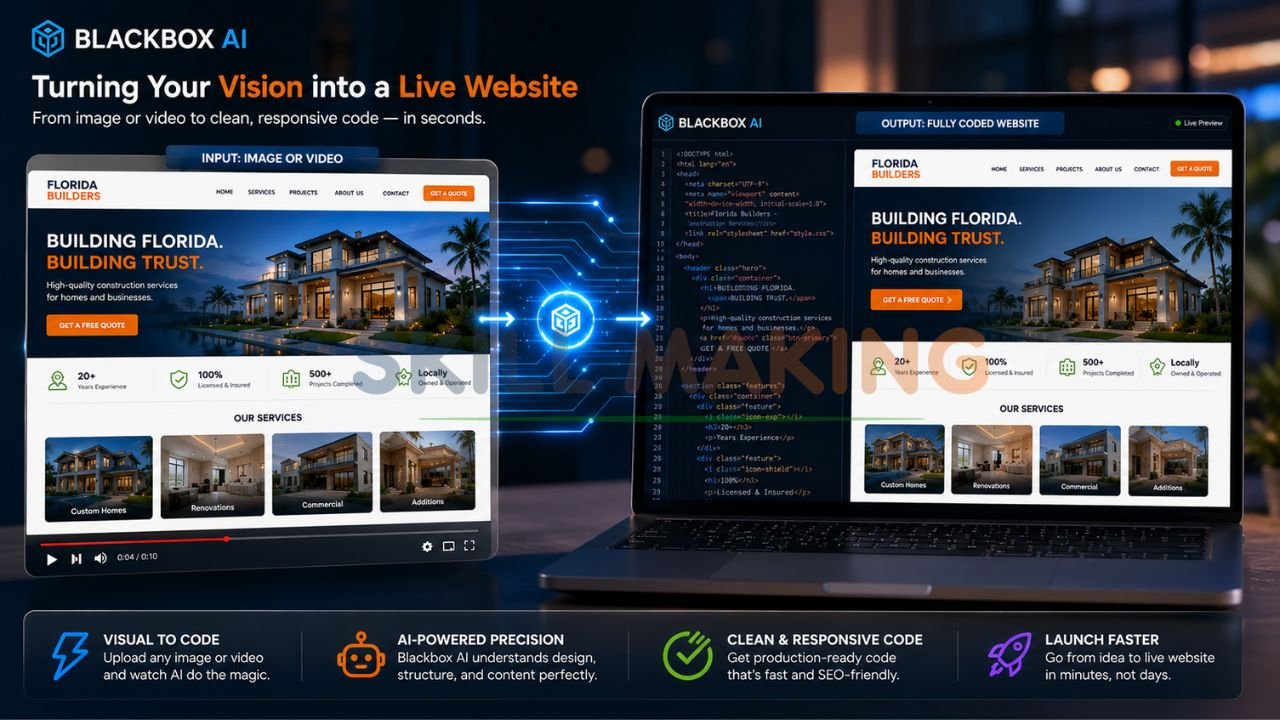
- Visual-to-Code Translation: One of its most powerful features is the ability to turn any video or image into working code, making it a favorite for copying professional design structures.
- Chairman LLM Judging: To ensure the highest quality, a “Chairman LLM” serves as a judge, evaluating code submissions for correctness and risk before they reach you.
- Real-Time Autocomplete: For those who want to get their hands dirty, it provides professional-grade code autocomplete within your development environment.
Get a professional website built by Skillmaking to ensure your AI-generated code is refined into a market-leading asset.
👉 Get a Mobile-First AI Website Optimized for SEO, Speed & Local Rankings – 📲 Contact Us on WhatsApp
Pros and Cons of Creating a Website with Blackbox AI
Using a Blackbox AI website builder approach offers unmatched speed, but like any tool, it comes with specific trade-offs.
The Pros
- Rapid Prototyping: Move from a simple natural language prompt to a live draft in under seven minutes.
- Cost Efficiency: Small firms can save significant early-stage development fees by automating the initial coding of base layers.
- Complex Logic Handling: It excels at writing server-side logic and custom snippets that general builders often struggle with.
- Agentic Automation: It handles repetitive tasks like code refactoring and test generation autonomously.
The Cons
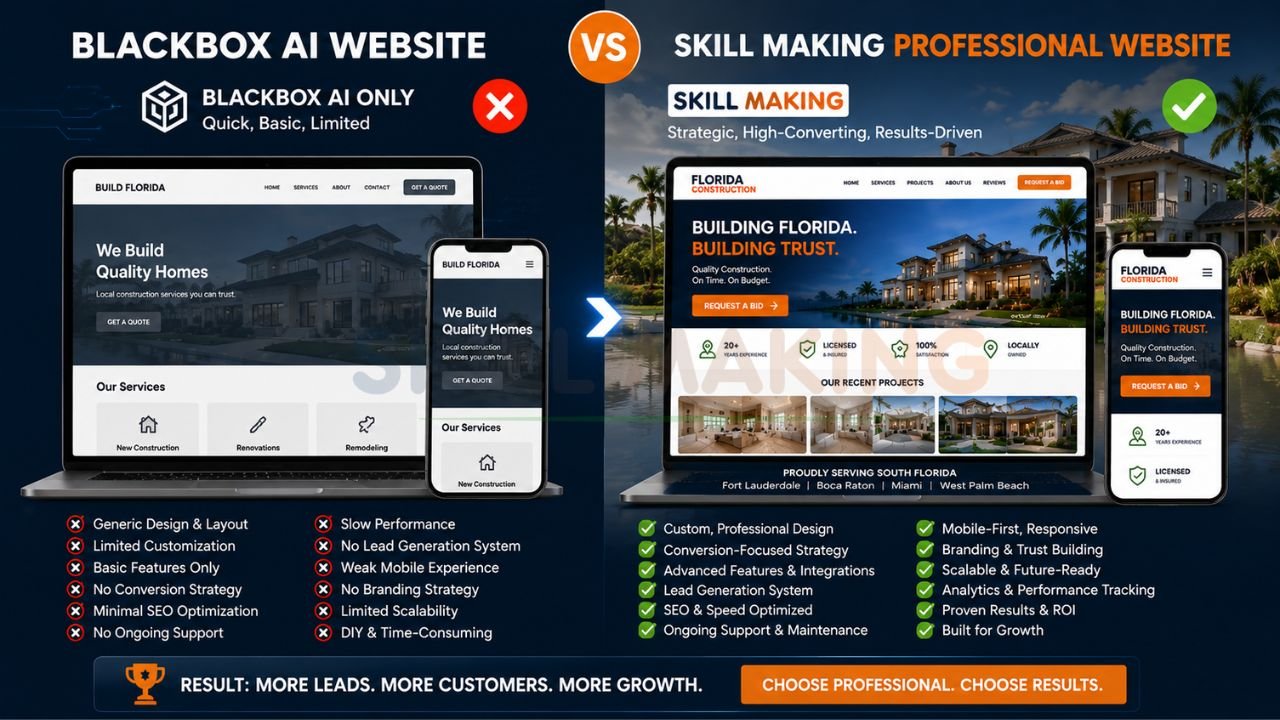
- The Template Trap: Without expert oversight, AI can produce generic designs that look exactly like your competitors.
- SEO Limitations: AI provides the technical tags, but human expertise is required for the “hyper-local” strategy needed to rank in specific neighborhood Map Packs.
- Maintenance Hurdles: While building is fast, long-term security and performance maintenance can become a trap for non-technical owners.
Step-by-Step: How to Create a Website with Blackbox AI (Complete Guide)
Follow this 2026 blueprint to build a website using Blackbox AI from scratch.
👉 Don’t Settle for a Generic AI Website — Build a Custom High-Performance Website Instead – 📲 Message Us Today
Step 1: Access and Setup
Begin by accessing Blackbox AI Official or installing the Blackbox AI extension in your preferred IDE (like VS Code). You can also use their natural language application builder for a zero-setup experience.
Step 2: Define Your Business Context
Don’t just ask for a “website.” Be specific about your trade and location.
- Visual Strategy: Upload a screenshot of a layout you love. Blackbox AI can analyze the visual elements and generate the corresponding HTML and CSS.
- Text Prompting: Describe your “Unique Selling Proposition” (USP), such as being a “Hurricane-Ready Specialist in Miami”.
Step 3: Dispatching the Agents
Use the natural language interface to initiate the build. For example: “Design a mobile-first landing page for a plumbing company. Create a separate agent to handle the backend contact form and another to optimize the image loading speeds.”
Step 4: Review via the Chairman LLM
Blackbox AI will generate the code and pass it through its internal “Chairman LLM” judge. Review the suggestions for correctness and performance. If something isn’t right, use the chat to say, “Make the hero section button more prominent”.
Step 5: Integration and Deployment
Once the code is ready, you can deploy it through integrated CI/CD pipelines. For WordPress users, you can use Blackbox AI to generate custom PHP snippets and then upload them via your dashboard.
Let Skillmaking turn your Blackbox AI code into a high-converting website today.
Best Prompts for Blackbox AI to Build Different Types of Websites
To get the most out of Blackbox AI for web development, you must use “Smart Prompts.” Here are templates you can copy and paste.
👉 Combine the Power of Blackbox AI with Expert Web Design & SEO Strategy – 📲 Connect on WhatsApp
For Construction & Remodeling Firms
“Build a professional, mobile-responsive homepage for a high-end kitchen remodeling business in Orlando. Include an interactive before-and-after image slider, a sticky ‘Call Now’ button, and a section for Florida-specific certifications like DBPR and OSHA. Use a clean, slate-gray and navy color palette.”
For Emergency Service Providers (Plumbers/Electricians)
“Create a high-speed landing page for an emergency electrical service. The primary goal is ‘Speed to Lead.’ Include a floating WhatsApp button, a large ‘Emergency Call’ button that is always visible on mobile, and a lead form with only three fields to reduce friction.”
For Technical Code Snippets
“Write a custom React component for a price estimator. The user should be able to select their flooring type (hardwood, tile, or epoxy) and square footage to get an instant ‘Starting At’ quote. Ensure the code is documented and includes accessibility tags.”
Building a Full Website with Blackbox AI + Tech Stacks
Blackbox AI is versatile enough to work across various platforms, but the approach differs based on your goal.
| Stack | Best For | Role of Blackbox AI |
|---|---|---|
| HTML/CSS/JS | Lightweight Speed | Generates pure, semantic code for instant loading. |
| React / Next.js | Complex Apps | Build interactive components and manage state logic. |
| WordPress | Scalable CMS | Writes custom PHP for themes and plugins. |
For a deeper look at high-performance hosting, check out WordPress.org or GitHub for open-source deployment tips.
👉 Get a Fast, Responsive Website Built with AI & Optimized for Real Business Growth – 📲 Talk to Experts Now
Special Tips for Construction Companies & Home Improvement Businesses
In the $2.145 trillion construction market, a generic site is a major error. You must customize your Blackbox AI output for technical authority.
- Hurricane Resilience: For Florida businesses, prominently display your HVHZ compliance.
- Visual Storytelling: While AI can generate layouts, ensure your galleries feature real local work. Customers in Miami don’t want to see stock photos of homes in snow.
- AEO Optimization: In 2026, you must optimize for Answer Engine Optimization (AEO) so AI search assistants cite your firm as the top local recommendation.
- Instant Communication: Integrate WhatsApp buttons. In the trades, the first contractor to respond usually wins the job.
Common Mistakes When Using Blackbox AI for Website Creation
Avoid these pitfalls that can silence your phone and waste your budget:
- The Referral Trap: Believing referred clients don’t check your site is a mistake; 75% judge your credibility based on your web design.
- Ignoring Local SEO: Failing to prompt for city-specific keywords like “best general contractor in Tampa” makes you invisible to 90% of your market.
- Slow Follow-Up: If you don’t respond to a digital lead within 60 seconds, you lose the deal.
- Digital Invisibility: Trying to market without a strong website foundation is like building a skyscraper on a swamp.
Learn more about how to avoid common marketing mistakes construction companies often make and understand what marketing is in the construction industry—it’s about building trust.
Blackbox AI vs Other AI Tools
👉 Launch Your Contractor, Remodeling or Home Service Website Faster with Blackbox AI – 📲 Chat with Us Today
| Feature | Blackbox AI | ChatGPT | Cursor | v0 by Vercel |
|---|---|---|---|---|
| Core Strength | Multi-agent execution | General reasoning | Contextual IDE | UI component generation |
| Visual Coding | Video/Image to Code | Limited image analysis | Limited | Exceptional UI drafts |
| Best For | Automated Workflows | Logic & Content | Pro Developers | Frontend Prototyping |
While Blackbox is the “workhorse” for code, tools like the Nielsen Norman Group guidelines are still essential for ensuring your AI-generated UX is actually usable.
When to Use Blackbox AI Alone vs When to Hire Professional Developers?
Use Blackbox AI Alone When:
- You are building a personal project or a simple landing page to test an idea.
- You need a quick “digital business card” for family and friends.
- You have the time to troubleshoot and manage technical security yourself.
Hire Skillmaking When:
- Your business relies on consistent leads to pay the bills.
- You want to rank #1 on Google for high-value terms in your city.
- You need specialized features like custom bid calculators or secure client portals.
- You want a site that converts 312% more leads than a standard template.
Skip the limitations of AI tools — let Skillmaking create your custom site today.
👉 Stop Losing Leads with Basic AI Templates & Upgrade to a Professional Website – 📲 Start WhatsApp Chat
How Skillmaking Uses Blackbox AI + Expert Design for Superior Results?
At Skillmaking, we don’t just “use” AI; we engineer it to serve the trades. We use proprietary workflows involving Blackbox AI to handle the “heavy lifting,” but our human experts refine the “Strategy, SEO, and Sales Psychology”.
Our clients benefit from:
- Average 3.8x Growth in organic traffic within six months.
- 312% Increase in qualified lead requests for specialized trades.
- Hyper-Local Dominance: We target the specific cities where you actually want to work.
Conclusion
In 2026, your website is your most valuable senior salesperson. While learning how to create a website with Blackbox AI provides a powerful starting point, the competition for high-margin contracts has never been more intense. Don’t let your craftsmanship be hidden by a generic template.
Ready to dominate your local market and 10x your bookings?
Contact Skillmaking today to build a custom lead-generation system that combines the speed of Blackbox AI with the expertise of master developers.
- WhatsApp Us Now: +91-7906334941
- Visit Us: skillmaking.com
- Specialized Service: Professional Website Design for Contractors
Frequently Asked Questions
- Can I create a full website with Blackbox AI for free?
Blackbox offers a free tier, but for enterprise-grade security and full deployment, you usually need a professional plan. - Is Blackbox AI better than ChatGPT for coding?
It is more specialized for developers, offering multi-agent execution and visual-to-code features that ChatGPT lacks. - Do I need to know how to code to use Blackbox AI?
No. You can use its natural language application builder to describe what you want in plain English. - Can it build mobile-friendly websites?
Yes, provided you include “mobile-first” in your prompt. - How do I get more home improvement leads using AI?
By using AI to identify high-intent keywords and creating fast landing pages for seasonal niches like hurricane restoration. Learn how to get more home improvement leads here. - Can Blackbox AI write WordPress plugins?
Yes, it can generate PHP code for custom WordPress functionalities. - What is “Answer Engine Optimization” (AEO)?
It’s a 2026 standard where your content is structured so AI search assistants cite your business as the top local recommendation. - Is an AI-built website secure?
Standard platforms offer basic security; professional firms like Skillmaking provide advanced SSL and Florida-compliant protection. - What is the “Chairman LLM”?
It is Blackbox AI’s internal judge that reviews code for correctness, performance, and risk before finalization. - Why should I hire Skillmaking if I can use AI?
AI builds a page; Skillmaking builds a business. We handle the SEO, strategy, and performance that ensure you actually get phone calls.
