
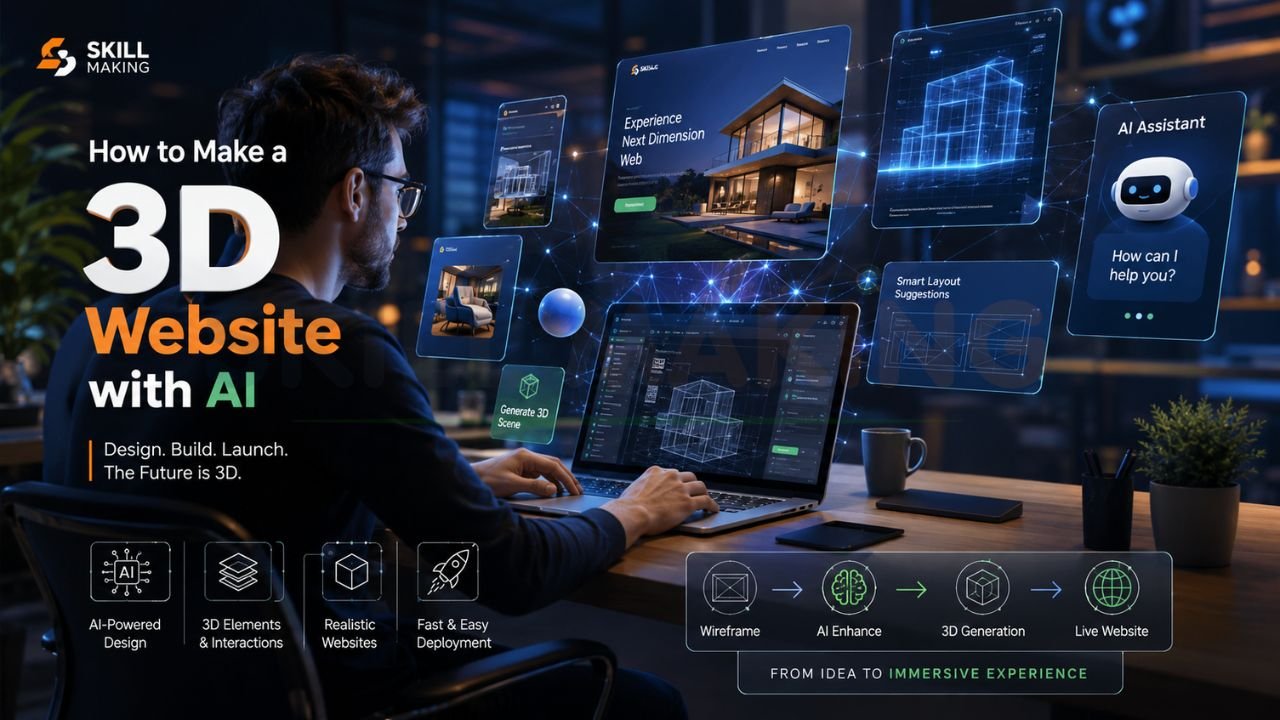
Hey there! If you’ve ever scrolled through a website and felt like you were actually walking through a room or spinning a product around in your hands, you’ve seen the magic of 3D web design. Just a few years ago, building something like that required a team of high-end developers and a massive budget. But it’s 2026, and the game has completely changed.
Today, you can use Artificial Intelligence to bridge the gap between “having a cool idea” and “launching a live 3D experience”. Whether you’re a Florida contractor looking to showcase a luxury kitchen remodel or a small business owner wanting to stand out, this guide is for you. We’re going to break down exactly how to make a 3D website with AI, from the initial prompt to the final click.
👉 Need a Modern AI-Powered 3D Website? 📲 Call/WhatsApp: +917906334941
What Exactly is a 3D Website?
Before we dive into the “how,” let’s talk about the “what.” A 3D website isn’t just a site with a few pretty pictures. It uses depth, shadows, and interactive elements to create an immersive environment. In 2026, the digital landscape is shifting toward “Intent-Driven Design,” where websites respond to users in real-time.
For a business, this might mean:
- Virtual Project Tours: Letting a potential client “walk” through a completed construction site.
- Interactive Product Showcases: Allowing customers to rotate a 3D model of what they’re buying.
- Immersive Hero Sections: Using 3D animations that respond as a user scrolls down the page.
Why 3D and AI are a Power Couple in 2026
The reason everyone is talking about how to create a 3D website with AI is simple: speed and accessibility. AI has moved from a novelty to a necessity for small business growth. We’ve entered the era of “Vibe Coding,” where you can describe a layout in plain English and watch an AI agent build it into existence.
Tools like Google DeepMind’s Genie 3 can now generate interactive 3D worlds from simple text descriptions, maintaining visual consistency for minutes at a time. This means your website doesn’t have to look like everyone else’s cookie-cutter template. You can create something genuinely unique that builds trust and authority the second a visitor lands on your page.
👉 Want a Futuristic Website That Stands Out Online? 📞 Call/WhatsApp: +917906334941
Top AI Tools for 3D Web Design in 2026
To get started, you need the right tools in your belt. Here are the heavy hitters currently dominating the market:
1. Spline (The 3D Design Hub)
Spline.design is essentially the Figma of the 3D world. It allows you to create 3D objects, animations, and interactive scenes that you can easily embed into any website. In 2026, Spline’s AI features allow you to generate complex textures and even basic 3D models just by typing a prompt.
2. Framer (The No-Code Specialist)
Framer.com has become a favorite for professional designers because of its “canvas-to-code” philosophy. It handles high-resolution project galleries and scroll-triggered animations beautifully, making it perfect for construction and architecture firms.
3. v0 by Vercel (For the “Vibe Coders”)
If you want a bit more control over the code without being a computer scientist, v0 is incredible. It’s “agentic by default,” meaning it can plan and code entire web interfaces based on your prompt. You can tell it to “Build a 3D-style landing page for a roofing company in Orlando,” and it will generate the React components for you.
4. ChatGPT & Gemini 3 (The Brains)
Models like GPT-5.5 and Gemini 3 are your expert co-pilots. They can write the Three.js or React Three Fiber code needed to render complex 3D scenes. Gemini 3 even lets you “vibe code” web apps with exceptional zero-shot generation, meaning it often gets it right the first time.
Step-by-Step Guide: How to Make a 3D Website with AI
Let’s get practical. Here is a 2026 workflow to build your first AI-powered 3D site.
Step 1: Define Your Strategy and Purpose
Don’t just build for the sake of “cool.” What is the goal? For a Florida contractor, it might be capturing emergency leads or showing off a luxury renovation. Use a tool like ChatGPT to help draft your strategy and site map.
- Prompt Idea: “Act as a marketing expert for a construction company. What are the 5 most important 3D features I should include on my website to build trust with homeowners?”
Step 2: Create Your 3D Assets with Spline AI
Head over to Spline. You don’t need to be a 3D modeler. Use their AI prompt tool to generate the base of your scene.
- Action: Prompt Spline to create a “modern, minimalist living room with interactive lighting.”
- Refine: Tweak the materials—maybe add a slate gray or royal blue palette to keep it professional.
👉 Get AI Website Design, SEO & Animation Services – 📲 Chat Now: +917906334941
Step 3: Use an AI 3D Website Builder for Structure
Now, use a tool like Dora AI or Framer AI to generate the website layout. These platforms can interpret your 3D scene from Spline and build the surrounding website (navigation, text, contact forms) around it.
- Prompt for Dora AI: “Create a cinematic, 3D landing page for a kitchen remodeling business. Integrate a 3D model of a modern kitchen that users can rotate. Use a clean, luxury aesthetic.”
Step 4: Inject “Human” Authority Content
One mistake many small businesses make is letting the AI do all the writing. In 2026, Google and users value E-E-A-T (Experience, Expertise, Authoritativeness, and Trust). Replace generic AI text with your actual project details, Florida state license info, and real photos of your team.
Step 5: Optimize for Mobile (Crucial!)
Over 70% of local searches in 2026 happen on phones. 3D can be heavy, so ensure your AI tool is optimizing for “mobile-first design”. If your 3D site takes more than 3 seconds to load, you’ll lose half your traffic.
The Cost of Building a 3D Website with AI
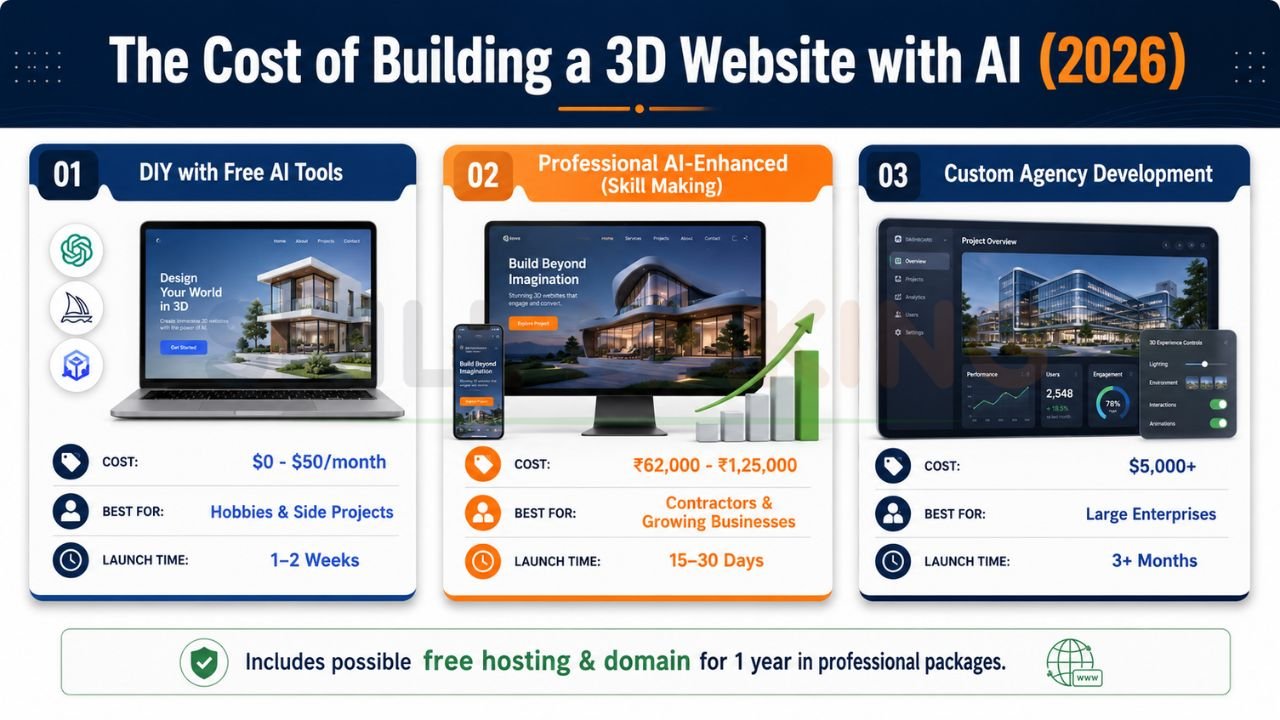
While you can start for free, professional results often require a bit of investment. Here’s a quick breakdown of what you might expect in 2026:
| Option | Estimated Cost | Best For | Launch Time |
|---|---|---|---|
| DIY with Free AI Tools | $0 – $50/mo (Subscriptions) | Hobbies & Side Projects | 1 – 2 Weeks |
| Professional AI-Enhanced (Skill Making) | ₹62,000 – ₹1,25,000 | Contractors & Growing Businesses | 15 – 30 Days |
| Custom Agency Development | $5,000+ | Large Enterprises | 3+ Months |
Note: Professional packages from specialized services often include 1 year of free hosting and domain setup.
Why Skill Making is the Better Way for Florida Businesses
We get it—DIY is fun, but you’re busy running a business. At Skill Making, we don’t just use a basic ai 3d website builder and call it a day. We combine the power of AI tools like Gemini 3 and Spline with human expertise in sales psychology and hyper-local SEO.
If you are a Florida contractor, your website is your most senior salesperson. We build:
- Lead-Generation Machines: We integrate floating WhatsApp buttons and strategic “Get a Quote” forms that free tools often overlook.
- 3D Virtual Tours: We can create immersive walkthroughs of your real projects, allowing clients in Miami or Orlando to see your craftsmanship before they even call you.
- Hyper-Local SEO: We ensure you don’t just have a pretty site, but one that ranks #1 for high-value terms in your specific city.
Don’t settle for a “cookie-cutter” AI template that looks like everyone else’s. Let us help you turn your expertise into a high-converting digital storefront.
👉 Build an Interactive 3D Website for Your Brand – 📞 WhatsApp: +917906334941
FAQ: Making 3D Websites with AI
- Is it truly possible to build a 3D website without coding?
Yes! Tools like Framer AI and Dora AI are designed specifically for no-code creators. You use “prompts” to generate the structure and design. - Can AI-generated websites rank on Google?
They can, but they need human help. You must manually optimize the content to include city-specific keywords and real-world project photos to meet Google’s trust standards. - Does a 3D website work on an iPhone?
In 2026, yes. Modern browsers and AI optimization mean that interactive 3D scenes can run smoothly on most smartphones, provided they are built with a “mobile-first” mindset. - What is “Vibe Coding”?
It’s a 2026 term for building apps and sites simply by describing them to an AI, like Gemini 3, which handles the complex logic and UI generation for you.
Conclusion
Making a 3D website with AI in 2026 is no longer a futuristic dream—it’s a practical reality for any business owner willing to learn the tools. From using Spline for your 3D assets to leveraging Gemini 3 for “vibe coding,” the power to create an immersive, lead-generating storefront is at your fingertips.
Remember, the goal isn’t just to look high-tech; it’s to build a bridge of trust between you and your customers. Whether you choose to go the DIY route or partner with a professional agency like Skill Making, 2026 is the year to step into the third dimension.
Ready to get a professional 3D website with AI without the headache? Call or WhatsApp Skill Making right now at +917906334941 or email us at :info@skillmaking.com — we’d love to build it for you!
