
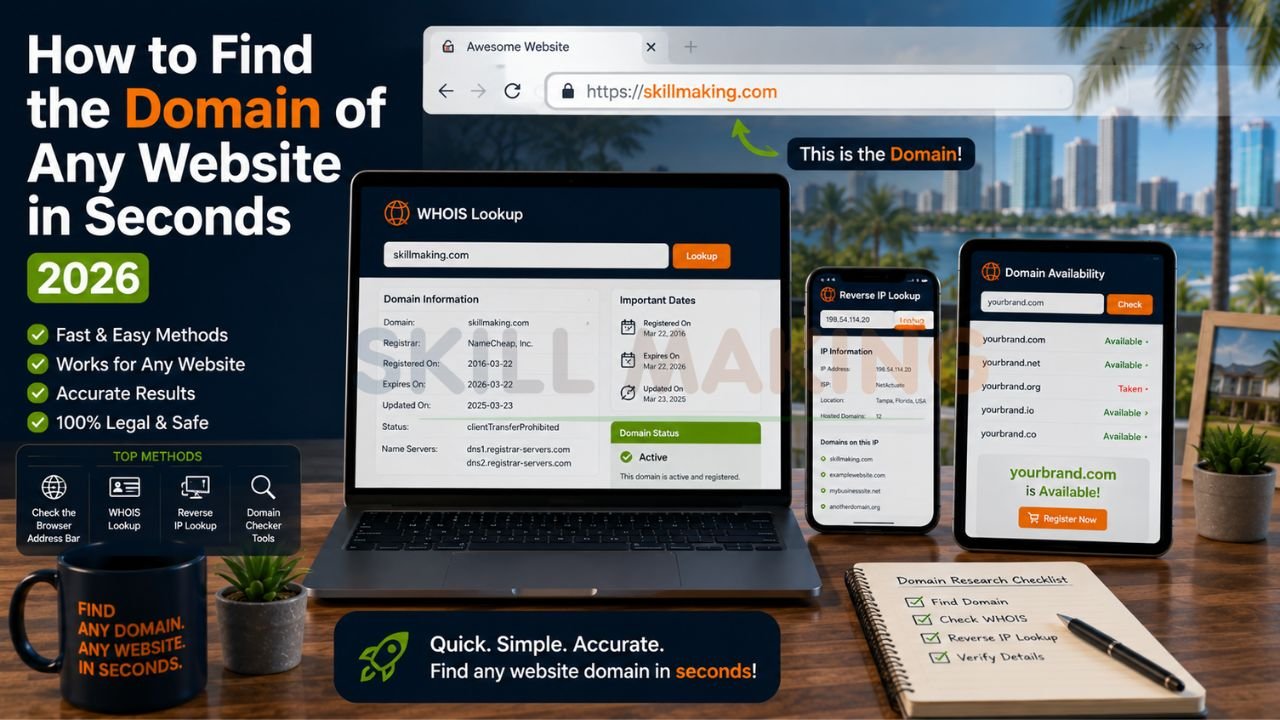
Hey there! If you’ve ever looked at a competitor’s site and wondered, “How did they get that perfect name?” or found yourself trying to see who actually owns a specific piece of digital real estate, you’re in the right place. Maybe you’re a Florida contractor looking to buy a domain that someone else is sitting on, or you’re just doing some quick market research. Finding the domain of a website sounds technical, but I promise it’s something you can do in seconds once you know where to look.
In 2026, your domain is more than just an address—it’s your brand’s digital identity. Whether you are checking availability or researching a rival, these steps will make you look like a pro.
👉 Need a Professional Domain & Website That Brings Real Leads to Your Business? – 📲 WhatsApp Us Today
What Exactly Is a Website Domain?
Before we jump into the “how,” let’s quickly touch on the “what.” A domain name is the human-readable address of a website—think google.com or skillmaking.com. Without domains, we’d all be typing in long strings of numbers called IP addresses.
For business owners, especially those in competitive trades, owning a clear, professional domain is the foundation of a strong online presence. If you’re looking into website design for roofing contractors, for example, you know that having a domain that matches your business name is the first step toward building trust with a homeowner in Miami or Orlando.
Method 1: The Address Bar (The Fast & Easy Way)
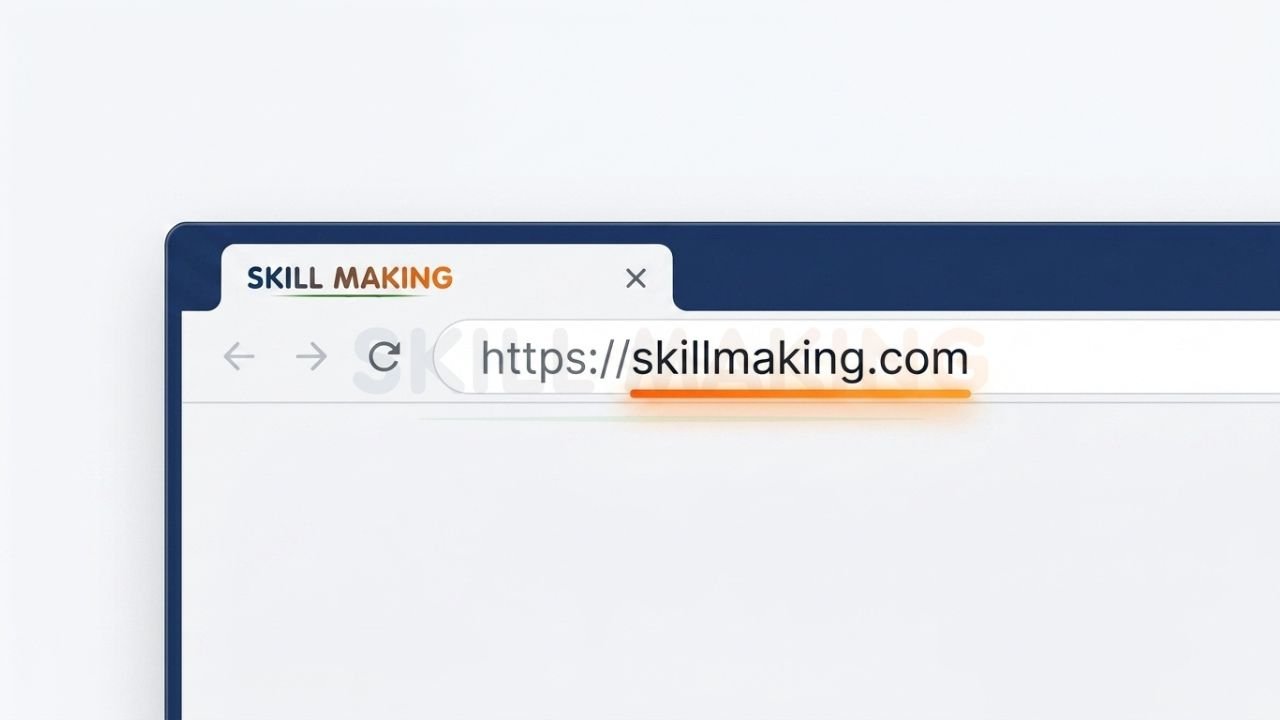
This might seem obvious, but it’s the most common way to “find” a domain. When you are visiting a site, look at the very top of your browser window.
👉 Let Skill Making Help You Secure the Perfect Domain & Build a High-Converting Website – 📲 Start Chat Now
- Locate the URL: The URL (Uniform Resource Locator) is the full string of text in the address bar.
- Strip the “Fluff”: To find the domain, ignore the https:// and the www. at the beginning. Also, ignore anything after the .com, .net, or .org (like /services or /contact).
- Identify the Core: What remains is the domain name. For example, in https://www.skillmaking.com/remodeling-website-design-development/, the domain is simply skillmaking.com.
Method 2: Use a WHOIS Lookup Tool (The Researcher’s Choice)
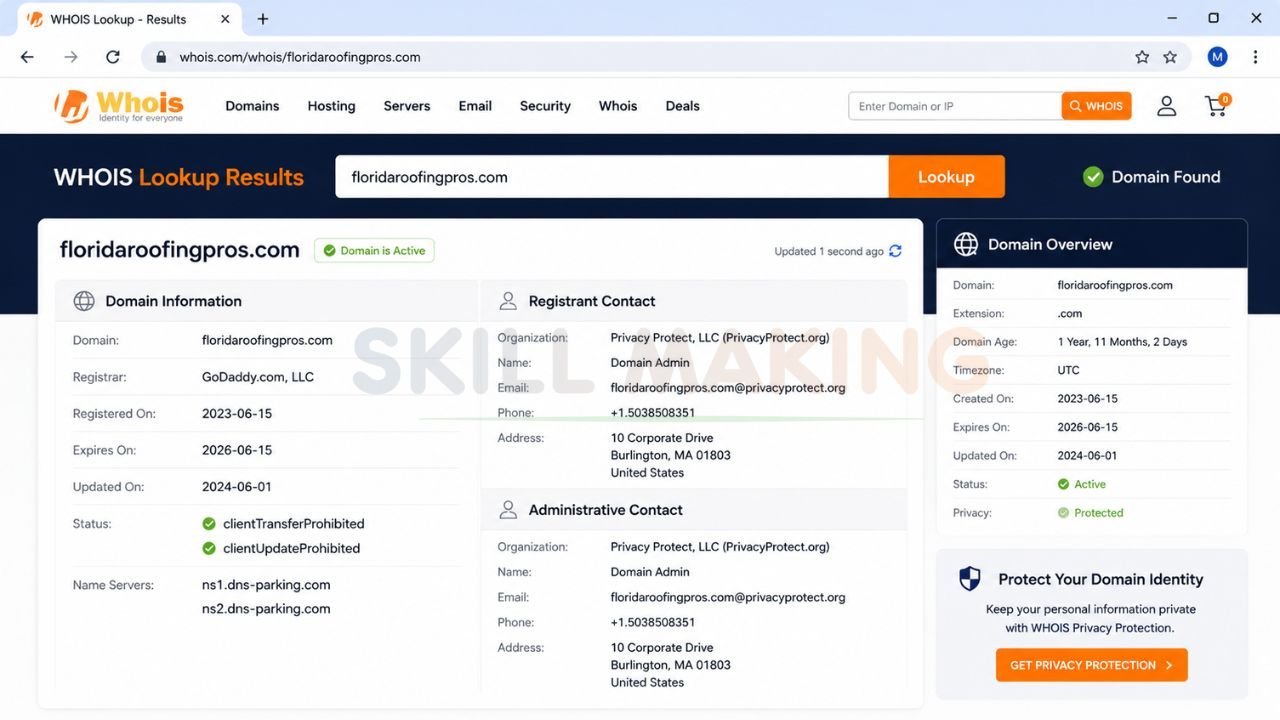
If you need more than just the name—like who owns it, when it expires, or where it was registered—a WHOIS lookup is your best friend. In 2026, most domain information is redacted for privacy, but you can still find out which “registrar” (the company that sells domains) is holding it.
👉 Grow Your Business Faster with Professional Website Design & Lead Generation Services – 📲 WhatsApp Our Team Now
Step-by-Step WHOIS Lookup:
- Go to a WHOIS Tool: Sites like WHOIS.com or ICANN Lookup are standard.
- Enter the Domain: Type in the address you’re curious about.
- Review the Data: You’ll see the “Registered On” date, the “Expires On” date, and the Name Servers.
Knowing the expiration date is a classic move for contractors who want to buy a domain from a competitor who might be going out of business or forgetting to renew their site. If you’re looking for 10 construction website ideas to generate qualified leads, you’ll find that having a clean, aged domain often helps your search rankings.
Method 3: Reverse IP Lookup (Finding the “Neighbors”)
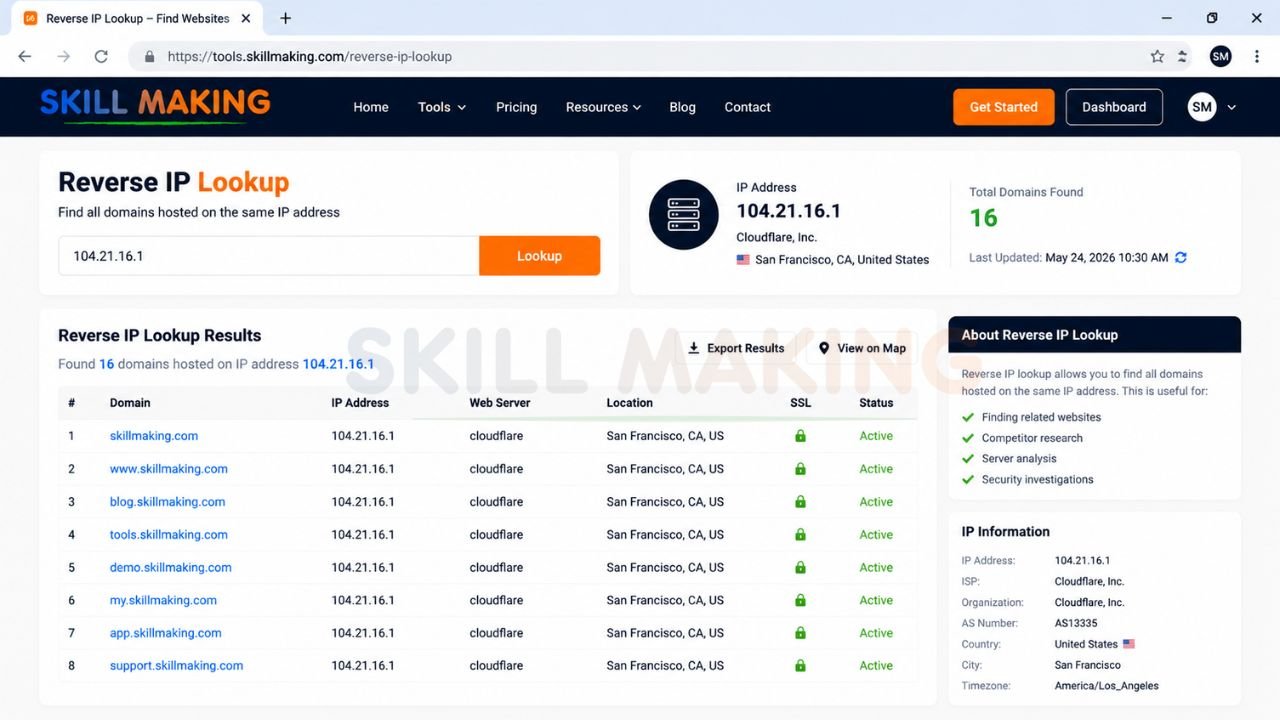
Sometimes you have an IP address but not the name. Or, you want to see every website hosted on a single server. This is called a Reverse IP Lookup.
👉 Get a Professional Business Website with Smart Domain Strategy & Local SEO – 📲 Contact Us on WhatsApp
- Find the IP Address: You can use a “Ping” command on your computer or an online tool like WhatIsMyIP.
- Use a Reverse Lookup Tool: Visit ViewDNS.info or DomainTools.
- Enter the IP: The tool will spit out a list of all domains associated with that specific server.
This is a great way to see if a marketing agency is “bulk hosting” hundreds of low-quality sites on one server, which can sometimes slow down your site’s speed.
Method 4: Browser Developer Tools (The Tech-Savvy Shortcut)
You don’t need to leave the page to find technical domain details. Most modern browsers have “Inspect” tools.
- Right-Click Anywhere: Choose Inspect or press F12.
- Go to the “Network” or “Security” Tab: These tabs often show the certificate details and the exact domain or subdomains being pulled into the page.
- Check the “Application” Tab: This will show you cookies and local storage, which are always tied to specific domains.
This is very helpful when you’re looking at best HVAC website designs for Florida contractors and want to see how they’ve structured their tracking or sub-services.
Method 5: Online Domain Availability Checkers
If your goal isn’t just to find any domain, but to find one you can buy, you need a checker.
- Step 1: Head to a registrar like Namecheap, GoDaddy, or Google Domains.
- Step 2: Type in your desired name (e.g., TampaRoofingPro).
- Step 3: The tool will tell you if it’s taken and suggest alternatives like .net, .org, or even trade-specific ones like .construction.
👉 Turn Your Domain Name into a Powerful Lead Generation Machine for Your Business – 📲 Message Us Today
Why Finding the Right Domain Matters for Your Business?
For Florida business owners, your domain is the front door of your “digital site office.” It’s how Google knows where to send local customers who are searching for your services.
| Feature | Why It Matters |
|---|---|
| Branding | A domain that matches your business name is easier to remember. |
| Local SEO | Including a city name in a domain (sometimes) helps local relevance. |
| Credibility | Customers trust YourBusiness.com more than a generic free address. |
| You can have professional emails like info@YourBusiness.com. |
If you are looking into website design services for construction companies, we always recommend securing your “Exact Match” domain as soon as possible. Even if you aren’t ready to build the full site today, owning that name prevents others from using your reputation against you.
How Skill Making Protects and Grows Your Digital Identity?
At Skill Making, we don’t just build websites; we help you own your corner of the internet. When we handle website design for flooring contractors or any other trade, we take care of the technical heavy lifting.
- Domain Strategy: We help you find and secure the best possible domain for local SEO in Florida.
- Security: We set up SSL certificates so your site is “HTTPS” (secure), which Google loves.
- Branded Presence: We integrate your domain with professional tools so every customer interaction feels high-end.
Whether you’re in Miami pouring concrete or in Jacksonville fixing roofs, having a professional website that you actually own is the only way to ensure you aren’t at the mercy of social media algorithms.
👉 Need Help Finding the Best Domain for Your Construction or Local Business? – 📲 Chat with Us Today
Final Thoughts: Start Using These Domain Tools Today
Finding the domain of any website is a simple but powerful skill. Whether you are checking on a competitor, looking for an expired name to grab, or just trying to understand how a successful site is built, these tools—WHOIS, Reverse IP, and Address Bar checks—are all you need.
Remember, your domain is the foundation of your business’s future. Don’t leave it to chance. Research your market, see what’s working for others, and then claim your own space.
Ready to own a strong, professional domain and start generating more leads? Call or WhatsApp Skill Making right now at https://wa.me/917906334941 or email us at mailto:info@skillmaking.com — we’d love to help you build a website that grows your business!
Frequently Asked Questions
Q: Can I find out exactly who owns a domain if it’s private?
A: Usually, no. Most registrars use “Privacy Protection” to hide personal names and emails to prevent spam. However, you can often find a “contact registrant” form on the registrar’s WHOIS page to send a message to the owner anonymously.
Q: Does my domain name affect my Google ranking in Florida?
A: Yes! While it’s not the only factor, having relevant keywords in your domain or a name that matches your local business can give you a slight edge in local search results.
Q: How much does it cost to buy a domain?
A: A standard .com domain usually costs between $10 and $20 per year. However, if a domain is “premium” (already owned by someone else), it could cost hundreds or even thousands of dollars to buy it from them.
Q: What is a subdomain?
A: A subdomain is a “child” of a main domain. For example, blog.skillmaking.com is a subdomain of skillmaking.com. It’s often used to separate different parts of a large website.
