
The digital landscape of 2026 has officially reached a tipping point where a professional online presence is no longer an optional luxury but a fundamental requirement for business survival. Statistics now show that approximately 90% of all leads for local services, such as construction and home improvement, originate from an online search. Furthermore, nearly 75% of users judge a company’s credibility based solely on its website design. If your business is “digitally invisible,” you are likely losing up to 60% of potential leads who research online before making a purchase.
For small business owners, the barrier to entry has never been lower. Learning how to create a website without coding is the first step toward securing your firm’s future. Modern technology has turned website creation from a months-long technical ordeal into a process that can initiate in under seven minutes through AI-driven tools. This guide explores the top beginner-friendly platforms and strategies to launch a high-quality site without writing a single line of code.
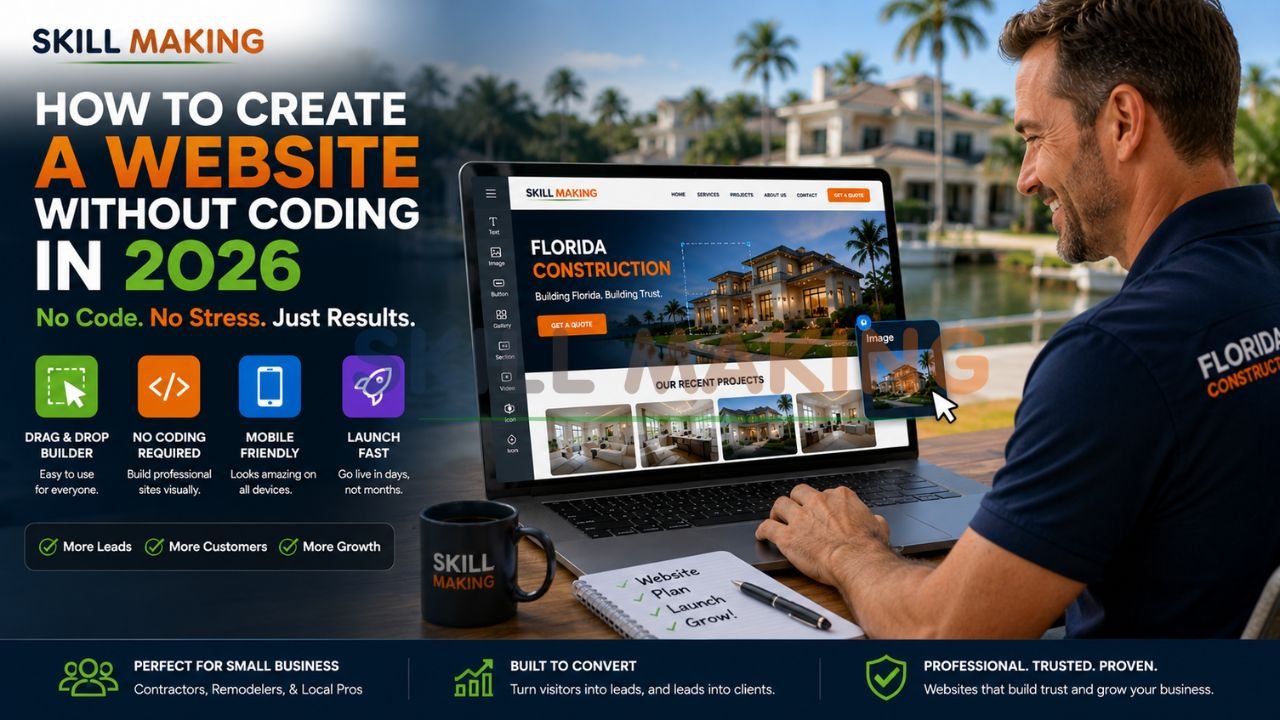
👉 Create a Professional Website Without Coding That Brings Real Leads & Customers – 📲 WhatsApp Us Today
Why Create a Website Without Coding? (Benefits for Small Businesses)?
In 2026, “intent-driven design” allows business owners to bridge the gap between their physical craftsmanship and digital vetting without technical jargon. Choosing a no code website builder provides several immediate advantages for early-stage firms:
- Cost Efficiency: Leveraging free tiers or affordable plans can save small businesses between ₹50,000 to ₹2,00,000 in initial development fees.
- Speed to Market: You can move from “no site” to a “live draft” in less than 15 minutes.
- Eliminating the “Blank Canvas” Syndrome: Modern AI-driven builders can generate production-ready layouts from simple natural language prompts.
- Mobile-First Response: Over 70% of local searches happen on smartphones. No-code tools ensure your site is natively responsive, looking perfect on any screen size.
- Ease of Maintenance: You don’t need to be a part-time web developer; visual drag-and-drop editors allow you to update project photos or services instantly.
Let Skillmaking build a professional no-code website for you to ensure your digital presence is a 24/7 sales representative that converts.
Best No-Code Website Builders in 2026 (Detailed Reviews)
The best no-code website builders in 2026 utilize “Agentic Design,” where AI agents interpret your business goals and aesthetic preferences through simple prompts.
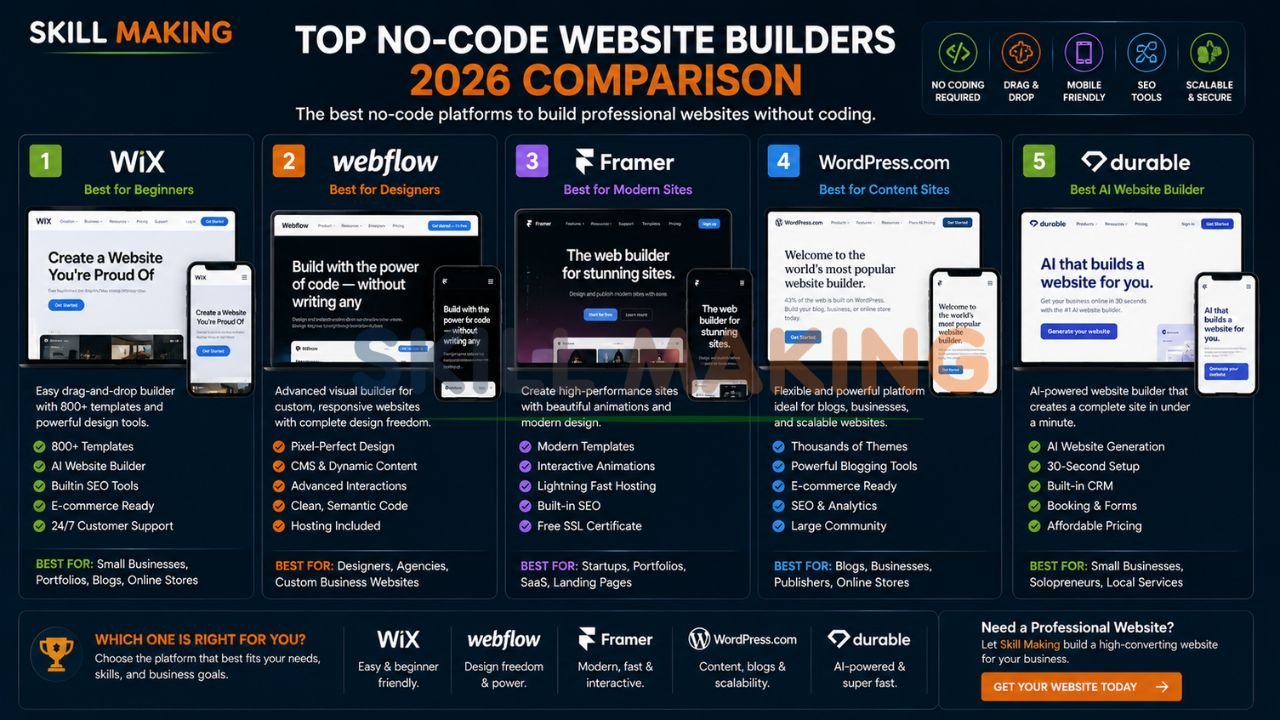
👉 Launch a High-Converting No-Code Website for Your Business in 2026 – 📲 Start Chat Now
1. Wix (with AI Design Intelligence)
Wix remains a powerhouse, featuring “Aria,” a personal web design and business expert. Its flagship AI builder allows users to generate a unique site in minutes based on a description.
- Best For: All-in-one business suites including SEO, CRM, and email marketing.
- Check it out: Wix Official Site
2. Webflow (Agentic Marketing Platform)
Webflow is an agentic platform designed for high-fidelity designs and clean, semantic code without manual programming.
- Best For: Creative brands wanting total control over visual aesthetics and high-performance hosting.
- Check it out: Webflow Official Site
3. Framer AI
Framer has pioneered the “Wireframer” tool, allowing you to bypass design phases by chatting with an AI to spark ideas. It is elite for scroll-triggered animations and high-resolution galleries.
- Best For: Designer-quality layouts and high-end portfolios.
4. WordPress.com (Managed No-Code)
WordPress.com offers a managed hosting solution with AI website builders and high-level security.
- Best For: Content-heavy sites and long-term scalability.
- Check it out: WordPress.com Official Site
5. Dora AI
Dora AI is the gold standard for creating immersive, 3D, and cinematic web experiences through prompts.
- Best For: Luxury brands and tech-forward contractors wanting a “wow factor”.
👉 Get a Mobile-First Website Built Without Coding & Optimized for SEO – 📲 Contact Us on WhatsApp
6. Carrd
Specializes in simple, fully responsive one-page sites.
- Best For: Individual subcontractors needing a professional digital business card.
7. Durable AI
Specifically designed for solo entrepreneurs, it can generate a site with images and copy in 30 seconds.
- Best For: Beginners needing an immediate presence with zero effort.
8. HubSpot Free Builder
A visual CMS with built-in marketing tools like CRM and lead capture.
- Best For: Businesses focused on aggressive lead generation.
- Check it out: HubSpot No-Code Resources
Step-by-Step: How to Create a Website Without Coding (Complete Beginner Guide)
Building your first site doesn’t have to be overwhelming. Follow this 2026 blueprint to build website without coding:
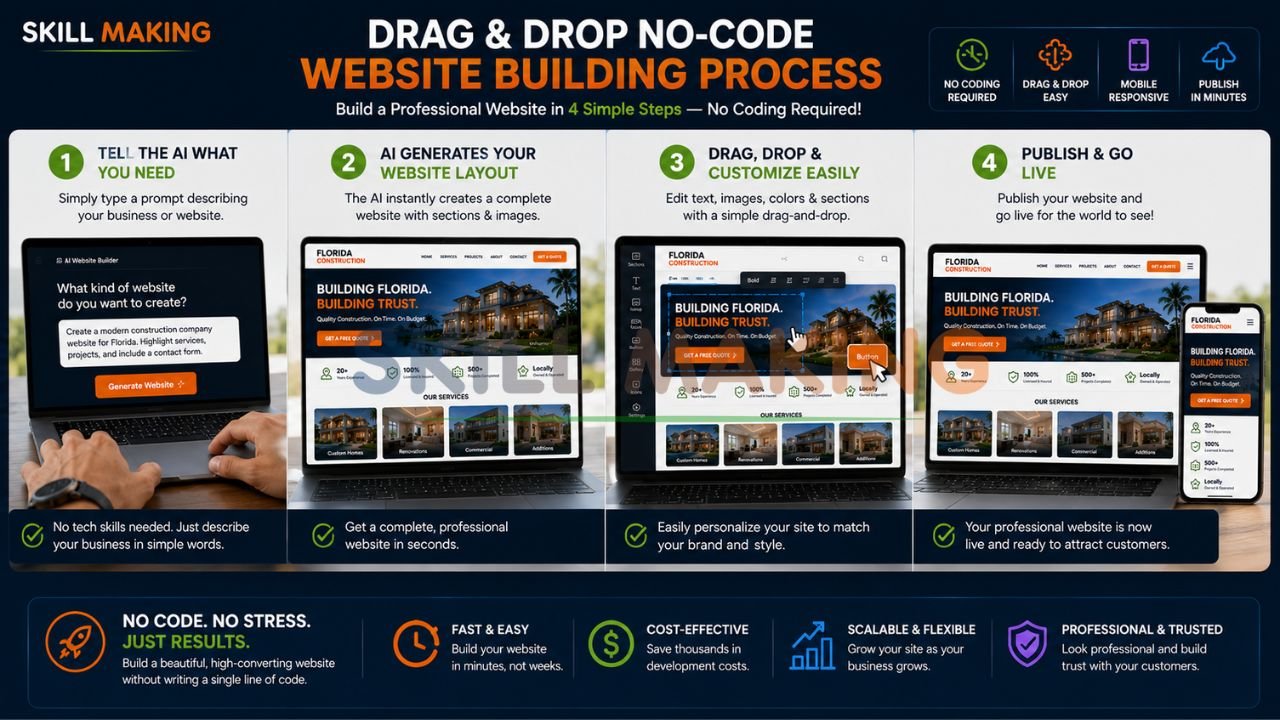
👉 Turn Your No-Code Website into a Powerful Lead Generation Machine – 📲 Message Us Today
- Define Your Intent: Decide if you need emergency “Call Now” leads or a luxury portfolio showcase.
- Select Your “Smart Prompt”: Use a no-code AI creator like Framer or Wix. Be specific: “Create a mobile-first site for an emergency plumber in Orlando with a floating WhatsApp button”.
- Choose Your Template: Pick a theme that emphasizes your trade. For construction, ensure it has a high-resolution gallery section.
- Populate with Real Data: Avoid stock photos. Upload your project photos, licenses, and verified reviews to build trust.
- Inject Lead Tools: Ensure you have a floating WhatsApp button and prominent “Get a Free Quote” buttons.
- Verify Mobile Speed: If your site takes more than 2 seconds to load on a smartphone, you will lose 70% of visitors. Use Nielsen Norman Group guidelines to ensure high-performance usability.
Get a custom website without coding from Skillmaking experts to ensure your site loads instantly on every job site.
Head-to-Head Comparison Table: Best No-Code Website Builders
| Platform | Ease of Use | Pricing (Free Tier) | Best For | SEO Rating |
|---|---|---|---|---|
| Wix ADI | 5/5 | Subdomain, Wix Ads | Quick Service Sites | 4.8/5 |
| Webflow | 2/5 | 2-Page Limit | High-End Design | 4.9/5 |
| WordPress.com | 3/5 | No Plugins | Scalable Blogs | 4.7/5 |
| Framer | 4/5 | Subdomain | Cinematic Visuals | 4.8/5 |
| Durable AI | 5/5 | Limited Credits | Instant Launch | 4.1/5 |
| HubSpot | 4/5 | HubSpot Brand | Lead Nurturing | 4.5/5 |
| Google Sites | 5/5 | 100% Free | Internal Portals | 4.2/5 |
Must-Have Pages & Features for a Professional Business Website
To be a lead-generating machine in 2026, your site needs specific “non-negotiable” features:
- Interactive Project Gallery: Use “Before and After” sliders to demonstrate impact.
- WhatsApp Integration: The primary communication tool for over 90% of local consumers.
- Service-Specific Pages: Don’t group all skills together; create individual pages for “Kitchen Remodeling” or “Emergency Plumbing” to match user intent.
- Trust Signals: Prominently display ISO certifications, state licenses (like RERA in India), and safety records.
- Local SEO Mastery: Targeting specific cities (e.g., “Best general contractor in Tampa”) to appear in “Near Me” searches.
- SSL Security: A mandatory requirement for trust and Google ranking.
Special Guide: Creating a No-Code Website for Construction & Home Improvement Companies
In the $2.145 trillion construction market, your website is the bridge between physical work and digital vetting. For trade-specific businesses, use this 30-day action plan:
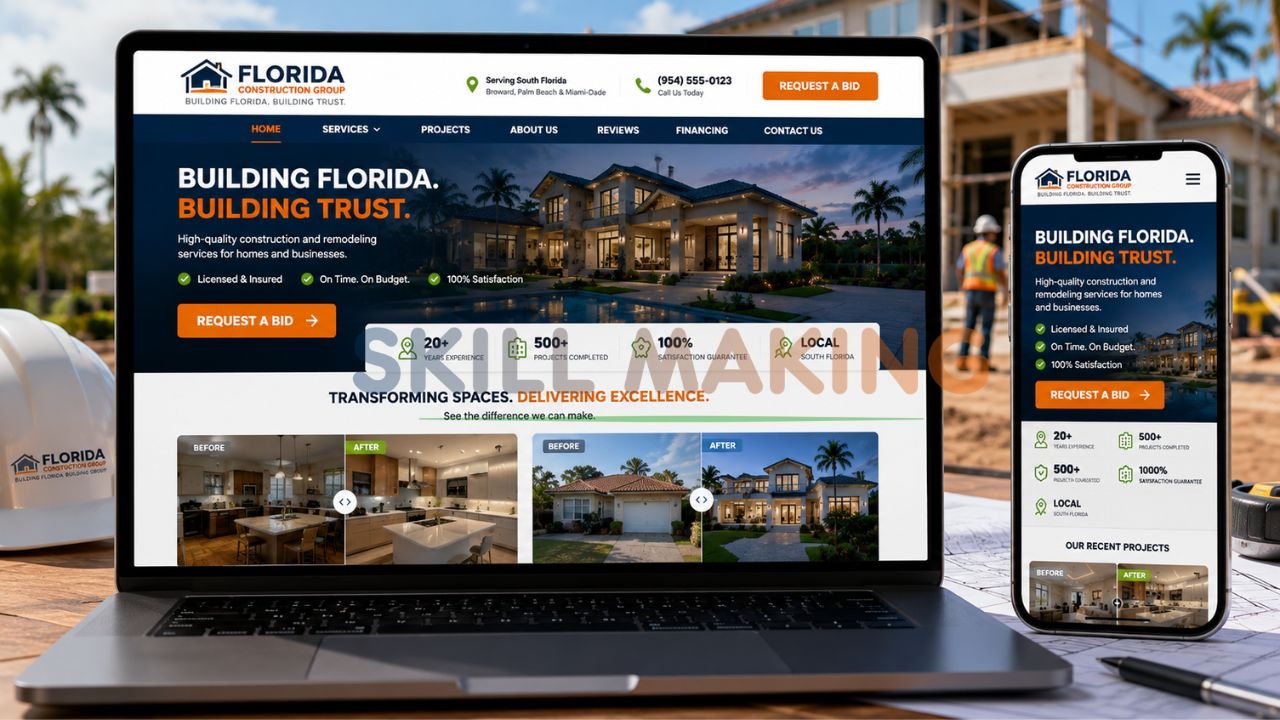
👉 Build a Fast, Responsive Website Without Hiring Expensive Developers – 📲 Connect on WhatsApp
- Week 1 (Foundation): Select a domain and define your target (e.g., “Luxury Residential in Miami”).
- Week 2 (Content): Gather high-resolution project photos and draft SEO-optimized content focusing on city-specific keywords.
- Week 3 (Design): Build the mobile-first interface and integrate emergency “Call Now” features.
- Week 4 (Launch): Verify speed is under 2 seconds and connect your site to your Google Business Profile.
Understanding what is marketing in the construction industry is the first step toward building a strategic engine for trust.
Design Tips, SEO, Mobile Optimization & Lead Generation (No Coding Needed)
A no coding required website must still follow professional design standards to convert visitors.
- Mobile-First Design: 80% of local leads search on smartphones. If your site isn’t mobile-friendly, it’s effectively broken.
- Avoid Saturated Colors: Use a subdued, harmonious color scheme that reflects professionalism.
- Technical SEO: Ensure you optimize meta tags and descriptions within the builder settings to rank for “builder near me”.
- Lead Magnets: Use “Get a Free Bid” buttons and integrated WhatsApp links to turn casual visitors into qualified leads.
Common Mistakes When Building a Website Without Coding
Avoid these pitfalls that can silence your phone and waste your budget:
- Slow Loading Speeds: Large, unoptimized images cause high bounce rates.
- Generic Stock Photos: Using stock images from another country dilutes your brand; customers want to see your work in their city.
- Dependency on Social Media: Social media is “rented land.” A website is your digital property where you control the data.
- Lack of CTAs: If a lead has to hunt for your phone number, they will call a competitor.
One of the most common marketing mistakes construction companies make is maintaining an outdated site that damages credibility.
Free vs Paid No-Code Options – What Should You Choose?
While finding an easy to use website builder free of charge is a great starting point, growing businesses often hit a ceiling.
- Free Options (Wix, Google Sites, WordPress.com): Good for solo subcontractors or internal portals. Limitations include branded ads and subdomains (e.g., yourname.wixsite.com).
- Paid Options (Webflow, Framer, Premium Wix): Essential for connecting a custom domain, removing ads, and accessing advanced SEO tools.
👉 Get a Beautiful No-Code Website with WhatsApp Integration & Lead Capture Forms – 📲 Talk to Experts Now
When to Use No-Code Tools vs Hire Professional Designers?
A beginner website builder is a “starter” tool. Transition to professional design when:
- You are targeting high-value commercial or residential contracts.
- You need a system that offers an average of 3.8x growth in organic traffic.
- You want to avoid the “maintenance trap” of managing technical updates yourself.
If you are wondering how to get more home improvement leads, the answer consistently starts with a robust, professional digital storefront.
How Skillmaking Creates Beautiful No-Code & Custom Websites?
At Skillmaking, we engineer AI and no-code platforms to serve the trades. Our approach delivers:
- 3.8x Average Growth in organic traffic within six months.
- 312% Increase in qualified lead requests.
- Frictionless UI/UX: We ensure users are never more than one click away from calling you.
Get a professional no-code website built by Skillmaking to secure your business’s future.
Conclusion: Start Building Your Digital Future Today
In 2026, your website is your most valuable asset—it is the bridge between your craftsmanship and a multi-trillion dollar market. Whether you use a drag and drop website creator to start or hire experts, having a fast, professional, and SEO-optimized presence is what sets you apart.
Don’t let high-value projects go to your competitors. Take the first step toward a booked-out calendar today.
Ready to dominate your local market? Let Skillmaking build a professional no-code website for you and secure your business’s digital future.
- WhatsApp Us Now: +91-7906334941
- Visit Us: skillmaking.com
Frequently Asked Questions
- Can I really build a website for free? Yes, tools like Wix and Google Sites allow for free launches, though they feature ads and subdomains.
- Is “no-coding” really no coding? Yes. Visual drag-and-drop editors and AI prompt tools allow for professional layouts without seeing code.
- What is Answer Engine Optimization (AEO)? It’s a 2026 standard ensuring AI search assistants (like ChatGPT or Gemini) recommend your business.
- How long does it take to see SEO results? Organic SEO growth typically takes 3-6 months.
- Should I include pricing on my site? Yes, offering “starting at” prices or calculators helps qualify leads and build transparency.
- Can I use my own domain on a free plan? Most free plans require a subdomain; custom domains usually require a paid tier.
- Is mobile-first design mandatory? Yes. Over 70% of searches happen on smartphones, and Google prioritizes mobile sites.
- What is the best builder for a small construction firm? 10Web or Wix are excellent for handling high-resolution project galleries effectively.
- Are no-code websites secure? They offer standard security, but professional packages include advanced SSL and enterprise-grade protection.
- Why hire Skillmaking instead of DIY? Skillmaking provides the strategy, security, and conversion logic that turns a site into a high-growth asset.
